Introduction
Black Friday is just weeks away, and for Western Sydney businesses, this represents one of the biggest sales opportunities of the year. Whether you run a boutique in Castle Hill, a service business in Parramatta, or an online store serving the Hills District, your website needs to be ready for the surge in traffic and transactions.
Last year, Australian consumers spent over $6.36 billion during the Black Friday and Cyber Monday weekend. That number is expected to grow in 2025, with more shoppers than ever starting their searches online before heading to local stores.
The question is: is your website ready to handle it?
This guide walks you through everything you need to check, test, and prepare before the big sales weekend hits. You have roughly three weeks, so let’s make them count.
Why Website Preparation Matters for Black Friday
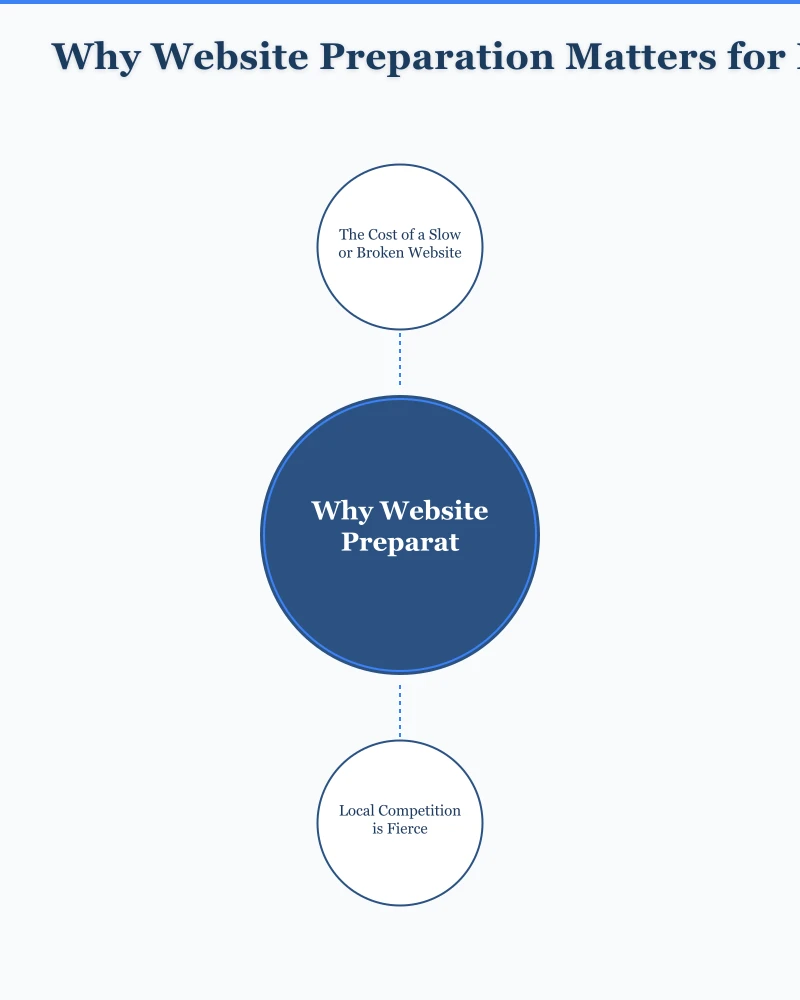
The Cost of a Slow or Broken Website
When your website struggles during peak traffic, you lose more than just sales:
53% of mobile visitors abandon a site that takes more than 3 seconds to load. During Black Friday, patience is even thinner as customers jump between deals.
88% of online shoppers say they won’t return to a website after a bad experience. That one slow page load could cost you a customer for life.
For a Hills District retailer expecting 500 website visits on Black Friday, even a 10% increase in abandonment due to slow loading could mean 50 lost potential customers. At an average order value of $75, that’s $3,750 in missed revenue from one day.
Local Competition is Fierce
Western Sydney shoppers have more options than ever. A quick search for “Black Friday deals Blacktown” or “Castle Hill sales” brings up dozens of competing businesses. If your website is slow, confusing, or broken, customers will simply click to the next option.
Your website is your digital shopfront. Would you leave your physical store messy and understaffed on the busiest shopping day of the year?
The Three-Week Preparation Timeline
Week One: Technical Foundation (Now - November 9)
Start with the technical basics that take time to implement and test.
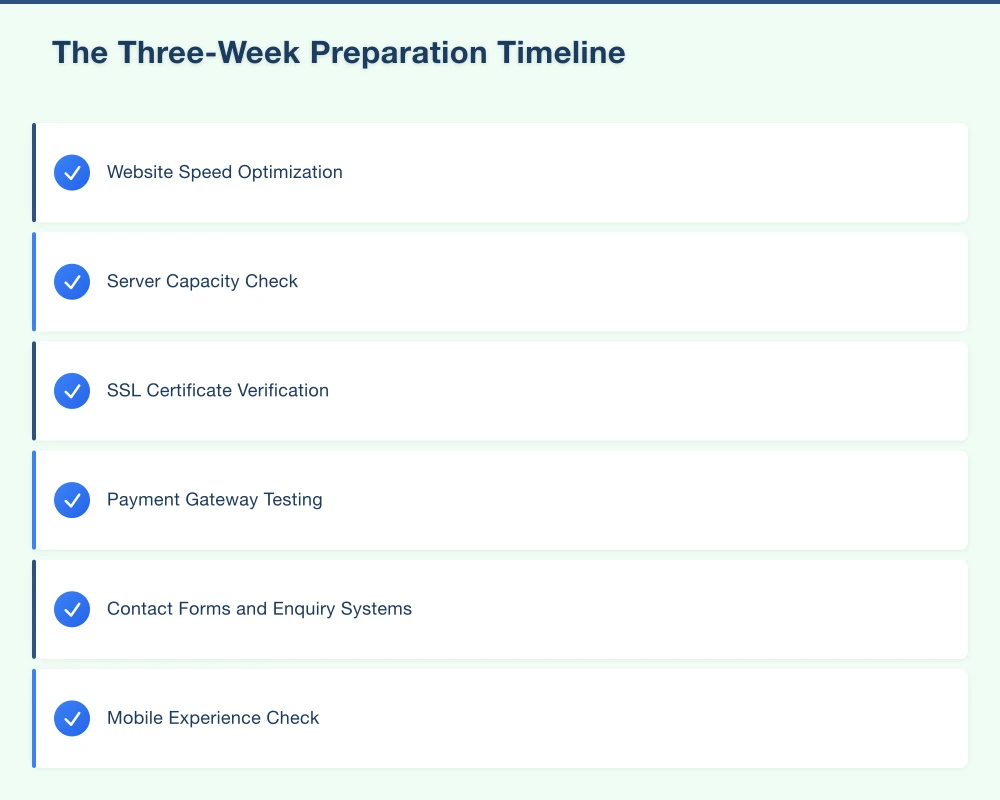
Website Speed Optimization
Test your current website speed using Google PageSpeed Insights (free). Enter your URL and note your scores for both mobile and desktop.
Target scores:
- Mobile: Above 70
- Desktop: Above 85
If your scores are below these targets, focus on:
-
Image compression: Large images are the most common speed killer. Use tools like TinyPNG or Squoosh to compress images without losing quality. A hero image can often be reduced from 2MB to 200KB.
-
Enable caching: Your hosting provider should offer caching options. For WordPress sites, plugins like WP Super Cache or W3 Total Cache help. Caching stores static versions of your pages so they load faster.
-
Minimize plugins: If you’re running WordPress, deactivate plugins you’re not using. Each plugin adds load time. We’ve seen sites improve by 2 seconds just by removing unused plugins.
Server Capacity Check
Contact your hosting provider and ask:
- What happens if my traffic doubles or triples?
- Do I need to upgrade my plan temporarily?
- Is there a surge protection option?
Many hosts offer temporary upgrades for peak periods. This might cost $50-100 extra but prevents your site from crashing during your biggest sales day.
SSL Certificate Verification
Check that your SSL certificate (the padlock in the browser) is valid and won’t expire during November. An expired SSL certificate displays scary warnings that will send customers running.
Week Two: Functionality Testing (November 9-16)
With technical foundations sorted, test everything a customer might do on your site.
Payment Gateway Testing
Complete test transactions through every payment method you offer:
- Credit/debit cards (test with Visa, Mastercard, and American Express if accepted)
- PayPal
- Afterpay/Zip if offered
- Apple Pay/Google Pay if enabled
Check that:
- Transactions process successfully
- Confirmation emails arrive
- Receipts display correctly
- Refund processes work
Contact Forms and Enquiry Systems
Submit test enquiries through every form on your site:
- Contact page form
- Quote request forms
- Newsletter signup
- Live chat (if you have it)
Verify that:
- Submissions reach the correct email inbox
- Auto-responses send correctly
- Staff notifications work
- No forms are broken or timing out
Mobile Experience Check
67% of Black Friday browsing happens on mobile devices. Test your entire customer journey on a phone:
- Find a product or service
- Read the details
- Add to cart (if applicable)
- Complete checkout
- Find contact information
Note any issues:
- Buttons too small to tap
- Text hard to read
- Forms difficult to complete
- Images not loading properly
Week Three: Content and Promotions (November 16-23)
With technical and functional elements tested, focus on your Black Friday content and promotions.
Update Key Pages
Your homepage should clearly communicate your Black Friday offers. Consider:
- Banner announcing Black Friday dates and deals
- Clear links to sale categories
- Prominent display of your best offers
Update your product or service pages with:
- Sale prices clearly shown
- Original prices crossed out
- “Black Friday Special” labels
- Stock levels if limited
Create a Dedicated Sales Page
Build a landing page specifically for Black Friday that includes:
- All your Black Friday deals in one place
- Clear start and end dates
- Terms and conditions
- Links to individual products/services
This page becomes your promotional hub. Share this URL in emails, social media, and ads.
Prepare Your Google Business Profile
Don’t forget your Google Business Profile:
- Add a Black Friday post with your best offers
- Update holiday hours if different
- Add any special attributes (curbside pickup, online ordering)
For Western Sydney businesses, local searches spike during Black Friday as people look for “Black Friday deals near me.”
Essential Pre-Launch Checklist
Use this checklist in the final days before Black Friday:
Technical
- Website loads in under 3 seconds on mobile
- SSL certificate is valid
- Hosting plan can handle traffic surge
- All pages load without errors
- Backup created and tested
Functionality
- All payment methods tested and working
- Contact forms delivering to correct inboxes
- Shopping cart functions correctly
- Checkout process completes without errors
- Email confirmations sending
Content
- Black Friday offers clearly displayed
- Sale prices and dates accurate
- Terms and conditions published
- Return policy updated for sale items
- Contact information easy to find
Mobile
- Site is fully functional on mobile
- Buttons are easy to tap
- Checkout works on mobile
- Forms are easy to complete
- Images load correctly
Backup and Emergency Plans
Hope for the best, prepare for the worst.
Create a Full Website Backup
Before making any Black Friday changes, create a complete backup of your website. Most hosting providers offer one-click backups. Alternatively, WordPress plugins like UpdraftPlus can help.
Store backups in multiple locations:
- Your hosting account
- Cloud storage (Google Drive, Dropbox)
- Local computer
Prepare Emergency Contacts
Have these contacts ready:
- Hosting provider support number
- Web developer contact (if you have one)
- Payment gateway support
- Your own IT-savvy staff member or friend
Create a “Site Down” Response Plan
If your website crashes:
- Post on social media that you’re aware and fixing it
- Provide alternative ways to shop (phone, email, physical store)
- Contact your host immediately
- Don’t panic–focus on solutions
What Western Sydney Businesses Often Miss
After helping dozens of local businesses prepare for Black Friday, here are the most common oversights we see:
Forgetting Mobile Users
Many businesses test on desktop and forget that most customers will be on phones. Always test your mobile experience thoroughly.
Ignoring Page Load Speed
A beautiful website that takes 8 seconds to load will lose customers. Speed beats fancy design every time during high-traffic periods.
Not Testing Payments Under Pressure
Your payment gateway might work fine normally but struggle under heavy load. Ask your payment provider about their Black Friday capacity.
Failing to Update Google Business Profile
Local customers searching “Black Friday deals Castle Hill” or “Blacktown sales” will see your Google Business Profile before your website. Keep it updated.
Not Having Enough Stock Information
If you’re selling physical products, display stock levels where possible. Nothing frustrates customers more than completing a purchase only to receive a “sorry, out of stock” email.
Action Plan for This Week
Today:
- Run a speed test on your website
- Contact your hosting provider about traffic capacity
- Create a full website backup
This Week:
- Test all payment methods
- Test all contact forms
- Complete a full mobile journey test
Next Week:
- Update homepage with Black Friday messaging
- Create or update your sales landing page
- Update Google Business Profile
Week Before Black Friday:
- Final testing of all systems
- Brief staff on any website-related questions they might receive
- Create backup of final site version
Getting Professional Help
If you’re reading this and feeling overwhelmed, you’re not alone. Many Western Sydney small businesses don’t have the time or technical knowledge to prepare their websites properly.
Consider professional help if:
- Your website is already slow or problematic
- You’ve never updated your site yourself
- Your last update was more than a year ago
- You’re planning significant Black Friday promotions
- Your business depends heavily on online sales
A professional website audit and tune-up typically takes 3-5 business days–there’s still time if you act now.
Make This Your Best Black Friday Yet
Black Friday 2025 is an opportunity to finish the year strong. Western Sydney shoppers are ready to spend, and they’re increasingly doing their research and purchasing online.
The businesses that will win are those with fast, reliable, easy-to-use websites that make buying simple.
You don’t need to overhaul your entire website. Focus on:
- Speed–make it fast
- Functionality–make sure everything works
- Clarity–make your offers obvious
- Mobile–make it work on phones
Start your preparation today, and you’ll be ready when the Black Friday rush arrives.
Need help preparing your website for Black Friday? Cosmos Web Technologies helps Western Sydney businesses get their websites ready for peak sales periods. Contact us for a pre-Black Friday website audit.
Modern retail runs on connected POS, inventory, and online channels. Cloud Geeks provides cloud and IT support that keeps Australian retail and hospitality businesses online during peak hours.
Ash Ganda covers digital strategy for retail and hospitality SMBs — what to automate, what to outsource, and where AI actually moves revenue.
Loyalty apps, mobile ordering, and customer-facing apps drive repeat business. Awesome Apps builds them for Australian retail and hospitality brands.
Part of the Ganda Tech Services family, Cosmos Web Tech delivers specialist web design and digital marketing for Australian small and medium businesses.