
Introduction
Christmas is coming, and for Western Sydney businesses, it represents the most important sales period of the year. Whether you’re a retailer in Parramatta, a service provider in the Hills District, or a hospitality business in Blacktown, the next six weeks will significantly impact your annual revenue.
But here’s what many local businesses get wrong: they focus all their energy on social media and foot traffic while ignoring their website. Yet research shows that 81% of shoppers research online before making a purchase, even when they plan to buy locally.
Your website isn’t just a digital brochure anymore. It’s your 24/7 salesperson, your first impression for new customers, and often the deciding factor in whether someone chooses you or your competitor.
This guide will show you how to transform your website into a Christmas sales machine–without needing technical expertise or a big budget.
Why Your Website Matters More at Christmas
The Changed Shopping Behaviour
Australian Christmas shopping behaviour has shifted dramatically. According to recent data:
73% of consumers now start their Christmas shopping research online, comparing prices and reading reviews before visiting stores.
62% of shoppers say they discover new local businesses through Google searches, especially during the holiday season.
For a Hills District boutique or a Castle Hill restaurant, this means customers are likely to visit your website before they ever walk through your door. What they find–or don’t find–determines whether they make that trip.
Local Search Spikes at Christmas
Christmas-related local searches increase by 150-200% in November and December. People search for:
- “Christmas gifts Parramatta”
- “Best restaurants for Christmas lunch Western Sydney”
- “Gift ideas Hills District”
- “Christmas hampers Blacktown”
If your website isn’t optimised for these searches, you’re invisible to potential customers actively looking to buy.
Transform Your Homepage for Christmas
Your homepage is your digital shopfront window. During Christmas, it needs to immediately communicate what you’re offering holiday shoppers.
Create a Christmas Welcome Section
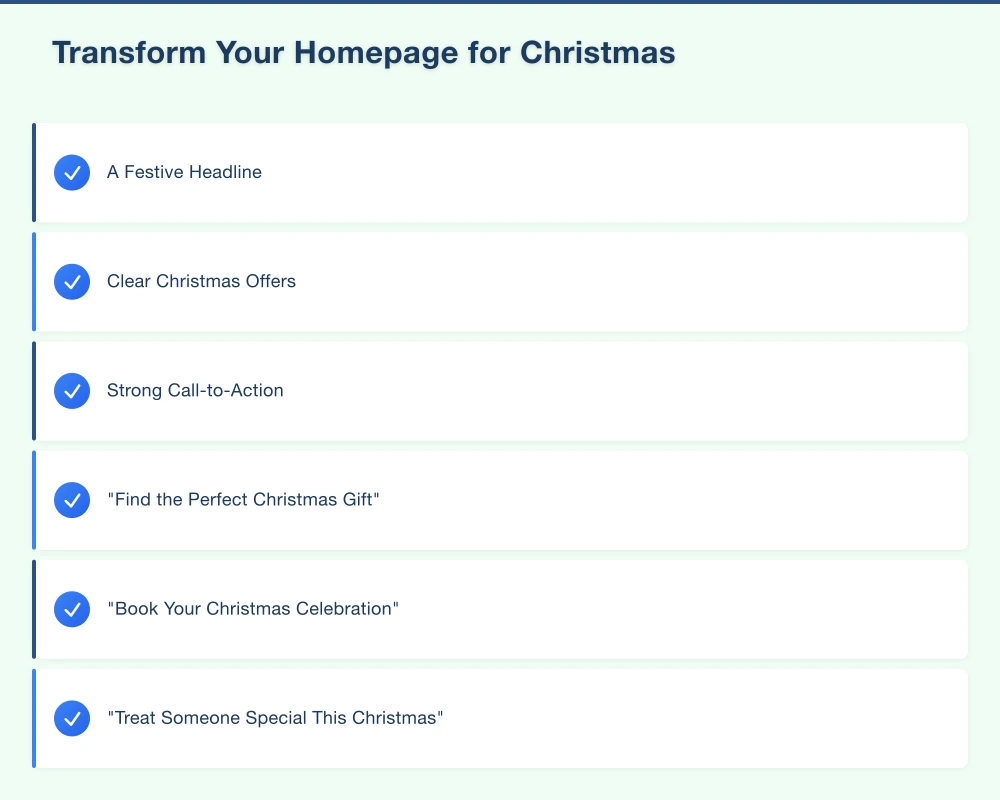
Add a prominent section at the top of your homepage that includes:
A Festive Headline Not “Welcome to Our Website” but something like:
- “Find the Perfect Christmas Gift”
- “Book Your Christmas Celebration”
- “Treat Someone Special This Christmas”
Clear Christmas Offers Highlight your best seasonal deals immediately. Don’t make visitors hunt for them.
Strong Call-to-Action Tell visitors exactly what to do next:
- “Shop Christmas Gifts”
- “Book Your Christmas Table”
- “View Our Christmas Menu”
- “Order by December 15 for Christmas Delivery”
Display Important Deadlines
Christmas shoppers need to know timing. Display prominently:
- Last order dates for Christmas delivery
- Booking deadlines for Christmas services
- Extended trading hours
- Christmas closure dates
A simple countdown timer to your last order date can significantly increase urgency and conversions.
Add Trust Signals
During the busy season, customers want reassurance they’re dealing with a reliable local business.
Include:
- Google review rating and recent reviews
- “Serving Western Sydney Since [Year]”
- Accepted payment methods
- Return policy summary
- Local delivery information
Create a Dedicated Christmas Page
One of the most effective tactics is creating a single page that collects all your Christmas offerings.
What to Include
Christmas Products or Services List everything you’re offering for the holiday season with clear pricing and images.
Gift Ideas by Recipient Help shoppers find gifts quickly:
- “Gifts for Him”
- “Gifts for Her”
- “Gifts Under $50”
- “Last-Minute Gifts”
- “Gifts for Food Lovers”
Christmas Packages or Bundles Create special Christmas bundles that offer value:
- Gift sets
- Christmas hampers
- Service packages
- Experience vouchers
Ordering and Booking Information
- How to order
- Pickup vs delivery options
- Important dates and deadlines
- Contact information for questions
SEO for Your Christmas Page
Name your page URL something searchable like:
/christmas-gifts-western-sydney/christmas-menu-2025/christmas-hampers-hills-district
Include location-specific keywords in your:
- Page title
- Headings
- Image descriptions
- Body content
This helps your page appear when locals search for Christmas options in your area.
Optimise Your Product and Service Pages
Beyond your homepage and Christmas page, individual product and service pages need attention.
Add Christmas Context
Update product descriptions to include Christmas relevance:
Before: “Handcrafted leather wallet”
After: “Handcrafted leather wallet–a thoughtful Christmas gift for the man who appreciates quality. Gift-wrapped and ready to give.”
Update Images
Where possible, add Christmas-themed images:
- Products with festive styling
- Gift-wrapped versions
- Christmas table settings for hospitality
- Seasonal decorations in background
You don’t need professional photography. A smartphone photo with some Christmas decorations can work well.
Highlight Gift-Worthy Features
For every product or service, ask: “Why would someone buy this as a Christmas gift?”
Emphasise:
- Quality and durability
- Unique or local origin
- Personalisation options
- Beautiful packaging
- Gift card availability
Make Gift Cards Prominent
Gift cards are essential for Christmas. Research shows 56% of Australians give or receive gift cards during the holiday season.
If You Don’t Offer Gift Cards
Consider adding them. Digital gift cards are easy to set up through most e-commerce platforms. For service businesses, you can offer vouchers for specific services or dollar amounts.
If You Already Offer Gift Cards
Make them impossible to miss:
- Add to your main navigation menu
- Feature on your homepage
- Create a dedicated landing page
- Include in Christmas email campaigns
- Add to every product page as an alternative
Gift cards solve the “I don’t know what to buy” problem and capture last-minute shoppers who’ve run out of time.
Improve Your Mobile Experience
During Christmas, people browse on their phones while:
- Commuting to work
- Taking lunch breaks
- Watching TV at night
- Standing in queues
67% of holiday shopping research happens on mobile devices. Your website must work perfectly on phones.
Quick Mobile Checks
Open your website on your phone and verify:
Can you find Christmas offers within 3 seconds? If you have to scroll or hunt, the answer is no.
Are buttons easy to tap? Tiny buttons that require precise tapping frustrate users.
Is text readable without zooming? If customers have to pinch and zoom, they’ll leave.
Does checkout work smoothly? Complete a test purchase on your phone.
Can you easily find contact information? Include a click-to-call button for phone numbers.
Mobile-Specific Improvements
Consider adding:
- Sticky “Shop Now” or “Book Now” button
- Mobile-friendly navigation menu
- Quick-view product options
- One-page checkout
- Apple Pay/Google Pay options
Local SEO for Christmas
Your Google Business Profile becomes even more important during Christmas.
Update Your Profile
Add Christmas Hours Set your special holiday hours (extended trading, Christmas closure) in your Google Business Profile. Customers search for “is [business] open on Christmas Eve” more than you’d think.
Create Christmas Posts Use Google Posts to highlight:
- Christmas offers and specials
- New seasonal products
- Event information
- Last-order deadlines
These posts appear directly in your Google Business listing.
Add Christmas Photos Upload images of:
- Christmas products
- Decorated store/premises
- Christmas menu items
- Gift packaging
Target Local Christmas Keywords
Ensure your website content includes relevant local Christmas terms:
For retailers:
- “Christmas gifts [suburb]”
- “Christmas shopping [area]”
- “Gift ideas Western Sydney”
For restaurants:
- “Christmas lunch [suburb]”
- “Christmas dinner booking [area]”
- “Christmas menu Hills District”
For services:
- “Christmas vouchers [service type]”
- “Holiday gift ideas [service]”
- “[Service] gift cards Western Sydney”
Email Capture for Christmas Marketing
Christmas is the perfect time to grow your email list for ongoing marketing.
Offer Christmas Incentives
Add email signup prompts with Christmas-specific offers:
- “Join our list for 10% off your first Christmas order”
- “Be first to know about our Boxing Day sale”
- “Get early access to Christmas bookings”
Create a Christmas Newsletter
Send regular updates to your email list:
Early November: Christmas collection preview Mid-November: Gift guide and early-bird offers Late November: Black Friday and Cyber Monday deals Early December: Last chance for Christmas delivery Mid-December: Gift cards and last-minute ideas Boxing Day: Sale announcement
Keep emails short, visual, and focused on one clear action.
Speed and Performance
Website speed matters more during Christmas because:
- Competition for attention is fierce
- Customers are time-poor
- Mobile browsing is higher
- Every second of delay loses customers
Quick Speed Wins
Compress Images Large images are the biggest speed killer. Use TinyPNG or Squoosh to compress images without losing quality.
Enable Caching Ask your hosting provider about caching options, or install a caching plugin if you use WordPress.
Remove Unused Plugins Deactivate and delete any plugins you’re not using.
Test Your Speed Use Google PageSpeed Insights to check your scores. Aim for:
- Mobile: 70+
- Desktop: 85+
Christmas Website Checklist
Use this checklist to ensure your website is Christmas-ready:
Homepage
- Christmas messaging visible immediately
- Clear calls-to-action for holiday shopping
- Important deadlines displayed
- Trust signals visible
Christmas Page
- Dedicated Christmas/holiday landing page
- All seasonal offers listed
- Gift ideas organised helpfully
- Clear ordering/booking instructions
Products/Services
- Christmas context added to descriptions
- Gift-worthy features highlighted
- Christmas images where appropriate
- Gift cards prominently featured
Technical
- Mobile experience tested and working
- Website loads quickly
- Payment processing tested
- Contact forms working
Local SEO
- Google Business Profile updated
- Christmas hours set
- Christmas posts published
- Local keywords included
Common Christmas Website Mistakes
Avoid these errors we see Western Sydney businesses make every year:
Waiting Too Long If you’re reading this in late November, you’re already behind many competitors. Christmas shopping starts earlier each year.
Forgetting Mobile Users Testing only on desktop while most customers browse on phones.
Hiding Gift Cards Making customers search for gift card options instead of featuring them prominently.
No Clear Deadlines Assuming customers know your last order dates or booking deadlines.
Ignoring Google Business Profile Focusing only on the website while neglecting the free listing that appears in local searches.
Not Testing Checkout Assuming your payment system works without testing it yourself.
Start Today
You don’t need to implement everything at once. Focus on the highest-impact changes:
This Week:
- Add Christmas messaging to your homepage
- Update your Google Business Profile with Christmas hours
- Test your website on mobile
Next Week:
- Create a Christmas landing page
- Feature gift cards prominently
- Add important deadlines
Ongoing:
- Send Christmas email campaigns
- Post Christmas content to Google Business Profile
- Monitor and respond to reviews quickly
Make This Christmas Count
The Christmas period can make or break a year for many Western Sydney businesses. Your website plays a crucial role in capturing holiday shoppers who are researching, comparing, and buying online.
The businesses that win at Christmas are those with websites that:
- Clearly communicate Christmas offerings
- Make buying easy and obvious
- Work perfectly on mobile devices
- Appear in local searches
- Build trust and urgency
Start making these changes today, and you’ll be well-positioned to capture your share of Christmas spending.
Need help preparing your website for Christmas? Cosmos Web Technologies helps Western Sydney businesses create effective seasonal marketing strategies. Contact us for a Christmas website review.
Your website’s performance depends on what’s behind it. Cloud Geeks provides the managed hosting, cloud, and IT support that keeps Australian SMBs online and secure.
Ash Ganda covers how Australian SMBs are using AI, automation, and digital strategy to grow without scaling costs proportionally.
If your business is also planning a customer-facing iOS or Android app — Awesome Apps builds cross-platform mobile apps for Australian SMBs.
Part of the Ganda Tech Services family, Cosmos Web Tech delivers specialist web design and digital marketing for Australian small and medium businesses.