
Introduction
More Australian consumers shop online than ever before, and that trend continues to grow. For small businesses, an e-commerce website offers the opportunity to reach customers beyond your local area, sell 24/7, and compete with larger retailers on a more level playing field.
Setting up an online store might seem daunting, but the technology has become remarkably accessible. You don’t need to be technical or have a massive budget to launch a professional online store. This guide walks through everything Australian small businesses need to know about e-commerce setup, from choosing a platform to handling payments and shipping.
Is E-commerce Right for Your Business?
Before diving into setup details, consider whether online selling suits your situation.
E-commerce Works Well For
Physical products with standard shipping: Clothing, homewares, gifts, food products, specialty items
Digital products: Courses, ebooks, templates, software
Service bookings: Consultations, appointments, classes with online booking and payment
Local businesses expanding reach: Reaching customers beyond your geographic area
E-commerce May Not Suit
Highly customized products: Items requiring extensive consultation before purchase
Heavy or oversized items: Where shipping costs become prohibitive
Products requiring physical inspection: Antiques, used items where condition varies
Very low-margin products: Where payment processing and shipping erode all profit
Even in these cases, an online presence displaying products with inquiry-based purchasing can work well.
Choosing an E-commerce Platform
The platform you choose affects everything from setup complexity to ongoing costs and capabilities.
Shopify
Overview: The most popular dedicated e-commerce platform globally, with strong Australian support.
Pros:
- Easy to set up and use
- Professional templates included
- Reliable hosting and security
- Excellent payment integration
- Large app marketplace
- Good Australian shipping integrations
Cons:
- Monthly fees ($39-399 AUD plus transaction fees)
- Less flexible for non-standard requirements
- Template-based design has limitations
Best for: Small to medium businesses wanting reliability and ease of use
WooCommerce (WordPress)
Overview: Free e-commerce plugin for WordPress, the world’s most popular website platform.
Pros:
- No monthly platform fees
- Complete flexibility and ownership
- Thousands of extensions available
- Can integrate with existing WordPress site
- No transaction fees from platform
Cons:
- Requires more technical knowledge
- You manage hosting and security
- Updates and maintenance required
- Can become complex with many extensions
Best for: Businesses with some technical capability or developer support, existing WordPress sites
Squarespace
Overview: Website builder with integrated e-commerce features.
Pros:
- Beautiful design templates
- Easy to use interface
- Combined website and store
- Reasonable pricing
Cons:
- Less e-commerce-specific features than Shopify
- Fewer integrations available
- Limited for complex product catalogs
Best for: Smaller product ranges where design aesthetic matters most
BigCommerce
Overview: Enterprise-focused platform scaling down to smaller businesses.
Pros:
- No transaction fees
- Strong built-in features
- Good for businesses expecting growth
- Multi-channel selling built-in
Cons:
- Higher learning curve
- Can be expensive as you grow
- Fewer themes than alternatives
Best for: Growing businesses planning to scale significantly
Our Recommendation
Most Australian small businesses: Start with Shopify. The ease of setup, reliability, and strong Australian payment and shipping integrations make it the lowest-risk choice. Monthly fees are predictable and reasonable.
Businesses with developer support: WooCommerce offers more flexibility and lower ongoing costs, but requires technical capability.
Setting Up Your Online Store
Once you’ve chosen a platform, these steps apply across options.
Domain Name
Your web address matters. Options:
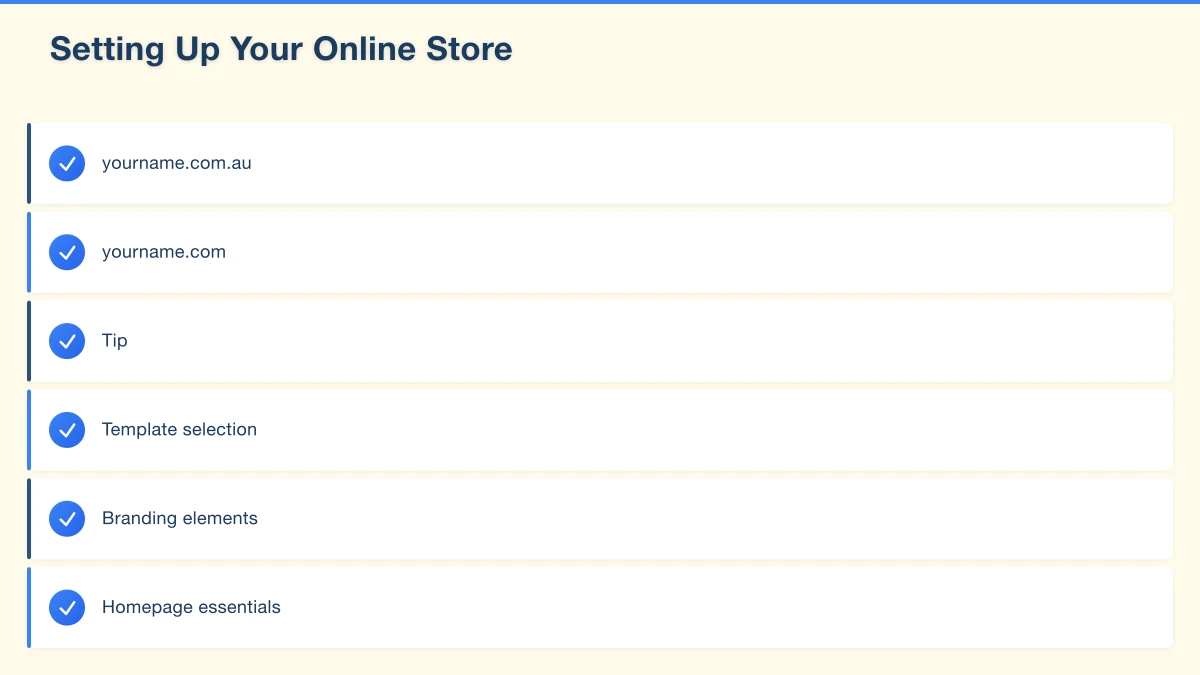
yourname.com.au: The .com.au domain signals you’re an Australian business. Requires ABN registration.
yourname.com: Works globally, easier to obtain
Tip: Keep it short, memorable, and easy to spell. Avoid hyphens and numbers.
If you already have a website domain, you can typically add e-commerce to your existing address.
Design and Branding
First impressions matter enormously in e-commerce.
Template selection: Choose a template designed for your type of products. Clothing stores need different features than food suppliers.
Branding elements:
- Logo (professional, works at small sizes)
- Colour scheme (consistent across site)
- Typography (readable, professional)
- Photography style (consistent look and feel)
Homepage essentials:
- Clear value proposition
- Featured products
- Trust signals (reviews, guarantees)
- Easy navigation
Product Listings
Effective product listings sell products.
Product titles: Clear, descriptive, include key details (size, colour, material)
Descriptions: Benefits-focused, answer common questions, include specifications
Pricing: Clear, including or excluding GST (be consistent)
Images:
- Multiple angles
- Consistent style and backgrounds
- High quality but optimized for web
- Show scale where relevant
Variants: Set up properly for different sizes, colours, etc.
Category Structure
Organize products logically:
- Main categories matching how customers think
- Subcategories for larger catalogs
- Collections for promotional groupings
- Search functionality for larger stores
A customer should find what they want within 2-3 clicks.
Payment Processing in Australia
Australian e-commerce requires Australian-friendly payment solutions.
Payment Gateways
Shopify Payments (Stripe): Built into Shopify, supports all major cards, competitive rates (1.75% + $0.30 for basic plan)
Square: Good for businesses with physical and online sales, competitive rates
PayPal: Widely trusted by consumers, slightly higher fees
Afterpay/Zip: Buy-now-pay-later options, increasingly expected by Australian consumers
Payment Considerations
Transaction fees: Compare rates across providers. Rates vary by plan level and transaction volume.
Settlement timing: When funds reach your bank account. Most providers offer next-day or same-day for Australian banks.
Chargebacks: Understand your liability and fraud protection options.
GST handling: Ensure your platform correctly handles 10% GST calculations.
Recommended Setup
For most Australian small businesses:
- Primary: Shopify Payments or Stripe (credit/debit cards)
- Secondary: PayPal (some customers prefer it)
- Optional: Afterpay or Zip (if customers expect buy-now-pay-later)
Shipping for Australian E-commerce
Shipping can make or break customer experience and profitability.
Australia Post
The default choice for most Australian small businesses:
Services:
- Parcel Post (standard)
- Express Post (next-day metro)
- International options
Business accounts: Volume discounts available Integration: Works with all major platforms
Alternative Carriers
Sendle: Carbon-neutral, competitive rates, good for small businesses Aramex (formerly Fastway): Competitive regional rates TNT/FedEx: For heavier or express shipments Courier Please: Good for regular shipments
Shipping Strategies
Flat rate shipping: Simple for customers, you absorb variable costs Calculated shipping: Accurate based on weight/destination, more complex for customers Free shipping threshold: “Free shipping over $100” encourages larger orders Free shipping always: Built into product prices, appealing to customers
Packaging Considerations
- Size and weight affect shipping costs
- Protection appropriate to product fragility
- Branded packaging enhances experience
- Sustainable options increasingly expected
Shipping Zones
Consider tiered pricing:
- Metro (Sydney, Melbourne, Brisbane, etc.)
- Regional Australia
- Remote/rural (often significantly higher costs)
- International (if you choose to ship overseas)
Legal Requirements for Australian E-commerce
Selling online in Australia requires compliance with various laws.
Australian Consumer Law
You must:
- Honor consumer guarantees (fit for purpose, match description)
- Accept returns for faulty goods
- Not make false or misleading claims
- Provide accurate pricing
This applies regardless of your refund policy wording.
Privacy
If you collect personal information (names, emails, addresses), you need:
- A privacy policy explaining data collection and use
- Secure storage of customer data
- Compliance with Australian Privacy Principles
Terms and Conditions
Your website should include:
- Terms of service
- Refund and returns policy
- Shipping policy
- Privacy policy
These protect both you and your customers.
GST
If your business earns over $75,000 annually, you must:
- Register for GST
- Charge 10% GST on sales
- Lodge BAS statements
- Issue tax invoices
Ensure your e-commerce platform handles GST correctly.
Product-Specific Regulations
Some products have additional requirements:
- Food: Labelling, allergen information
- Cosmetics: Ingredient listings
- Children’s products: Safety standards
- Electrical: Compliance marks
Research requirements specific to your products.
Essential Store Pages
Beyond product listings, your store needs supporting pages.
About Page
Tell your story:
- Who you are
- Why you started the business
- What makes you different
- Your values and approach
This builds trust with customers who want to support real businesses.
Contact Page
Make it easy to reach you:
- Email address
- Phone number (if appropriate)
- Contact form
- Physical address (if applicable)
- Social media links
- Expected response times
FAQ Page
Address common questions before purchase:
- Shipping times and costs
- Return process
- Product care
- Sizing or specifications
- Payment options
This reduces customer service load and increases conversions.
Policies
Clear, accessible policies:
- Shipping policy
- Returns and refunds
- Privacy policy
- Terms and conditions
Launching Your Store
Before going live, test everything.
Pre-Launch Checklist
Technical:
- Test on multiple devices (phone, tablet, desktop)
- Process test orders through entire checkout
- Verify payment processing
- Check email notifications work
- Test shipping calculations
Content:
- Proofread all text
- Check all images display correctly
- Verify product details and pricing
- Test all links
Legal:
- Policy pages in place
- GST handling correct
- Privacy compliance checked
Soft Launch
Consider launching quietly first:
- Share with friends and family for real-world testing
- Fix any issues discovered
- Gather initial reviews if possible
- Then promote widely
Marketing Your New Store
Building your store is just the beginning. Customers need to find you.
Initial Marketing Steps
Announce to existing customers/contacts: Email list, social media followers, existing customers
Google Shopping: List products on Google Shopping (free basic listings available)
Social media presence: Set up or optimize Facebook and Instagram shops
Local promotion: If you have local customers, let them know you’re now online
Ongoing Marketing
Content marketing: Blog posts related to your products Email marketing: Build a list, send regular updates Social media: Regular posting, paid ads when ready SEO: Optimize product pages for search
Common E-commerce Mistakes
Underestimating Shipping Complexity
Plan shipping thoroughly before launch. Unexpected costs and logistics issues frustrate customers and erode margins.
Poor Product Photography
Customers can’t touch products online. Photography must do the selling. Invest in quality images.
Ignoring Mobile Experience
Most browsing happens on phones. Test your store extensively on mobile devices.
Complicated Checkout
Every extra step in checkout loses customers. Keep it simple: guest checkout option, minimal required fields, clear progress indicators.
No Plan for Customer Service
Online customers have questions. Plan how you’ll handle enquiries promptly and professionally.
Getting Started
Launching an e-commerce store is achievable for most small businesses. Start with:
- Choose your platform (Shopify for most)
- Set up with your business details
- Add your initial products with quality photos and descriptions
- Configure payment and shipping
- Create essential policy pages
- Test everything thoroughly
- Launch and promote
At Cosmos Web Technologies, we help Australian small businesses launch and grow online stores. Whether you need complete e-commerce development or support with specific technical challenges, we’re here to help your business succeed online.
Ready to start selling online? Contact us for a free e-commerce consultation.
Modern retail runs on connected POS, inventory, and online channels. Cloud Geeks provides cloud and IT support that keeps Australian retail and hospitality businesses online during peak hours.
Ash Ganda covers digital strategy for retail and hospitality SMBs — what to automate, what to outsource, and where AI actually moves revenue.
Loyalty apps, mobile ordering, and customer-facing apps drive repeat business. Awesome Apps builds them for Australian retail and hospitality brands.
Part of the Ganda Tech Services family, Cosmos Web Tech delivers specialist web design and digital marketing for Australian small and medium businesses.