If you’re a small business owner in Western Sydney, you’ve probably heard that “email marketing is dead.” Here’s the truth: email marketing delivers an average return of $42 for every $1 spent, making it one of the most cost-effective marketing channels available. The problem isn’t email marketing itself–it’s knowing how to do it right.
For local businesses in the Hills District and Western Sydney, email marketing helps you stay connected with customers, promote special offers, and build lasting relationships without breaking the bank. And the best part? Getting started with Mailchimp is easier than you think.
Why Email Marketing Still Works for Local Businesses
While social media gets a lot of attention, your email list is something you actually own. If Facebook or Instagram changes its algorithm tomorrow, your posts might stop reaching your followers. But your email list? That’s yours to keep.
For Hills District businesses, email marketing offers several key advantages. First, it’s personal–you’re landing directly in your customers’ inboxes, not competing for attention in a crowded social feed. Second, it’s measurable. You’ll know exactly how many people opened your email, clicked your links, and made purchases. Third, it’s affordable. Even with Mailchimp’s free plan, you can email up to 500 subscribers without spending a cent.
Local businesses like cafes, boutiques, tradies, and professional services are seeing real results from email marketing. A Parramatta accounting firm uses monthly newsletters to remind clients about tax deadlines. A Castle Hill florist sends weekly specials that drive same-day orders. These businesses aren’t marketing experts–they’re using simple email campaigns to stay top-of-mind with their customers.
Setting Up Your Mailchimp Account
Mailchimp makes it straightforward to get started, even if you’ve never sent a marketing email before. Here’s how to set up your account properly from day one.
Step 1: Create Your Free Account
Head to mailchimp.com and click “Sign Up Free.” You’ll need to provide your business email address, create a password, and add your business name. Mailchimp’s free plan lets you email up to 500 subscribers and send 1,000 emails per month–plenty for most small businesses just starting out.
Step 2: Complete Your Profile
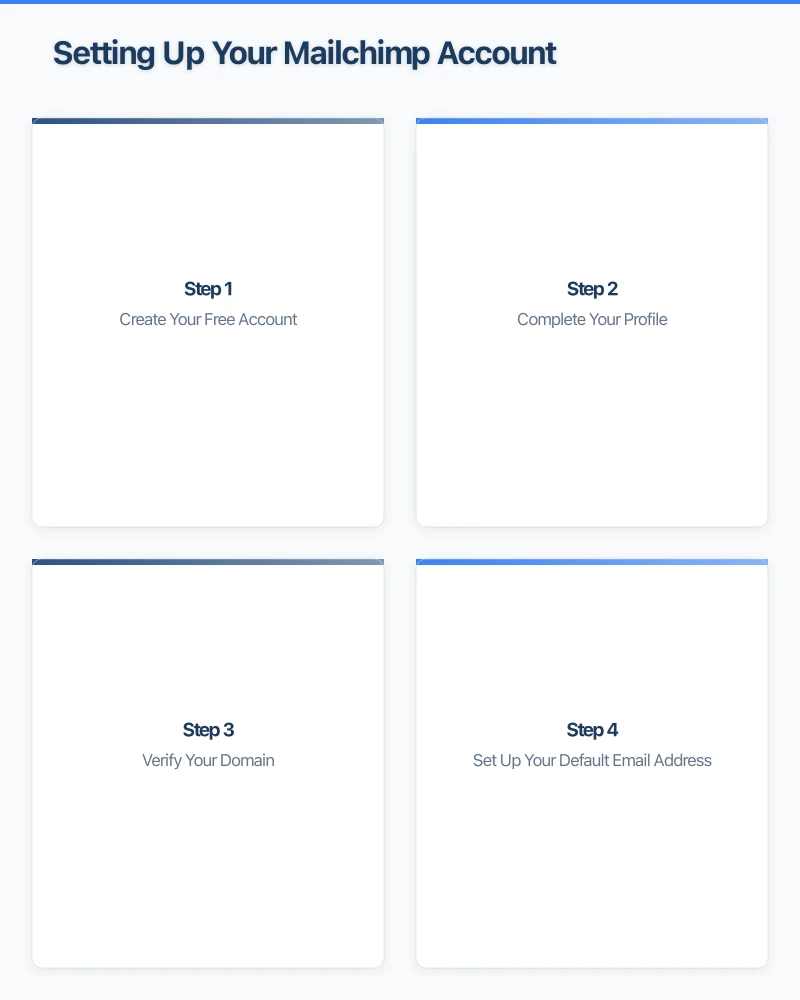
Once you’re in, Mailchimp will ask for your business details. This is important because Australian law requires you to include accurate contact information in every email you send. Add your business address (yes, even if you work from home–consider using your business P.O. Box or registered address), phone number, and website.
Step 3: Verify Your Domain
This step is optional but highly recommended. Domain verification helps your emails land in inboxes instead of spam folders. If you have access to your website’s domain settings (or ask your web developer to help), you can verify your domain in Mailchimp’s settings. This takes about 10-15 minutes and makes a big difference to email delivery rates.
Step 4: Set Up Your Default Email Address
Choose the email address your campaigns will come from. Make it personal and recognizable–“[email protected]” works better than “[email protected].” People are more likely to open emails from a real person than a generic no-reply address.
Pro Tip: Use your own name in the “from” field if you’re the face of your business. “Sarah from Hills District Florist” feels more personal than just “Hills District Florist.”
Building Your Email List the Right Way
Your email list is the foundation of email marketing success. But there’s a critical rule you must follow: in Australia, you can only send marketing emails to people who have explicitly agreed to receive them.
Understanding the Australian Spam Act
The Spam Act 2003 is Australia’s anti-spam legislation, and it applies to every business that sends commercial emails. Here’s what you need to know:
- You must have consent before sending marketing emails
- Every email must include your business contact details
- Every email must have a clear unsubscribe option
- You must honor unsubscribe requests immediately
Breaking these rules can result in fines up to $2.2 million per day for businesses. Don’t risk it–follow the rules from the start.
Getting Consent Properly
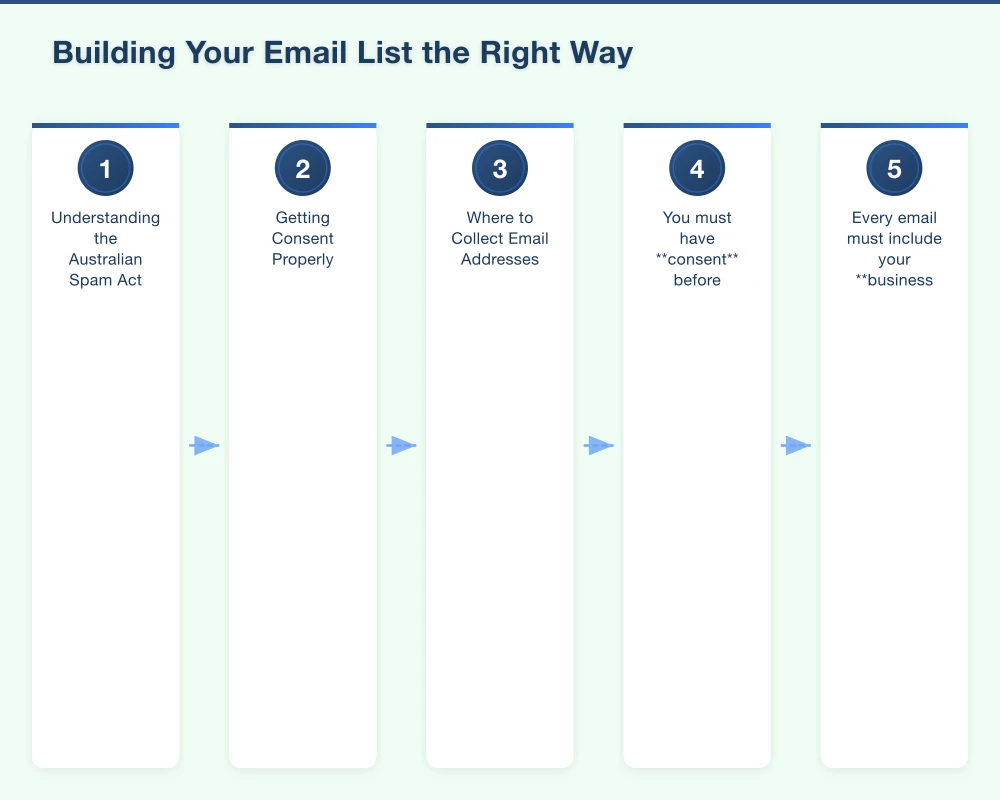
There are three ways to get proper consent for your email list:
-
Online signup forms: Add a signup form to your website where visitors actively choose to subscribe. Mailchimp provides easy-to-embed forms that work with any website.
-
In-person signups: If you run a retail store or service business, you can collect email addresses in person. Make sure you clearly explain what you’ll send and how often. A simple clipboard signup sheet works–just include a checkbox where customers actively consent to receive your emails.
-
Existing relationships: Under Australian law, you can email existing customers without explicit consent if you’re promoting products or services similar to what they’ve already purchased from you. However, every email must still include an unsubscribe option.
Where to Collect Email Addresses
For Western Sydney businesses, here are proven places to grow your list:
- Your website: Add a signup form to your homepage, blog sidebar, and contact page
- In your store: Keep an iPad or tablet at your counter for easy email signups
- Social media: Share your signup link in your Instagram bio and Facebook About section
- During checkout: Ask customers if they’d like to receive special offers (make it optional, not automatic)
- Events and markets: If you attend local markets or events, bring a signup sheet or tablet
Start with a realistic goal: aim for 50 subscribers in your first month. That’s just two new subscribers per day, completely achievable for any local business.
Creating Your First Email Campaign
Once you have at least 20-30 subscribers, you’re ready to send your first campaign. Here’s how to create an email that gets opened and read.
Step 1: Choose Your Campaign Type
Log into Mailchimp and click “Create” then “Email.” Choose “Regular” campaign type–this is your standard marketing email. You can explore automation later once you’re comfortable with the basics.
Step 2: Write a Compelling Subject Line
Your subject line determines whether people open your email. For Western Sydney businesses, keep it simple, clear, and local when relevant. Good examples:
- “This Week’s Special: 20% Off All Services”
- “New Menu at [Your Cafe Name]”
- “Hills District Exclusive: Early Bird Pricing”
- “5 Tips to Prepare Your Home for Winter”
Keep subject lines under 50 characters–they get cut off on mobile phones otherwise. Avoid spammy words like “FREE!!!” or “ACT NOW!!!” which trigger spam filters.
Step 3: Design Your Email
Mailchimp offers dozens of free email templates. For your first campaign, choose a simple single-column template. Here’s what to include:
- Header: Your business logo and name
- Main image: One high-quality photo (not too many images or your email loads slowly)
- Main message: 150-300 words maximum–keep it short
- Call to action: One clear button like “Shop Now” or “Book Your Appointment”
- Footer: Your business address, phone number, and social media links (required by Australian law)
Step 4: Add Your Content
Write like you’re talking to a friend, not delivering a sales pitch. For a Castle Hill restaurant, your first email might look like:
Hi [First Name],
Thanks for joining our email list! We’re excited to share our weekly specials and new dishes with you.
This week, we’re featuring our new Winter Warming Menu–think hearty Italian comfort food perfect for these cooler evenings. Come in this Thursday or Friday and get a free garlic bread with any main course. Just mention this email when you order.
We can’t wait to see you!
Maria [Restaurant Name]
Step 5: Review Compliance
Before sending, check that your email includes:
- Your business name and physical address in the footer
- An unsubscribe link (Mailchimp adds this automatically)
- Contact details (phone or email)
Mailchimp handles the unsubscribe process automatically, but make sure it’s visible and easy to find.
Step 6: Send a Test Email
Always send yourself a test email first. Check how it looks on your phone and computer. Click all the links to make sure they work. Read it carefully for typos–there’s nothing worse than spotting a mistake after you’ve sent it to 300 people.
Step 7: Schedule or Send
Choose when to send your email. For most small businesses, Tuesday through Thursday between 10am and 2pm gets the best open rates. Avoid Mondays (too busy) and Fridays (people are winding down). Hit “Send” or schedule it for your chosen time.
What to Send to Your List
The biggest question new email marketers ask is: “What do I actually send?” Here are five email types that work well for Western Sydney small businesses:
Weekly or Monthly Newsletters: Share business updates, new products, upcoming events, and helpful tips. Keep it conversational and mix promotional content with useful information.
Special Offers: Limited-time discounts, seasonal sales, or exclusive deals for email subscribers. Make your email list feel special by giving them early access or exclusive pricing.
Event Invitations: Hosting a product launch, open day, or customer appreciation event? Email is perfect for RSVPs and reminders.
Seasonal Campaigns: Christmas trading hours, EOFY sales, winter specials–tie your emails to what’s happening in the calendar.
Educational Content: Share tips, how-tos, or industry insights that help your customers. A Blacktown electrician might send “5 Signs Your Home Needs Electrical Maintenance.” A Bella Vista beautician could share “How to Maintain Your Skin This Winter.”
Start with one email per month. Once you’re comfortable, you can increase to twice monthly or weekly. The key is consistency–your subscribers should know when to expect emails from you.
Measuring Your Success
One of email marketing’s biggest advantages is that everything is measurable. After you send a campaign, Mailchimp shows you exactly how it performed.
Key Metrics to Watch
-
Open Rate: The percentage of people who opened your email. For small businesses, 20-30% is good. If yours is lower, try improving your subject lines.
-
Click Rate: The percentage who clicked a link in your email. Aim for 2-5%. If it’s lower, make sure you have a clear call-to-action button.
-
Unsubscribe Rate: How many people opted out. Under 0.5% is normal. If it’s higher, you might be sending too often or your content isn’t relevant.
-
Bounce Rate: Emails that couldn’t be delivered. Keep this under 2% by regularly cleaning your list of invalid addresses.
Don’t stress if your first few campaigns have lower numbers. Email marketing improves with practice as you learn what your audience responds to.
What to Do Next
After each campaign, check your results and make notes. Which subject lines got higher open rates? Which offers got the most clicks? Use these insights to improve your next email.
If certain subscribers never open your emails after 6 months, it’s okay to remove them from your list. This keeps your list healthy and your metrics accurate.
Growing Your Email Marketing Over Time
Starting with Mailchimp is just the beginning. As your business grows and your list expands, you can explore more advanced features:
- Automation: Set up welcome emails that send automatically when someone subscribes
- Segmentation: Send different messages to different groups (like customers in specific suburbs)
- A/B Testing: Test two different subject lines to see which performs better
- Integrations: Connect Mailchimp to your website, online store, or booking system
But don’t worry about any of that yet. Focus on mastering the basics: building your list properly, sending regular campaigns, and following Australian compliance rules. The rest can come later.
Taking Your First Steps
Email marketing doesn’t have to be complicated or expensive. For Western Sydney small businesses, Mailchimp provides everything you need to stay connected with your customers, promote your products or services, and grow your business–all while respecting Australian anti-spam laws.
Your action plan for this week:
- Create your free Mailchimp account and complete your business profile
- Add a simple signup form to your website or create an in-store signup process
- Set a goal to collect your first 50 subscribers over the next month
- Plan your first email campaign for when you reach 20-30 subscribers
Remember, every successful email list started with zero subscribers. The businesses winning with email marketing today all started exactly where you are now. The only difference? They took the first step.
Ready to improve your online presence? Get in touch for a free website review and digital marketing consultation.
Your website’s performance depends on what’s behind it. Cloud Geeks provides the managed hosting, cloud, and IT support that keeps Australian SMBs online and secure.
Ash Ganda covers how Australian SMBs are using AI, automation, and digital strategy to grow without scaling costs proportionally.
If your business is also planning a customer-facing iOS or Android app — Awesome Apps builds cross-platform mobile apps for Australian SMBs.
Part of the Ganda Tech Services family, Cosmos Web Tech delivers specialist web design and digital marketing for Australian small and medium businesses.