
Introduction
You’ve just finished a great job for a customer in Castle Hill. They’re happy, they paid on time, and they mentioned they’d recommend you. But when you check your Google Business Profile next week, there’s no review.
Sound familiar?
For Western Sydney businesses, Google reviews are the difference between a phone that rings consistently and one that stays quiet. When someone in Blacktown searches “electrician near me” or a Hills District resident looks for “best plumber Bella Vista,” your review count and star rating directly influence whether they call you or your competitor.
This guide covers everything you need to know about getting more Google reviews for your local business.
Why Google Reviews Matter for Western Sydney Businesses
The Local Search Reality
Here’s what happens when customers search for businesses in Parramatta, Blacktown, or the Hills District:
93% of customers read online reviews before choosing a local business. That’s nearly everyone.
85% trust online reviews as much as personal recommendations from friends and family.
For a tradesman in Blacktown or a café in Castle Hill, this means your Google reviews are working for you 24/7–or they’re sending customers to competitors.
The Star Rating Effect
Your star rating dramatically impacts customer behavior:
- 4.0+ stars: Customers consider calling
- 4.3+ stars: Strong competitive position
- 4.7+ stars: Premium positioning
But it’s not just the rating–it’s the total number of reviews that builds trust. A business with 50 reviews at 4.5 stars looks more established than one with 5 reviews at 5.0 stars.
Local Ranking Benefits
Google reviews directly influence where you appear in local search results:
- Review quantity: Total number of reviews
- Review quality: Average star rating
- Review velocity: How regularly you receive new reviews
- Review recency: How recent your latest reviews are
A Blacktown plumber with 100 reviews will generally outrank a competitor with 10 reviews, even if both have the same star rating.
Creating Your Review Request Strategy
When to Ask for Reviews
Timing matters enormously. Ask too early and the job isn’t done; ask too late and customers have forgotten.
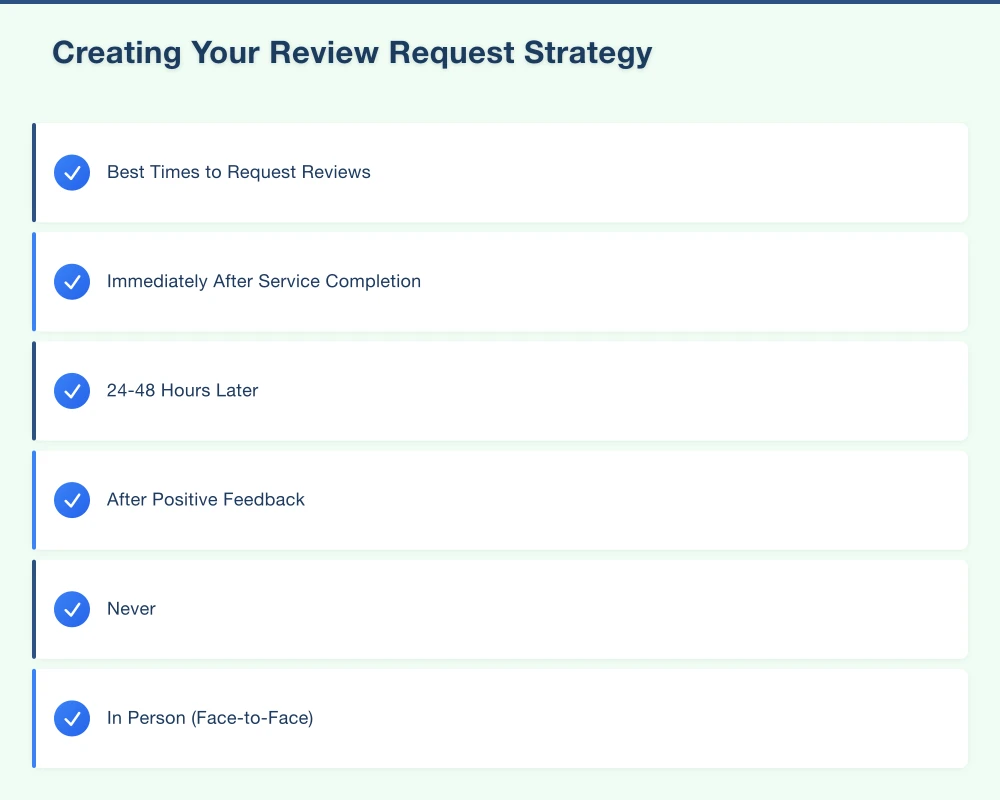
Best Times to Request Reviews:
Immediately After Service Completion For tradies, service providers, and professionals–ask right after finishing the job while satisfaction is highest.
Example: “I’m glad we could fix that for you today. Would you mind leaving us a quick Google review? It really helps other Blacktown families find us.”
24-48 Hours Later Send a follow-up email or SMS with a direct review link. This gives customers time to appreciate the work while it’s still fresh.
After Positive Feedback When a customer says “thank you” or expresses satisfaction, that’s your cue.
Hills District café owner example: “I’m so glad you enjoyed your meal! We’d love if you could share that experience in a Google review–it helps other Castle Hill locals discover us.”
Never:
- During the job (too early)
- More than a week later (they’ve forgotten)
- When there’s been any issue (resolve first)
How to Ask: The Right Approach
In Person (Face-to-Face)
Keep it natural and conversational:
“I’m really glad we could help you today. If you have a minute when you get home, a Google review would mean a lot. It helps other [suburb] residents find us. Here’s a card with the direct link.”
Via SMS (Text Message)
Most effective method for tradespeople and service businesses:
“Hi [Name], thanks for choosing [Business] today. We hope you’re happy with the work. If you have a moment, a Google review would be greatly appreciated: [link]. - [Your name]”
Via Email
Professional approach for B2B or service businesses:
Subject: “Thank you for your business, [Name]”
“Hi [Name],
Thank you for choosing [Business Name] for your [service]. We hope you’re completely satisfied with the result.
If you have a minute, we’d be grateful if you could share your experience in a Google review. Your feedback helps other Western Sydney businesses find us.
[Review Link Button]
Thanks again, [Your Name] [Business Name]“
QR Codes (Physical Locations)
For retail, cafés, and restaurants with physical premises:
- Create a QR code linking directly to your review page
- Display at checkout, on receipts, or on table cards
- Include text: “Enjoyed your experience? Scan to leave a review”
Making It Easy: The Direct Review Link
Don’t make customers hunt for your business on Google. Create a direct link to your review page.
How to Get Your Review Link:
- Open your Google Business Profile
- Click “Get more reviews” in the Reviews section
- Copy the short URL provided
- Or use this format:
https://search.google.com/local/writereview?placeid=[YOUR_PLACE_ID]
Save this link to:
- Your email signature
- SMS templates
- Business cards
- QR codes
- Website “Leave a Review” page
Pro Tip: Use a URL shortener like Bitly to create a memorable link: bit.ly/YourBusinessReviews
The Review Request System That Works
For Service Businesses (Tradies, Professionals)
Step 1: Finish the Job Complete the work to your usual high standard.
Step 2: Verbal Request Before leaving: “Thanks for choosing us. If you’re happy with the work, a Google review would really help other [suburb] families find us.”
Step 3: Send SMS Within 2 Hours “Hi [Name], thanks for your business today. We hope you’re happy with the [service]. A quick Google review would be greatly appreciated: [link] - [Your name]”
Step 4: Email Follow-Up (2 Days Later) If no review, send a friendly email with the review link.
Step 5: Stop Don’t keep asking. Move on to the next customer.
For Retail and Hospitality (Cafés, Restaurants, Shops)
In-Store:
- Display QR code at checkout
- Train staff to mention reviews when customers compliment food/service
- Add to receipt footer: “Enjoyed your visit? Leave us a review: [link]”
Follow-Up:
- If you collect email addresses (loyalty program), send a review request 24 hours after purchase
- Keep it brief and friendly
For Professional Services (Accountants, Lawyers, Medical)
After Service Completion:
- Include review request in final invoice email
- Or send separate email 2-3 days after service completion
Example Email:
“Hi [Name],
We’re pleased we could assist with your [service]. If you were satisfied with our service, we’d be grateful if you could take a moment to share your experience in a Google review.
Your feedback helps other [suburb] families find professional [service type] services.
[Review Button]
Kind regards, [Your Name]“
What to Do (and Not Do)
Legal and Ethical Guidelines
DO:
- Ask all customers for reviews
- Make it easy with direct links
- Thank customers who leave reviews
- Request honest feedback
DON’T:
- Offer incentives for reviews (violates Google’s policies)
- Only ask happy customers (review gating)
- Write fake reviews
- Pay for reviews
- Review swap with other businesses
- Pressure customers
Google can penalize your listing for violating review policies, including temporary or permanent removal from Google Maps.
Review Gating is Against the Rules
Review gating means only asking satisfied customers for reviews while ignoring others.
Example of Review Gating (Don’t Do This): “If you’re happy with our service, please leave a Google review. If you have any concerns, call us instead.”
This violates Google’s policies. Ask everyone for honest feedback–you’ll handle negative reviews professionally (see below).
Responding to Reviews: The Right Way
Why Response Matters
88% of customers say they’re more likely to use a business that responds to all reviews, positive and negative.
Responding shows:
- You value customer feedback
- You’re actively managing your business
- You care about customer experience
- You’re professional and engaged
Responding to Positive Reviews
Keep responses personal, genuine, and specific.
Template Structure:
- Thank them by name
- Reference something specific from their review
- Invite them back
Example:
Review: “Great coffee and friendly service in Bella Vista! The smashed avo was delicious. Will definitely be back.”
Response: “Thanks so much, Sarah! We’re thrilled you enjoyed the smashed avo–it’s one of our favourites too. We look forward to seeing you next time you’re in Bella Vista. - Mark, Owner”
Don’t:
- Use identical copy-paste responses
- Be overly promotional
- Make it about you instead of the customer
Responding to Negative Reviews
This is where many Western Sydney businesses struggle. Here’s the professional approach.
Step 1: Take a Breath Don’t respond immediately if you’re upset. Wait an hour or overnight.
Step 2: Respond Within 24-48 Hours Quick responses show you care and are on top of customer service.
Step 3: Follow This Structure:
- Thank them for feedback
- Acknowledge their experience
- Apologize (even if you disagree)
- Take it offline
- Show you’re addressing it
Example Response to Negative Review:
Review: “Waited 30 minutes for service at this Blacktown mechanic. No communication about the delay. Won’t be back.”
Response: “Thank you for your feedback, James. We’re sorry you experienced a delay and didn’t receive proper communication–that’s not the standard we aim for. We’d like to understand what happened and make this right. Please call us on (02) XXXX XXXX and ask for David. We take all feedback seriously. - David, Manager”
Don’t:
- Argue or be defensive
- Make excuses
- Blame the customer
- Get emotional
- Ignore it
What If the Review Is Fake or Unfair?
If a review violates Google’s policies (spam, fake, contains profanity, conflicts of interest), you can report it:
- Find the review in your Google Business Profile
- Click the three dots
- Select “Flag as inappropriate”
- Explain why it violates policies
Google reviews reports but rarely removes legitimate negative reviews, even if you disagree with them.
Handling Common Review Challenges
“We Ask But Don’t Get Reviews”
Common reasons:
- Not asking at the right time (too early or too late)
- Making it too hard (no direct link)
- Not enough touch points (only asking once)
- Generic request (not personal or specific)
Solutions:
- Ask immediately after service when satisfaction is highest
- Provide direct review link in multiple formats
- Follow up 24-48 hours later
- Make it personal: “It would really help our family business”
“We Only Get Reviews When Something Goes Wrong”
This is common. Unhappy customers are more motivated to review.
Prevention:
- Proactively request reviews from satisfied customers
- Create a systematic process (not ad-hoc)
- Make it easier to leave positive feedback than to seek out your profile and complain
“A Competitor Left a Fake Negative Review”
What to do:
- Don’t respond emotionally
- Report to Google as inappropriate
- Respond professionally: “We don’t have any record of this service. If this is a genuine concern, please contact us directly at [phone].”
- Continue building genuine positive reviews to outweigh it
Building a Review Generation System
Set Monthly Goals
Start with realistic targets:
New Business (0-10 reviews):
- Month 1: 5 reviews
- Month 2: 8 reviews
- Month 3: 10 reviews
Established Business (10-50 reviews):
- Aim for 5-10 new reviews per month
Mature Business (50+ reviews):
- Maintain 3-5 new reviews monthly
Create Review Templates
Save time with templates for common scenarios:
SMS Template: “Hi [NAME], thanks for choosing [BUSINESS] today. We hope you’re happy with [SERVICE]. A quick Google review would mean a lot: [LINK] - [YOUR_NAME]”
Email Template: Save in your email drafts for quick sending.
Staff Script: Train staff on what to say: “If you have a moment when you get home, a Google review would really help us. Here’s a card with the link.”
Track Your Progress
Monthly Review Audit:
- Total reviews
- New reviews this month
- Average star rating
- Response rate
- Review keywords (what customers mention)
Adjust strategy based on:
- Which request methods work best
- What time of day gets most responses
- Which staff members are best at requesting reviews
Tools and Resources
Free Tools
Google Business Profile App
- Monitor reviews on your phone
- Respond to reviews quickly
- Get notifications when new reviews arrive
Review Link Generator
Use Google’s built-in tool or this format:
https://search.google.com/local/writereview?placeid=[YOUR_PLACE_ID]
QR Code Generators
- qr-code-generator.com
- qrcode-monkey.com Create free QR codes linking to your review page.
Paid Tools (Optional)
For businesses serious about review management:
Birdeye ($$$)
- Automated review requests
- Multi-platform review management
- Review monitoring
Podium ($$)
- SMS review requests
- Review response tools
- Customer messaging
Grade.us ($)
- Simple review request automation
- Email and SMS campaigns
Most Western Sydney SMBs don’t need paid tools–a good manual system works fine.
Action Plan for Western Sydney Businesses
This Week
Day 1:
- Get your direct Google review link
- Create QR code pointing to review page
- Save review request templates (SMS and email)
Day 2-3:
- Print business cards with review QR code
- Add review link to email signature
- Brief staff on review request process
Day 4-7:
- Start asking every satisfied customer
- Respond to all existing reviews
- Track your first results
This Month
Week 1:
- Implement review request system
- Ask at least 20 customers
- Goal: 3-5 new reviews
Week 2:
- Refine your approach based on what’s working
- Respond to all new reviews within 24 hours
- Create review display for physical location (if applicable)
Week 3:
- Continue systematic requests
- Track which methods work best
- Adjust timing and messaging
Week 4:
- Review monthly results
- Celebrate wins
- Set next month’s goals
Ongoing Commitment
Reviews require ongoing effort, not a one-time campaign:
- Daily: Respond to new reviews
- After each job: Request review from satisfied customers
- Weekly: Check review count and respond to any missed
- Monthly: Audit progress and adjust strategy
Real Results from Western Sydney Businesses
Case Study: Hills District Electrician
Before:
- 8 reviews, 4.3 stars
- Inconsistent review requests
- No system
Changes:
- Implemented SMS review request after every job
- Created review link card for all technicians
- Responded to every review within 24 hours
After 3 Months:
- 42 reviews, 4.7 stars
- 20% increase in phone calls
- Ranking in top 3 for “electrician Castle Hill”
Key lesson: Consistency matters more than perfection.
Case Study: Blacktown Café
Before:
- 15 reviews, 4.1 stars
- Only asked verbally (rarely)
- Several unanswered reviews
Changes:
- QR code on every table and receipt
- Staff trained to mention reviews when customers compliment food
- Owner responds to every review personally
After 2 Months:
- 38 reviews, 4.6 stars
- Noticeable increase in new customers mentioning reviews
- Better Google Maps visibility
Key lesson: Make it easy and visible.
Common Questions
How Many Reviews Do I Need?
There’s no magic number, but:
- 10+ reviews: Minimum for credibility
- 25+ reviews: Competitive in most Western Sydney markets
- 50+ reviews: Strong positioning
- 100+ reviews: Premium positioning
More important than total count: keep getting regular new reviews.
How Do I Get My First Reviews?
Start with:
- Recent satisfied customers (call them)
- Long-term loyal customers
- Friends and family who’ve used your service
- Business partners you’ve worked with
Then build your systematic approach for ongoing reviews.
Should I Respond to Every Review?
Yes. Respond to positive reviews to show appreciation and negative reviews to show you care about customer experience.
What If I Get a Completely Unfair Review?
Respond professionally, acknowledge their perspective, and invite them to discuss offline. Then focus on building more positive reviews to outweigh it.
One negative review among 50 positive ones has minimal impact.
How Long Should My Response Be?
Positive reviews: 1-2 sentences Negative reviews: 3-4 sentences maximum
Keep responses concise and genuine.
Getting Started Today
You don’t need expensive software or complicated systems. You need:
- Direct review link (free from Google)
- Simple request process (ask every satisfied customer)
- Quick response habit (reply to all reviews within 24-48 hours)
- Consistency (make it part of your daily routine)
Start today:
- Get your review link
- Ask your next satisfied customer
- Respond to any pending reviews
- Build from there
Need Help With Your Online Presence?
Building Google reviews is one part of local SEO. If you’re a Western Sydney business looking to improve your online visibility across Blacktown, the Hills District, or Parramatta, we can help.
At Cosmos Web Technologies, we help local businesses create complete local SEO strategies–from Google Business Profile optimization to website improvements and review management.
Whether you need help setting up your review system or want a complete digital marketing strategy, we’re here to help your Western Sydney business grow.
Last updated: April 5, 2024
Your website’s performance depends on what’s behind it. Cloud Geeks provides the managed hosting, cloud, and IT support that keeps Australian SMBs online and secure.
Ash Ganda covers how Australian SMBs are using AI, automation, and digital strategy to grow without scaling costs proportionally.
If your business is also planning a customer-facing iOS or Android app — Awesome Apps builds cross-platform mobile apps for Australian SMBs.
Part of the Ganda Tech Services family, Cosmos Web Tech delivers specialist web design and digital marketing for Australian small and medium businesses.