Introduction
When someone in Parramatta searches “plumber near me” or a Hills District resident looks for “best coffee Bella Vista,” Google Business Profile determines which businesses appear. For Western Sydney businesses, a well-optimised profile is often the difference between a ringing phone and silence.
This guide covers everything Western Sydney business owners need to know about making Google Business Profile work for them.
Why Google Business Profile Matters for Local Business
The Local Search Reality
Local search statistics that matter:
- 46% of all Google searches have local intent
- 76% of people who search for something nearby visit a business within 24 hours
- 28% of local searches result in a purchase
For a Western Sydney business, this means potential customers are actively searching for your services right now. The question is whether they find you or your competitor.
The Three-Pack Opportunity
Google’s “Local Pack” (the map with three business listings) appears above organic search results for local queries. Appearing in this three-pack dramatically increases visibility:
- Eye-catching map placement
- Prominent display before scrolling
- Direct contact options (call, directions, website)
- Reviews visible immediately
Optimising your Google Business Profile is primarily about earning a spot in this three-pack for relevant searches.
Setting Up for Success
Claiming and Verifying Your Profile
If you haven’t claimed your profile:
- Go to google.com/business
- Search for your business name
- If it exists, claim it; if not, create it
- Complete Google’s verification process (usually postcard, phone, or email)
Important: Verification can take 1-2 weeks for postcards. Don’t wait until you need it urgently.
Essential Profile Information
Business Name Use your exact business name–no keyword stuffing. “Smith’s Plumbing” not “Smith’s Plumbing - Best Emergency Plumber Western Sydney.”
Google penalises names that include unnecessary keywords or locations.
Address For businesses with physical locations:
- Use your exact street address
- Ensure consistency with your website and other listings
- Include suite or unit numbers if applicable
For service-area businesses (plumbers, electricians, etc.):
- You can hide your address while still ranking locally
- Define your service area (e.g., “Western Sydney,” “Parramatta,” “Hills District”)
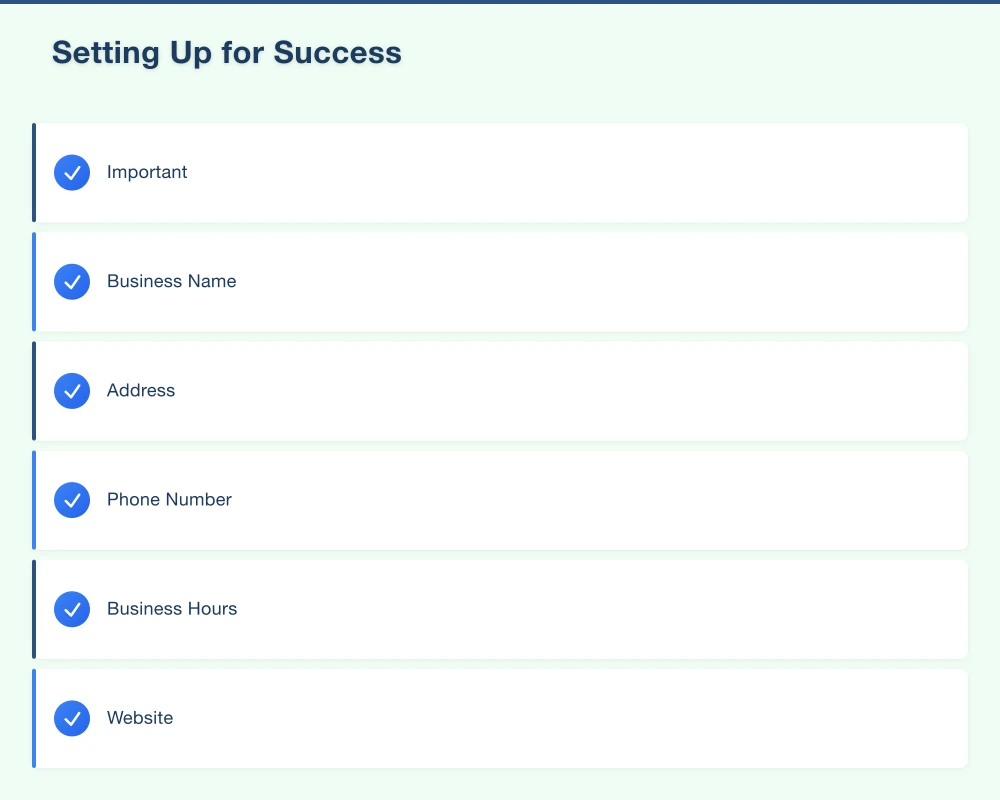
Phone Number
- Use a local number (02 for Sydney) rather than 1300/1800 where possible
- Local numbers build trust and may improve local ranking signals
- Ensure the number is answered professionally
Business Hours
- Set accurate hours including special hours for holidays
- Update promptly for any changes
- “Hours might differ” damages trust–keep it current
Website
- Link to your actual website homepage
- Or a specific location page if you have multiple locations
- Ensure the website is mobile-friendly (most local searches are mobile)
Choosing the Right Categories
Categories tell Google what your business does. Get these right.
Primary Category Your main business type. This has the strongest impact on ranking:
- Be specific: “Electrician” rather than “Contractor”
- Match what customers search for
- Only one primary category allowed
Additional Categories Add relevant secondary categories:
- A restaurant might add “Takeaway Restaurant” and “Catering Service”
- A dentist might add “Cosmetic Dentist” and “Emergency Dental Service”
- Don’t add irrelevant categories hoping to rank for more searches
Western Sydney Category Examples
| Business Type | Primary Category | Additional Categories |
|---|---|---|
| Plumber | Plumber | Emergency Plumber, Gas Fitter, Drain Cleaning Service |
| Café | Café | Breakfast Restaurant, Coffee Shop |
| Dentist | Dentist | Cosmetic Dentist, Emergency Dental Service |
| Auto Mechanic | Auto Repair Shop | Car Service, Brake Shop |
Profile Optimisation
Business Description
Write a compelling 750-character description:
Structure:
- What you do (services)
- Where you serve (Western Sydney, specific suburbs)
- What makes you different
- Call to action
Example for a Parramatta Electrician:
“Family-owned electrical business serving Parramatta and Western Sydney since 2008. We specialise in residential electrical repairs, safety switch installation, and ceiling fan fitting. Our licensed electricians arrive on time, clean up after every job, and provide upfront pricing with no surprises. Available for emergency callouts across the Hills District, Blacktown, and greater Parramatta region. Call for a free quote.”
Don’t:
- Stuff keywords unnaturally
- Include promotional language (“best prices”)
- Add links or HTML (they don’t display)
Products and Services
Add your services with descriptions and prices where appropriate:
- Create service categories
- Add individual services with descriptions
- Include pricing if consistent (builds trust)
- Link to relevant website pages
Attributes
Google provides industry-specific attributes. Complete all relevant ones:
Common Attributes:
- “Identifies as women-owned”
- “Wheelchair accessible”
- “Accepts credit cards”
- “Free Wi-Fi”
Industry-Specific:
- Restaurants: dine-in, takeaway, delivery options
- Health: telehealth available, appointment required
- Retail: in-store shopping, curbside pickup
These attributes appear in your profile and can be searched/filtered.
Photos and Visual Content
Why Photos Matter
Profiles with photos receive:
- 42% more requests for directions
- 35% more clicks to websites
Photos build trust and give customers a sense of what to expect.
Photo Categories
Logo
- Square format (minimum 250x250 pixels)
- Clear, recognisable on small screens
Cover Photo
- Displays prominently at top of profile
- 1024x576 pixels recommended
- Showcase your business’s best feature
Interior Photos
- Show the inside of your location
- Clean, well-lit images
- Help customers feel comfortable before visiting
Exterior Photos
- Help customers find you
- Show signage clearly
- Different angles and times of day
Team Photos
- Put faces to the business
- Professional but approachable
- Builds personal connection
Work/Product Photos
- Restaurants: food photos
- Tradies: completed projects
- Retail: product displays
Photo Best Practices
- Upload regularly (weekly or monthly)
- Use actual photos, not stock images
- Ensure proper lighting and focus
- Include geo-tags where possible
- Minimum 720 pixels wide
- Remove any containing text overlays
Managing Reviews
The Review Equation
Reviews directly impact local search ranking and customer decisions:
- 4.0+ star average is generally considered the minimum acceptable
- Total review count signals popularity and trust
- Recent reviews matter more than old ones
- Review responses show engagement and professionalism
Getting More Reviews
Make It Easy:
- Create a direct review link from your profile
- Add link to email signatures
- Include QR codes in physical locations
- Text the link to customers after service
Ask at the Right Time:
- After successful service completion
- When customer expresses satisfaction
- Within 24 hours of interaction (while experience is fresh)
Ask the Right Way: “We’d really appreciate your feedback on Google–it helps other [suburb] customers find us.”
Don’t:
- Offer incentives for reviews (against Google’s policies)
- Review gate (only asking happy customers)
- Buy fake reviews (Google penalises, can remove listing)
Responding to Reviews
All Positive Reviews:
- Thank the reviewer by name
- Be specific about their experience if possible
- Keep it genuine, not templated
Negative Reviews:
- Respond promptly (within 24-48 hours)
- Thank them for feedback
- Apologise for their experience
- Take the conversation offline (“Please call us at…”)
- Don’t argue or make excuses
Example Response to Negative Review:
“Thank you for your feedback, [Name]. We’re sorry your experience didn’t meet expectations. We take all feedback seriously and would like to understand what happened. Please call us on [number] so we can discuss this directly. - [Owner name]”
Google Posts
What Are Google Posts?
Posts appear in your Business Profile and can showcase:
- Updates and news
- Offers and promotions
- Events
- Products
Posts expire after 7 days (events expire after the event date), so regular posting keeps content fresh.
Effective Post Strategy
Frequency: 1-2 posts per week maintains visibility
Post Types:
- Updates: Business news, new services, seasonal content
- Offers: Discounts, promotions (include clear expiry)
- Events: Workshops, sales events, community involvement
- Products: Highlight specific products or services
Post Best Practices:
- Include a compelling image
- Write concise, action-oriented text
- Add a call-to-action button
- Include relevant local keywords naturally
Example Post for Western Sydney Business:
“🔧 Winter Heater Service Special
Hills District residents–is your heater ready for winter? Book a service before July 30 and receive 15% off parts.
Our qualified technicians service all brands across Bella Vista, Castle Hill, and surrounding suburbs.
[Book Now button]“
Local Ranking Factors
What Determines Local Rankings
Google considers three main factors:
Relevance How well your profile matches search intent:
- Complete, accurate category selection
- Comprehensive service descriptions
- Keywords in description and services
Distance How close you are to the searcher:
- Physical address matters for storefront businesses
- Service area matters for service businesses
- Can’t control where customers search from
Prominence How well-known and trusted your business is:
- Review quantity and quality
- Website SEO and authority
- Citations (mentions on other websites)
- Overall online presence
Improving Your Local Ranking
Complete Your Profile 100% Every field filled increases relevance signals.
Build Consistent Citations Ensure your business information is identical on:
- Your website
- Yellow Pages
- True Local
- Industry directories
Inconsistent information confuses Google and hurts rankings.
Earn Quality Reviews More reviews with higher ratings signal prominence.
Stay Active Regular posts, photo updates, and Q&A responses show an active business.
Common Mistakes to Avoid
Keyword Stuffing the Business Name
“Joe’s Plumbing - Emergency Plumber Parramatta Western Sydney 24/7”
Google may suspend your listing. Use your real business name only.
Neglecting Updates
Outdated hours, closed for renovation without notice, or stale photos damage trust.
Ignoring Negative Reviews
Unanswered negative reviews suggest you don’t care about customer experience.
Creating Duplicate Listings
Multiple listings for the same business location confuse Google and split your review equity.
Using a PO Box Address
Google requires a real street address where customers can visit or receive service.
Measuring Success
Key Metrics to Track
In Google Business Profile Insights:
- How customers search (direct vs. discovery)
- Search queries used to find you
- Customer actions (calls, directions, website clicks)
- Photo views
Track Monthly:
- Total reviews and average rating
- Position for key search terms
- Website traffic from GBP
- Phone calls received
Improvement Indicators
After optimisation, you should see:
- Increased “discovery” searches (new customers finding you)
- More customer actions
- Higher engagement with photos and posts
- Improved rankings for target keywords
Getting Started Today
This Week:
- Claim and verify your profile if not done
- Complete every profile field
- Add at least 10 quality photos
- Respond to any unanswered reviews
This Month:
- Set up a weekly posting schedule
- Create a process for requesting reviews
- Audit your online citations for consistency
- Add all services with descriptions
Ongoing:
- Post weekly updates
- Add new photos monthly
- Respond to all reviews within 48 hours
- Monitor insights and adjust
Need Help?
Google Business Profile optimisation is ongoing work, and many Western Sydney businesses don’t have time to manage it effectively. At Cosmos Web Technologies, we help local businesses across Parramatta, the Hills District, and greater Western Sydney improve their local search visibility.
Whether you need help setting up your profile, managing reviews, or developing a complete local SEO strategy, we’re here to help your business get found by customers who are actively searching for what you offer.
Sources
- Google. (2024). Google Business Profile Help. Google Support. https://support.google.com/business
- BrightLocal. (2024). Local Consumer Review Survey 2024. BrightLocal. https://www.brightlocal.com/research/local-consumer-review-survey/
- Think with Google. (2024). How People Decide What to Buy Lies in the “Messy Middle” of the Purchase Journey. Google. https://www.thinkwithgoogle.com/consumer-insights/consumer-journey/
- Moz. (2024). Local Search Ranking Factors. Moz. https://moz.com/local-search-ranking-factors
Your website’s performance depends on what’s behind it. Cloud Geeks provides the managed hosting, cloud, and IT support that keeps Australian SMBs online and secure.
Ash Ganda covers how Australian SMBs are using AI, automation, and digital strategy to grow without scaling costs proportionally.
If your business is also planning a customer-facing iOS or Android app — Awesome Apps builds cross-platform mobile apps for Australian SMBs.
Part of the Ganda Tech Services family, Cosmos Web Tech delivers specialist web design and digital marketing for Australian small and medium businesses.