Introduction
When someone in Parramatta searches “plumber near me” or “cafe in Blacktown,” Google shows local businesses on a map. If your business isn’t there, you’re invisible to customers actively looking for what you offer.
Google Business Profile (formerly Google My Business) is free and essential for local businesses. Here’s how to get started.
What Is Google Business Profile?
Your Google Presence
Google Business Profile is your business listing in Google:
- Shows in Google Maps
- Appears in local search results
- Displays your hours, photos, reviews
- Lets customers call or get directions directly
Why It Matters
For local searches, this listing often matters more than your website:
- Shows above regular search results
- Appears on mobile phones (where most people search)
- Includes immediate contact options
- Displays reviews that influence decisions
It’s Free
No cost to set up or use:
- Basic features for everyone
- No paid requirement
- Optional add-ons available
Setting Up Your Profile
Step 1: Go to Google Business Profile
Visit business.google.com and sign in with a Google account:
- Use an existing Google account
- Or create one for your business
- Keep login details safe
Step 2: Search for Your Business
Your business might already exist:
- Search for your business name
- Check if a listing exists
- Claim it if it does
- Create new if it doesn’t
Step 3: Enter Business Information
- Use your actual business name
- Don’t add keywords or locations
- Match signage and official documents
Category
- Choose primary category carefully
- Most relevant to what you do
- Add secondary categories if appropriate
Location
- Physical address if customers visit
- Service area if you go to customers
- Can be both
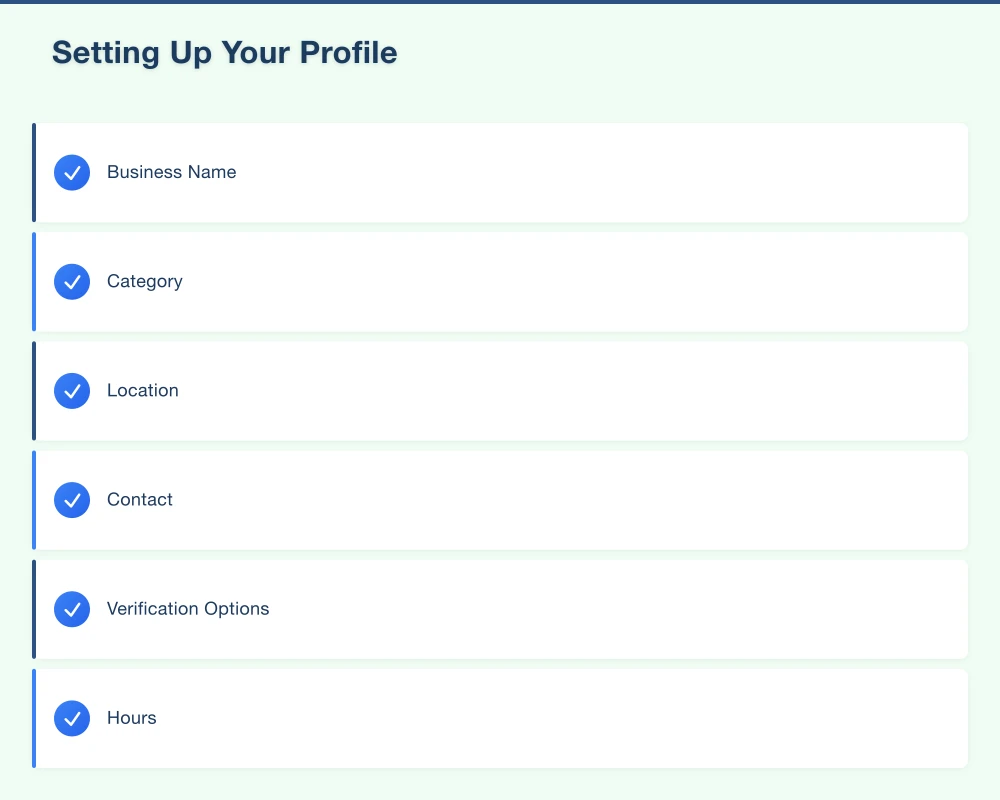
Contact
- Phone number
- Website (if you have one)
Step 4: Verify
Google needs to confirm you’re the real business owner:
Verification Options
- Postcard: Receive a code by mail
- Phone: Automated call with code
- Email: For some businesses
- Instant: Sometimes available
Most businesses use postcard verification–takes about a week.
Step 5: Complete Your Profile
After verification, fill in everything:
Hours
- Regular opening hours
- Special hours for holidays
- Keep updated
Description
- What you do
- What makes you different
- Natural language (no keyword stuffing)
Photos
- Business exterior
- Interior
- Products/services
- Team photos
- Keep adding over time
Making It Work for You
Keep Information Accurate
Customers rely on your information:
- Hours must be current
- Phone number must work
- Address must be correct
- Update when things change
Outdated information frustrates customers.
Add Photos Regularly
Photos make your listing stand out:
What to Post
- Your work
- Your location
- Your team
- Behind the scenes
- Seasonal updates
Photo Tips
- Good lighting
- Clear images
- Show real situations
- Avoid stock photos
Businesses with photos get more engagement.
Respond to Reviews
Reviews affect your visibility:
Positive Reviews
- Thank the customer
- Mention something specific
- Invite them back
Negative Reviews
- Respond professionally
- Acknowledge their experience
- Offer to resolve offline
- Never argue publicly
Responding shows you care.
Use Posts
Share updates through your profile:
Post Types
- What’s new
- Events
- Offers
- Products
Post Tips
- Add images
- Keep text concise
- Include call to action
- Post regularly (weekly if possible)
Posts expire after 7 days, so keep them fresh.
Answer Questions
Customers can ask questions on your listing:
- Check regularly
- Answer quickly
- Be helpful
- Build FAQ over time
You can also add your own questions and answers.
Getting Reviews
Why Reviews Matter
Reviews influence:
- Whether you show in results
- Whether customers choose you
- Trust before first contact
- Local ranking
How to Get More Reviews
Ask Satisfied Customers
- In person after good service
- By email or text follow-up
- On receipts or invoices
Make It Easy
- Create a short link to your review page
- Share the link with customers
- Don’t make them search for it
Don’t
- Buy fake reviews
- Offer incentives for reviews
- Write reviews for yourself
- Review other businesses expecting reciprocation
Google can detect fake reviews and penalise you.
Common Mistakes
Inconsistent Information
Problem: Different phone numbers, addresses, or business names across the web.
Fix: Use exactly the same information everywhere.
Neglecting the Profile
Problem: Set it up and forget it.
Fix: Check weekly, update regularly, respond to reviews.
Wrong Category
Problem: Choosing a category that doesn’t match what you do.
Fix: Research categories, choose the most accurate primary category.
Not Completing Profile
Problem: Only filling in basics.
Fix: Complete every relevant section, add photos, write description.
Keyword Stuffing
Problem: Adding keywords to business name.
Fix: Use your actual business name only.
Measuring Success
Available Insights
Google provides data on:
- How many people viewed your listing
- How many clicked to call
- How many requested directions
- What searches found you
Checking Performance
Review insights monthly:
- Views increasing or decreasing?
- Which photos get views?
- What actions do people take?
- Seasonal patterns?
Use this to guide improvements.
Beyond the Basics
Once You’re Set Up
Google Business Profile is part of local SEO:
- Consistent business information across the web
- Website optimised for local search
- Building local citations and links
Connecting to Your Website
- Link from your profile to your website
- Add location to your website
- Embed map on contact page
Additional Features
- Booking buttons (for service businesses)
- Product listings (for shops)
- Messaging (for quick questions)
Explore as you become comfortable.
Conclusion
Google Business Profile is essential and free. Every local business in Western Sydney should have a complete, active profile.
Set it up properly. Keep information accurate. Add photos regularly. Respond to reviews. Use posts.
The businesses that do this well show up when local customers search. The ones that don’t remain invisible.
Start today if you haven’t already.
Your website’s performance depends on what’s behind it. Cloud Geeks provides the managed hosting, cloud, and IT support that keeps Australian SMBs online and secure.
Ash Ganda covers how Australian SMBs are using AI, automation, and digital strategy to grow without scaling costs proportionally.
If your business is also planning a customer-facing iOS or Android app — Awesome Apps builds cross-platform mobile apps for Australian SMBs.
Part of the Ganda Tech Services family, Cosmos Web Tech delivers specialist web design and digital marketing for Australian small and medium businesses.