
Google My Business Optimisation for Hills District Businesses
If you run a business in the Hills District, there is a very good chance your next customer is searching for you on Google right now. Whether they are looking for a plumber in Castle Hill, a cafe in Baulkham Hills, or a dentist in Rouse Hill, your Google My Business (GMB) listing is often the first thing they see.
Yet many local businesses either have not claimed their listing or have left it half-finished. That is a missed opportunity. A well-optimised GMB profile can put you ahead of competitors who have better websites but weaker local presence.
In this guide, we will walk through exactly how to set up and optimise your Google My Business listing so Hills District customers can find you, trust you, and choose you.
Why Google My Business Matters for Local Businesses
When someone searches for a service “near me” or includes a suburb name like “Castle Hill” or “Bella Vista,” Google shows a map pack – those three business listings that appear with a map at the top of search results. Getting into that map pack can drive a significant amount of traffic and phone calls to your business.
Here are a few reasons GMB matters:
- Visibility in local searches: Most people do not scroll past the map pack. If you are in those top three results, you are getting noticed.
- Trust signals: A complete listing with photos, reviews, and accurate information builds immediate trust.
- Free marketing: Unlike Google Ads, your GMB listing costs nothing to maintain. It is one of the best free marketing tools available.
- Mobile searches: More people than ever are searching on their phones. Google prioritises local results on mobile, making your GMB listing even more important.
Step 1: Claim and Verify Your Listing
If you have not already, head to business.google.com and search for your business. If it already appears on Google Maps, you can claim it. If not, you can create a new listing.
Google will ask you to verify your business, usually by sending a postcard to your physical address with a verification code. This can take a week or two, so get started now if you have not done this yet.
Tips for Hills District businesses:
- Make sure your address is accurate and matches your suburb exactly (Castle Hill, not “Castle Hill NSW 2154” in some fields and “The Hills” in others).
- If you serve customers at their location (like a mobile mechanic or house cleaner), you can set a service area instead of showing your address.
Step 2: Complete Every Section of Your Profile
Google rewards complete profiles with better visibility. Do not leave any section blank. Here is what to fill in:
Business Name
Use your actual business name. Do not stuff keywords into it (for example, “Smith Plumbing - Best Plumber Castle Hill Cheap Rates” will get your listing suspended). Just use your real registered business name.
Category
Choose your primary category carefully. This is one of the strongest ranking factors for local search. If you are a bakery, choose “Bakery” as your primary category. You can add secondary categories too, such as “Cake Shop” or “Coffee Shop.”
Business Description
You get 750 characters to describe your business. Use this space wisely:
- Mention your location and service area (Hills District, Western Sydney)
- Describe what you do and who you help
- Include relevant keywords naturally
- Avoid promotional language like “best” or “cheapest”
Contact Information
- Add your phone number (preferably a local number)
- Add your website URL
- Make sure your business hours are accurate and updated for public holidays
Attributes
Google lets you add attributes like “wheelchair accessible,” “free Wi-Fi,” or “women-led.” Fill in everything that applies to your business.
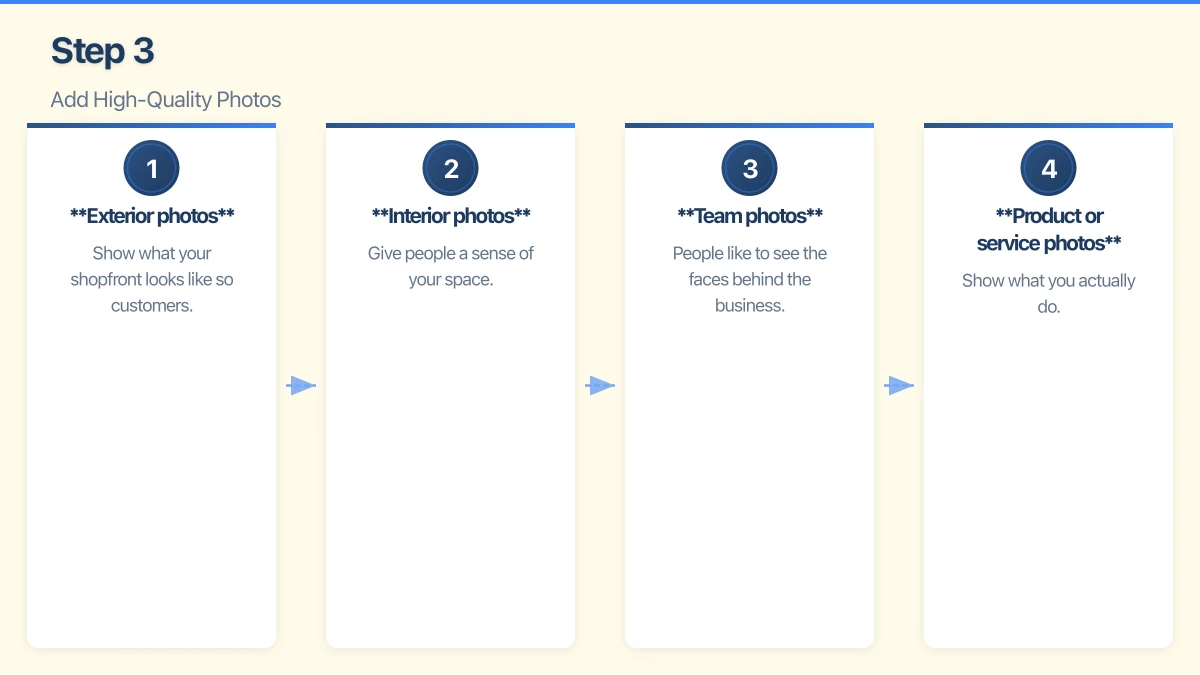
Step 3: Add High-Quality Photos
Businesses with photos receive 42 percent more requests for directions and 35 percent more clicks to their website, according to Google. That is a significant difference.
Here is what to upload:
- Exterior photos: Show what your shopfront looks like so customers can find you easily. If you are in a shopping centre like Castle Towers or Rouse Hill Town Centre, this is especially helpful.
- Interior photos: Give people a sense of your space. Clean, well-lit photos work best.
- Team photos: People like to see the faces behind the business. A friendly team photo builds trust.
- Product or service photos: Show what you actually do. If you are a landscaper, show your completed projects. If you run a restaurant, show your dishes.
Aim for at least 10 to 15 photos to start, and add new ones regularly.
Step 4: Collect and Respond to Reviews
Reviews are one of the most important ranking factors for local search, and they massively influence whether someone chooses your business. Hills District customers rely heavily on reviews when choosing between local options.
How to Get More Reviews
- Ask happy customers directly. A simple “Would you mind leaving us a review on Google?” works surprisingly well.
- Send a follow-up email or text with a direct link to your review page.
- Add a review link to your email signature or receipts.
- Make it easy. The fewer steps, the better.
How to Respond to Reviews
- Positive reviews: Thank the reviewer by name and mention something specific about their experience.
- Negative reviews: Respond professionally and calmly. Acknowledge the issue, apologise if appropriate, and offer to resolve it offline. Never argue publicly.
Responding to every review shows Google (and potential customers) that you are engaged and care about customer experience.
Step 5: Use Google Posts
Google Posts is a feature that lets you share updates directly on your GMB listing. Think of it like a mini social media feed that appears right in search results.
You can post about:
- Special offers or promotions
- Events
- New products or services
- General updates or news about your business
Posts expire after seven days (except event posts), so aim to publish at least one post per week. This keeps your listing fresh and signals to Google that your business is active.
Step 6: Keep Your Information Consistent
One of the biggest mistakes local businesses make is having inconsistent information across the web. If your GMB listing says you are at “42 Victoria Avenue, Castle Hill” but your website says “42 Victoria Ave, Castle Hill NSW,” that inconsistency can confuse Google and hurt your rankings.
Make sure your business name, address, and phone number (often called NAP) are identical everywhere:
- Your website
- Google My Business
- Yellow Pages
- True Local
- Any other online directory
Common GMB Mistakes to Avoid
- Keyword stuffing your business name: Google will suspend your listing.
- Using a PO Box as your address: Google requires a real street address.
- Ignoring reviews: Especially negative ones. Silence looks bad.
- Outdated business hours: Nothing frustrates a customer more than showing up to a closed shop.
- No photos: A listing without photos looks inactive or untrustworthy.
Local Tips for Hills District Businesses
The Hills District has a thriving local business community, and competition for local search visibility is growing. Here are a few area-specific tips:
- Mention nearby landmarks: References to Castle Towers, Rouse Hill Town Centre, Norwest Business Park, or the Sydney Metro Northwest can help with local relevance.
- Service area targeting: If you serve multiple suburbs, list them in your business description (Baulkham Hills, Kellyville, Dural, Glenhaven, Cherrybrook, and so on).
- Join local business groups: Being active in the Hills District business community can lead to local citations and backlinks, which help your GMB ranking.
Getting Started Today
Optimising your Google My Business listing is one of the highest-return activities you can do for your local marketing. It is free, it does not take long, and the results can be significant.
If you are a Hills District business owner who has not yet claimed or optimised your GMB listing, start today. And if you need help getting everything set up properly, we are right here in Western Sydney and happy to lend a hand.
Your next customer is already searching. Make sure they find you.
Your website’s performance depends on what’s behind it. Cloud Geeks provides the managed hosting, cloud, and IT support that keeps Australian SMBs online and secure.
Ash Ganda covers how Australian SMBs are using AI, automation, and digital strategy to grow without scaling costs proportionally.
If your business is also planning a customer-facing iOS or Android app — Awesome Apps builds cross-platform mobile apps for Australian SMBs.
Part of the Ganda Tech Services family, Cosmos Web Tech delivers specialist web design and digital marketing for Australian small and medium businesses.