You’ve got a great business in the Hills District. Your customers love you. But when someone searches online for what you offer, your competitors show up instead. Sound familiar?
Here’s the thing: having a website isn’t enough anymore. If your business isn’t listed in the right online directories, you’re invisible to potential customers who are actively looking for exactly what you offer.
The good news? Getting listed is free, doesn’t require any technical skills, and can bring customers to your door within days. Let me show you exactly which directories matter for Hills District businesses and how to set them up properly.
Why Business Directories Matter for Western Sydney Businesses
Think of online directories as the digital version of the old Yellow Pages phone book–except these actually work.
When someone in Castle Hill searches “plumber near me” or “best cafe Bella Vista,” Google doesn’t just look at websites. It pulls information from dozens of business directories to show the most relevant local results. If your business isn’t listed, you’re not in the running.
Here’s what happens when you’re properly listed:
- You show up in local searches: When people search for your service + your suburb, you appear
- Your phone rings more often: About 30% of people who find you in directories call immediately
- You build trust: Multiple listings make your business look established and legitimate
- You improve your Google ranking: More directory listings = better local SEO = higher rankings
For Western Sydney businesses, this is particularly important. Our area is growing fast–Rouse Hill, Bella Vista, and Box Hill are booming with new residents who don’t know the established local businesses yet. They’re finding businesses through online searches, not word of mouth.
The Essential Directories for Hills District Businesses
Let’s start with the directories that actually matter. Don’t waste time on every directory out there–focus on these proven ones.
1. Google Business Profile (Formerly Google My Business)
This is the most important listing you’ll create. Period.
When someone searches for your business or service on Google, your Google Business Profile is what shows up in the map results with your phone number, hours, reviews, and photos.
Why it matters: About 46% of all Google searches are looking for local information. If you’re not on Google Business Profile, you’re invisible to nearly half of potential customers.
Time to set up: 15-20 minutes Cost: Free Link: google.com/business
Pro Tip: Don’t skip the verification step. Google will mail you a postcard with a code. Yes, it takes a few days, but unverified listings don’t show up in searches.
2. True Local
True Local is Australia’s largest local business directory, and it’s particularly popular with people in Western Sydney looking for tradies, professionals, and local services.
Why it matters: True Local gets 3.5 million visits per month in Australia. Many Hills District residents use it specifically to find local businesses and check reviews.
Time to set up: 10 minutes Cost: Free basic listing (paid upgrades available) Link: truelocal.com.au
The free listing is fine for most small businesses. Don’t feel pressured to upgrade unless you’re seeing real traffic from it.
3. Yellow Pages Online
Yes, Yellow Pages is still around, and yes, people still use it–especially for finding tradies and professional services in specific suburbs.
Why it matters: Yellow Pages gets about 1.5 million searches per month in Australia. The people using it are usually ready to make a purchase or book a service.
Time to set up: 10 minutes Cost: Free basic listing Link: yellowpages.com.au
4. Yelp
While Yelp is more popular in the US, it’s growing in Australia, particularly for restaurants, cafes, and service businesses in busy areas like Castle Hill and Bella Vista.
Why it matters: Yelp reviews often show up in Google search results, giving you extra visibility even if people don’t visit Yelp directly.
Time to set up: 10 minutes Cost: Free Link: biz.yelp.com.au
5. Local Search (localsearch.com.au)
This is the directory behind White Pages and Yellow Pages online, but with additional local search features.
Why it matters: Strong presence in Western Sydney, and listings often rank well in Google searches for local services.
Time to set up: 10 minutes Cost: Free basic listing Link: localsearch.com.au
6. Industry-Specific Directories
Depending on your business type, these matter a lot:
For tradies:
- hipages.com.au (gets about 100,000 job requests per month)
- servicecentral.com.au
- serviceseeking.com.au
For restaurants and cafes:
- zomato.com
- opentable.com.au
- urbanspoon.com.au
For professional services (accountants, lawyers, doctors):
- hotfrog.com.au
- whereis.com
For retail:
- shopinparramatta.com.au (if you’re in Parramatta area)
- Westfield shopping center listings
Pro Tip: Don’t spread yourself too thin. Start with Google Business Profile and True Local. Once those are optimized, add 2-3 more that match your industry.
How to Set Up Your Listings Properly
Here’s the secret most businesses miss: it’s not just about getting listed–it’s about getting listed correctly with consistent, complete information.
Step 1: Gather Your Information First
Before you start creating listings, gather these details. You’ll need them for every directory:
- Exact business name: Use the same name everywhere
- Full address: Your actual street address (use a virtual office if you work from home)
- Phone number: Pick one main number and use it consistently
- Website URL: Your main website address
- Business hours: Be specific, including public holidays
- Business category: Choose carefully–this affects who finds you
- Business description: Write one 150-word description you can use everywhere
- Logo: A square version works best (at least 500×500px)
- Photos: 5-10 good photos of your business, team, or work
Time saver: Type all this into a Word document. Then you can copy and paste it into each directory instead of retyping.
Step 2: Use Consistent NAP Information
NAP stands for Name, Address, Phone number. This is crucial.
Google and other search engines check if your business information matches across directories. If your address is “123 Old Northern Rd” on Google but “123 Old Northern Road” on True Local, they might think these are two different businesses.
Rules for consistency:
- Spell your business name exactly the same everywhere
- Use the same address format (don’t abbreviate “Road” to “Rd” on some and spell it out on others)
- Use the same phone number (don’t mix mobile and landline)
- If you’re in a suite or shop, include that in every listing
Step 3: Choose the Right Business Category
Every directory asks you to categorize your business. This isn’t just for organization–it’s how people find you.
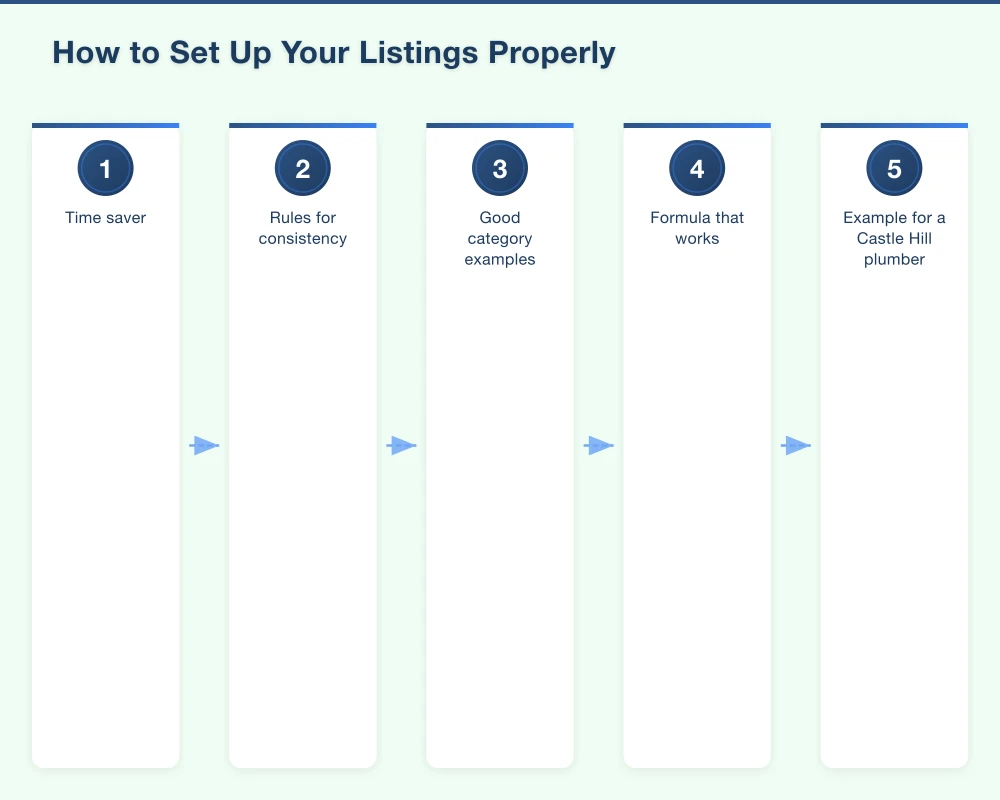
Good category examples:
- “Electrician” not “Electrical Services”
- “Italian Restaurant” not “Restaurant”
- “Hair Salon” not “Beauty Services”
- “Plumber” not “Home Services”
Be as specific as possible. If a directory lets you add multiple categories, pick 2-3 that accurately describe what you do.
Step 4: Write a Compelling Business Description
Your description should answer: “Why should someone choose your business?”
Formula that works:
- What you do (one sentence)
- Who you serve (location/type of customer)
- What makes you different or special
- How long you’ve been in business (if it’s a while)
- Call to action (call us, visit our website, etc.)
Example for a Castle Hill plumber:
“Fast Fix Plumbing provides emergency and general plumbing services to homes and businesses across Castle Hill and the Hills District. We’re a family-owned business with 15 years of local experience, known for arriving on time and getting the job done right the first time. Whether it’s a leaking tap, blocked drain, or hot water system installation, we’re available 24/7 for emergencies. Call us today for a free quote.”
Notice: it’s specific about location, mentions a key benefit (arriving on time), includes experience, and has a clear call to action.
Step 5: Add Photos That Sell
Most businesses skip photos or add boring stock images. Big mistake.
Photos increase engagement by 42%. People trust businesses more when they can see real photos of your work, your team, or your location.
Photos that work:
- Your shopfront or business location
- Your team (makes you more trustworthy)
- Examples of your work or products
- Happy customers (with permission)
- Your vehicle with your business branding (for tradies)
Photo tips:
- Use your phone–they don’t need to be professional
- Take them during the day when lighting is good
- Make sure your business name or branding is visible
- Include people when possible (humans attract attention)
Hills District-Specific Directory Optimization Tips
Here’s where local knowledge makes a difference.
Target the Right Suburbs
When filling out your service area or location information, be specific about which Hills District suburbs you serve:
Include these in your listings:
- Bella Vista
- Castle Hill
- Baulkham Hills
- Kellyville
- Rouse Hill
- Box Hill
- The Ponds
- Norwest
- Blacktown (if you serve that area too)
- Parramatta (if you serve that area)
Don’t just say “Sydney” or “Western Sydney”–people search for their specific suburb.
Mention Local Landmarks
In your business description, mention familiar local landmarks:
- “Located near Castle Towers”
- “Serving businesses in Norwest Business Park”
- “Just off Old Northern Road near the Bella Vista shops”
- “Two minutes from Rouse Hill Town Centre”
This helps people visualize where you are and makes your listing feel more local.
Optimize for “Near Me” Searches
About 76% of people who search for something nearby on their smartphone visit a business within a day. Here’s how to capture those searches:
- Verify your exact location on the map in Google Business Profile
- Keep your hours updated (especially for public holidays)
- Respond to reviews quickly (Google favors businesses that engage)
- Post regular updates on Google Business Profile (weekly if possible)
Get Reviews From Local Customers
Reviews are gold for local SEO. Google uses them as a ranking signal, and potential customers read them before choosing a business.
How to get more reviews:
- Ask happy customers in person: “Would you mind leaving us a Google review? It really helps our small business.”
- Send a follow-up email after a job with a direct link to your Google review page
- Make it easy–send them the direct link, don’t make them search for you
- Respond to every review (good or bad) within 24 hours
Pro Tip: For Hills District businesses, timing matters. Ask for reviews right after you’ve delivered great service, when customers are happiest. Don’t wait days or weeks.
What You’ll Achieve With Proper Directory Listings
Let me be realistic about expectations.
In the first 2 weeks:
- Your business will start appearing in local searches
- You might get 1-5 phone calls or inquiries from directory listings
- Your Google Maps presence will improve
After 1-2 months:
- You should be ranking for “[your service] + [your suburb]” searches
- You’ll average 5-15 inquiries per month from directories
- Your online presence will look more professional and established
After 3-6 months:
- Directory listings become a consistent source of new customers
- Your Google ranking improves for local searches
- You’ll have built up reviews that attract more customers
Real example: A Castle Hill electrician I worked with got 12 new jobs in the first month just from setting up Google Business Profile and True Local properly. His phone number wasn’t even on his website before–people were finding him through directories instead.
Common Mistakes to Avoid
Don’t sabotage your own efforts. Here are the mistakes I see Hills District businesses make:
Inconsistent information: Your address is slightly different on every directory. Fix this by copying from your master document.
Ignoring reviews: Bad reviews happen. Ignoring them makes you look unprofessional. Respond politely and try to fix the issue.
Incomplete profiles: Filling out 50% of your profile means you’ll get 50% of the results. Take the extra 10 minutes to complete everything.
Using a PO Box: Google won’t verify PO Boxes for Google Business Profile. You need a real street address.
Duplicate listings: Sometimes businesses create multiple listings by accident. This confuses Google and hurts your ranking. Clean up duplicates.
Setting and forgetting: Directories aren’t a one-time task. Update your hours, add new photos, respond to reviews. Spend 30 minutes per month maintaining them.
Your Action Plan for This Week
Don’t try to do everything at once. Here’s your step-by-step plan:
This week:
- Create your master information document (30 minutes)
- Set up Google Business Profile (20 minutes)
- Request verification postcard from Google (5 minutes)
Next week (after your Google postcard arrives):
- Verify your Google Business Profile (5 minutes)
- Add photos to Google Business Profile (15 minutes)
- Create True Local listing (10 minutes)
Week three:
- Create Yellow Pages listing (10 minutes)
- Create one industry-specific directory listing (15 minutes)
- Ask your last 3 happy customers for Google reviews (10 minutes)
Ongoing (30 minutes per month):
- Add new photos to Google Business Profile
- Respond to all reviews
- Check that your information is still accurate
Need Help Getting Listed?
Setting up directory listings isn’t complicated, but it does take time–and I know you’re busy running your business.
If you’d rather have someone handle this for you, we help Hills District businesses set up and optimize their directory listings properly. We make sure everything is consistent, complete, and optimized for local search.
We also monitor your listings to catch issues early (like duplicate listings or incorrect information) and help you get more reviews from happy customers.
Want to chat about getting your business properly listed online? Give us a call or visit our website. We’re local to Western Sydney and understand what works for businesses in our area.
Cosmo Web Tech helps Western Sydney businesses get found online. Based in the Hills District, we specialize in web design, local SEO, and Google marketing for small businesses. Contact us to discuss your digital marketing needs.
Your website’s performance depends on what’s behind it. Cloud Geeks provides the managed hosting, cloud, and IT support that keeps Australian SMBs online and secure.
Ash Ganda covers how Australian SMBs are using AI, automation, and digital strategy to grow without scaling costs proportionally.
If your business is also planning a customer-facing iOS or Android app — Awesome Apps builds cross-platform mobile apps for Australian SMBs.
Part of the Ganda Tech Services family, Cosmos Web Tech delivers specialist web design and digital marketing for Australian small and medium businesses.