Introduction
When customers want to book an appointment, they increasingly expect to do it online–any time, without phone calls. For service-based businesses, an online booking system transforms how you manage appointments, reduces administrative work, and meets customer expectations for convenience.
The good news is that booking systems have become accessible for small businesses, with options ranging from free basic tools to comprehensive business management platforms. This guide covers what Australian small business owners need to know about choosing and implementing online booking.
Why Online Booking Matters
Customer Convenience
Customers can book when it suits them–late at night, during their lunch break, whenever they’re thinking about it. Removing the friction of phone calls during business hours means more bookings captured from customers who would otherwise procrastinate or forget.
Reduced Administrative Work
Phone tag for appointment scheduling consumes hours. Online booking handles:
- Initial booking
- Confirmation emails
- Reminder notifications
- Rescheduling
- Cancellation processing
This frees you and your staff to focus on actual service delivery.
Fewer No-Shows
Automated reminders significantly reduce no-shows. Most booking systems send email and/or SMS reminders 24-48 hours before appointments, keeping your schedule full and reducing lost revenue.
Professional Image
Online booking signals a modern, customer-focused business. It meets the expectations customers have developed from interacting with larger businesses and service platforms.
24/7 Availability
Your booking page works while you sleep. A potential customer researching at 10pm can book immediately rather than remembering to call tomorrow (which they might forget).
Types of Booking Systems
Different businesses have different needs. Understanding the categories helps narrow your choices.
Standalone Booking Software
Purpose-built for appointment scheduling with features like:
- Online booking pages
- Calendar management
- Reminders and notifications
- Basic payment processing
Best for: Service businesses focused primarily on appointment booking.
Examples: Calendly, Acuity Scheduling, Square Appointments, Setmore.
Industry-Specific Platforms
Designed for specific industries with specialized features:
- Health/medical: Practice management, Medicare integration
- Beauty/wellness: Service menu, resource booking
- Fitness: Class scheduling, membership management
- Professional services: Meeting scheduling, video integration
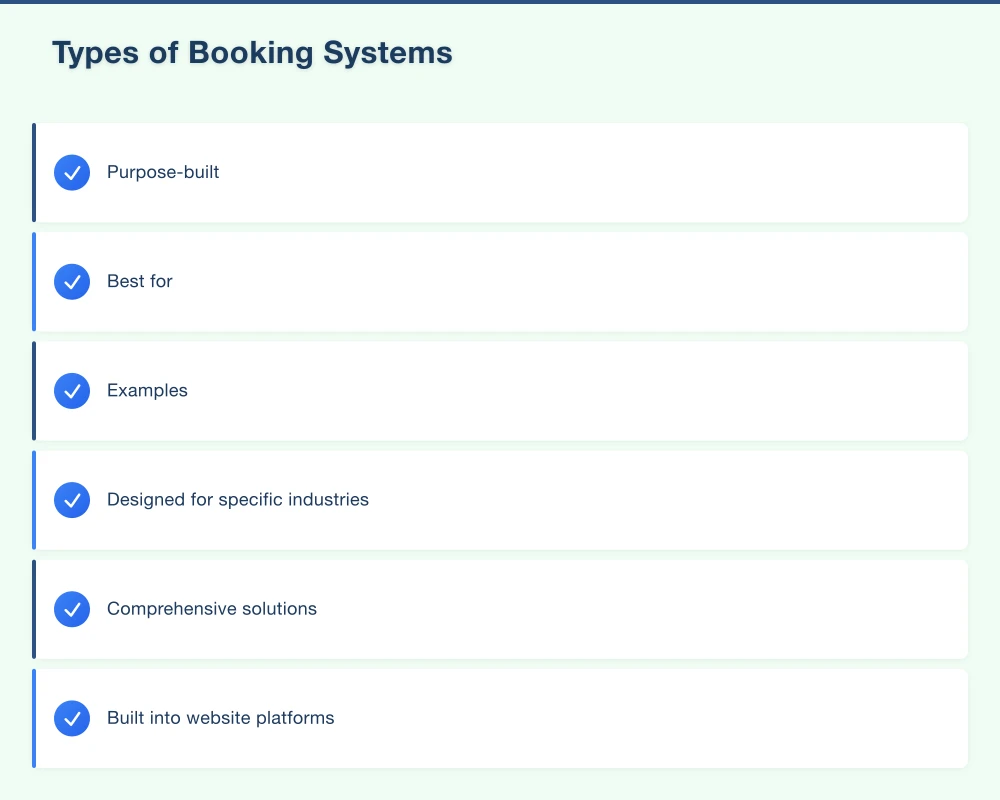
Best for: Businesses where industry-specific features add significant value.
Examples: Cliniko (health), Fresha (beauty), Mindbody (fitness), HoneyBook (creative services).
All-in-One Business Platforms
Comprehensive solutions including booking plus:
- Point of sale
- Inventory management
- Customer relationship management
- Marketing tools
- Reporting and analytics
Best for: Businesses wanting to consolidate multiple tools.
Examples: Square, Shopify (with booking apps), Xero with integrations.
Website-Integrated Booking
Built into website platforms or added via plugins:
- Seamless website integration
- Matches your site design
- Part of your existing platform
Best for: Businesses with established websites wanting integrated booking.
Examples: WordPress plugins (Amelia, BookingPress), Squarespace Scheduling, Wix Bookings.
Features to Consider
Essential Features
Online booking page: Where customers book–must be mobile-friendly and easy to use.
Calendar management: Clear view of availability, easy schedule management.
Automated confirmations: Instant email confirmation after booking.
Reminders: Email and/or SMS reminders before appointments.
Rescheduling/cancellation: Customer self-service for changes.
Important Features
Payment processing: Take deposits or full payment at booking.
Buffer time: Automatic gaps between appointments.
Multiple services: Different appointment types with varying durations.
Staff/resource management: Multiple team members or rooms.
Business hours/holidays: Automatic availability based on operating hours.
Timezone handling: Important if serving interstate clients.
Nice-to-Have Features
Customer database: Track customer history and preferences.
Recurring appointments: Automatic rebooking for regular clients.
Waitlists: Capture interest when fully booked.
Group bookings: Classes, workshops, events.
Intake forms: Collect information before appointment.
Integration: Connect with calendar apps, accounting, marketing tools.
Reporting: Analytics on booking patterns, revenue, no-shows.
Comparing Popular Platforms
Calendly
Best for: Professional services, consultations, meetings.
Pricing: Free tier available, paid from $10 USD/month.
Strengths:
- Very easy to use
- Clean, professional booking pages
- Good calendar integrations
- Video meeting integration
Limitations:
- Less suited for complex service businesses
- Limited payment options on free tier
- Not designed for multi-staff businesses
Australian considerations: Works well, timezone handling included, limited Australian payment options on basic plans.
Square Appointments
Best for: Service businesses wanting POS integration, beauty, wellness.
Pricing: Free for single user, paid from $29 USD/month for teams.
Strengths:
- Robust free tier
- Excellent payment processing
- Good POS integration
- Instagram and Google booking integration
Limitations:
- Tied to Square ecosystem
- Less customizable than some alternatives
Australian considerations: Strong in Australia, local payment processing, GST handling.
Acuity Scheduling (Squarespace)
Best for: Service businesses needing flexibility, consultants, coaches.
Pricing: From $16 USD/month.
Strengths:
- Highly customizable
- Good form and intake capabilities
- Flexible scheduling options
- Strong automation features
Limitations:
- Can be complex to set up
- No free tier
- Interface less intuitive than some
Australian considerations: Works well in Australia, timezone handling good.
Setmore
Best for: Small service businesses on a budget.
Pricing: Free tier available, premium from $12 USD/month.
Strengths:
- Generous free tier
- Video meeting integration
- Good value for small teams
- Instagram and Facebook booking
Limitations:
- Less polished than premium options
- Fewer integrations
Australian considerations: Functional in Australia, basic timezone support.
Fresha
Best for: Beauty, hair, wellness businesses.
Pricing: Free (takes percentage of online bookings).
Strengths:
- Industry-specific features
- No subscription fee
- Point of sale included
- Marketplace exposure
Limitations:
- Transaction fees can add up
- Beauty/wellness focused
- Less flexible for other industries
Australian considerations: Strong presence in Australia, local support.
Cliniko
Best for: Healthcare providers, allied health.
Pricing: From $45 AUD/month.
Strengths:
- Australian-made
- Medicare integration
- AHPRA compliance features
- Practice management included
Limitations:
- Healthcare-specific
- Higher price point
- May be overkill for simple needs
Australian considerations: Designed for Australian healthcare, excellent local support.
Choosing the Right System
Questions to Ask
What services do you offer? Simple single-service versus complex multi-service affects which features matter.
How many staff/locations? Solo operator needs differ from multi-staff businesses.
What’s your budget? Monthly fees range from free to hundreds of dollars.
Do you need payments at booking? Deposits reduce no-shows but add complexity.
What integrations matter? Calendar sync, accounting software, marketing tools?
What’s your technical comfort level? Some platforms require more setup than others.
Decision Framework
For solo service providers (consultant, coach, therapist): Start with Calendly or Square Appointments free tier. Upgrade if you need more features.
For beauty/wellness businesses: Consider Fresha (free) or Square Appointments. Industry-specific features add value.
For healthcare providers: Cliniko or similar practice management. Compliance and Medicare features are essential.
For businesses wanting simplicity: Square Appointments offers the best balance of features and ease of use.
For businesses needing flexibility: Acuity Scheduling provides more customization options.
Implementation Best Practices
Setting Up Your System
Configure services carefully:
- Clear, descriptive names
- Accurate durations (include buffer time)
- Appropriate pricing
- Good descriptions customers can understand
Set availability accurately:
- Business hours that reflect reality
- Block out lunch breaks, meetings, admin time
- Plan for public holidays
- Consider buffer time between appointments
Test the customer experience:
- Book a test appointment yourself
- Go through on mobile device
- Check confirmation and reminder emails
- Test rescheduling and cancellation
Integration Points
Website integration:
- Embed booking widget on your site
- Clear “Book Now” buttons
- Link in navigation menu
- Link from service pages
Calendar sync:
- Connect to Google Calendar or Outlook
- Avoid double-booking
- See personal and business appointments together
Social media:
- Add booking button to Facebook page
- Link in Instagram bio
- Consider Instagram booking integration
Google Business Profile:
- Add booking link
- Use booking button if available for your platform
Payment Setup
Options to consider:
No payment at booking: Lowest friction, but higher no-show risk.
Deposit required: Reduces no-shows, captures commitment.
Full payment upfront: Eliminates no-shows, may reduce bookings.
For Australian businesses:
- Ensure GST is handled correctly
- Choose Australian-compatible payment processors
- Consider Afterpay/Zip integration if relevant
Cancellation Policies
Define and communicate clearly:
- How far in advance can customers cancel?
- Is there a cancellation fee?
- What about deposits for cancellations?
- How do no-shows work?
Configure these in your booking system and display them clearly.
Communicating Online Booking
Announcing to Existing Customers
Email announcement: “You can now book appointments online! Visit [link] to schedule at your convenience.”
In-person mention: “Did you know you can book your next appointment online? I’ll send you the link.”
On receipts/invoices: Include booking link for future appointments.
Website Prominence
- Clear “Book Now” button in header
- Booking widget embedded on relevant pages
- Mobile-friendly booking access
- Don’t bury it in navigation
Social Media
- Regular posts mentioning online booking
- Link in bio pointing to booking page
- Stories showing how easy it is
Google Business Profile
- Add booking link to your profile
- Appears in local search results
- Makes it easy for searchers to book immediately
Managing the Transition
If You Currently Take Phone Bookings
Gradual transition approach:
- Launch online booking alongside phone
- Mention online option to every caller
- Send booking link after phone bookings
- Gradually shift customers to online
Don’t eliminate phone bookings entirely unless your customer base is comfortable with online-only.
Handling Customers Who Prefer Phone
Some customers, particularly older demographics, may prefer phone booking. Continue accommodating them while:
- Entering their bookings in the system yourself
- Sending them confirmation emails
- Letting them receive reminders
This keeps everything in one system while respecting preferences.
Staff Training
If you have staff:
- Train them on the booking system dashboard
- Establish who manages the calendar
- Create procedures for manual bookings
- Define how to handle booking issues
Measuring Success
Metrics to Track
Booking volume: Number of online vs phone bookings over time.
Customer adoption: Percentage using online booking.
No-show rate: Should decrease with automated reminders.
Time saved: Hours previously spent on phone scheduling.
Revenue impact: Bookings captured outside business hours.
Signs It’s Working
- Fewer phone calls for booking
- More bookings from new customers
- Reduced no-shows
- Less administrative time
- Customer compliments on convenience
Signs to Adjust
- Low online booking adoption
- Customer complaints about the process
- Technical issues causing problems
- Booking page abandonment
Common Challenges and Solutions
“My customers aren’t tech-savvy”
Solution: Choose the simplest possible booking experience. Test with your least tech-savvy friend. Keep phone booking as backup.
“I need more flexibility than the system allows”
Solution: Add buffer time to appointments. Use manual holds for complex situations. Contact support about workarounds.
“No-shows are still happening”
Solution: Add SMS reminders (not just email). Require deposits. Implement cancellation policy with teeth.
“Customers are booking inappropriate times”
Solution: Review your availability settings. Add buffer time. Restrict certain services to certain times.
Getting Started
- Evaluate your needs using the questions above
- Try free tiers of 2-3 options
- Set up your chosen system carefully
- Test thoroughly before going live
- Launch and communicate to customers
- Monitor and adjust based on usage
Online booking is increasingly expected by customers and increasingly accessible for small businesses. Start with a simple implementation and expand features as you learn what works for your business.
At Cosmos Web Technologies, we help Western Sydney businesses implement online booking systems integrated with their websites. Whether you need help choosing a platform, setting it up, or integrating it seamlessly with your website, we’re here to help.
Ready to offer online booking? Contact us for a free consultation on the best solution for your business.
Modern retail runs on connected POS, inventory, and online channels. Cloud Geeks provides cloud and IT support that keeps Australian retail and hospitality businesses online during peak hours.
Ash Ganda covers digital strategy for retail and hospitality SMBs — what to automate, what to outsource, and where AI actually moves revenue.
Loyalty apps, mobile ordering, and customer-facing apps drive repeat business. Awesome Apps builds them for Australian retail and hospitality brands.
Part of the Ganda Tech Services family, Cosmos Web Tech delivers specialist web design and digital marketing for Australian small and medium businesses.