
Introduction
Your website shouldn’t look the same in December as it does in July. Seasonal marketing isn’t just about slapping a Christmas banner on your homepage–it’s about aligning your entire online presence with what your customers need right now.
Seasonal updates signal that your business is active and engaged. They also capture search traffic from people looking for seasonal services, create urgency for time-limited offers, and help local customers see you as relevant to their current needs.
This guide shows Western Sydney small businesses how to plan and execute effective seasonal website updates throughout the Australian calendar year.
The Business Case for Seasonal Marketing
Search Traffic Opportunities
Search behaviour changes with seasons. In spring, people search for garden makeovers. Before EOFY, they search for business tax services. Ahead of Christmas, they search for catering, gifts, and party venues.
If your website content reflects these seasonal needs, you capture traffic your competitors miss. A Hills District landscaper with an “October Spring Garden Preparation” page ranks for searches their competitors without seasonal content cannot reach.
Customer Psychology
Seasonal marketing taps into existing customer mindset. People expect Christmas promotions, EOFY sales, and back-to-school deals. When your marketing aligns with their expectations and calendar, conversions improve.
Urgency also increases. “Summer special–book by December 15” creates genuine time pressure that generic offers lack.
Competitive Advantage
Many small businesses neglect seasonal updates, leaving their websites looking static year-round. Regular updates signal professionalism and attentiveness that distinguishes you from less active competitors.
Planning Your Seasonal Calendar
Australian Seasonal Marketing Calendar
Map out your year with key dates relevant to your business:
Summer (December-February)
- Christmas and New Year
- School holidays
- Australia Day
- Valentine’s Day
- Back to school (late January/February)
Autumn (March-May)
- Easter
- Anzac Day
- Mother’s Day
- Autumn break activities
Winter (June-August)
- End of Financial Year
- Tax time
- Winter home improvement season
- Father’s Day (early September)
Spring (September-November)
- Spring cleaning season
- Melbourne Cup / Spring Racing
- Pre-Christmas planning
- Black Friday / Cyber Monday
- Wedding season begins
Industry-Specific Seasons
Beyond calendar holidays, identify seasons specific to your industry:
Trades:
- Storm damage season (summer)
- Pre-winter heating checks (autumn)
- Spring outdoor project season
- Pre-holiday maintenance rush
Hospitality:
- Wedding season
- Christmas party season
- School holiday periods
- Local festival dates
Retail:
- Seasonal product launches
- Sale seasons
- Gift-giving periods
- Back-to-school shopping
Professional services:
- EOFY compliance
- New financial year planning
- Annual review periods
- Industry conference seasons
Website Elements to Update Seasonally
Homepage Banner/Hero
Your homepage is your storefront window. Update the main banner or hero section to reflect current seasonal messaging:
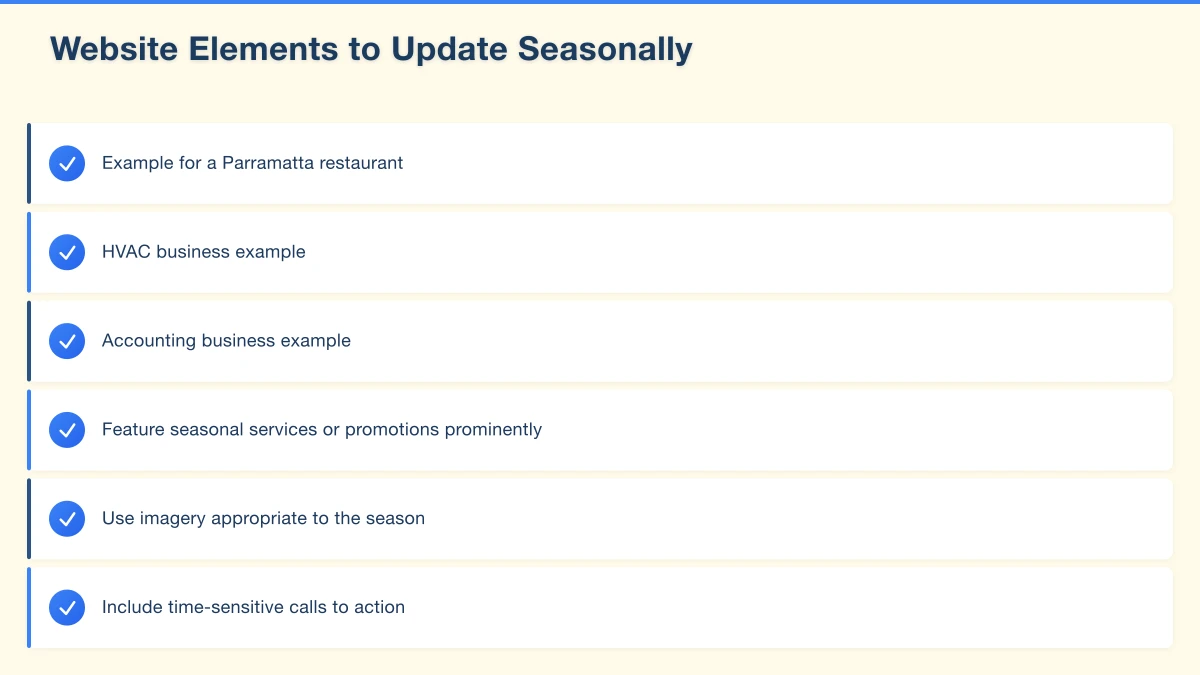
- Feature seasonal services or promotions prominently
- Use imagery appropriate to the season
- Include time-sensitive calls to action
Example for a Parramatta restaurant:
- Summer: “Book your Christmas function–spaces filling fast”
- Winter: “Warming winter menu now available”
- Spring: “Private dining for spring celebrations”
Promotional Banners and Popups
Add temporary promotional elements for seasonal offers:
- Announcement bars at the top of pages
- Promotional popups (used sparingly)
- Sidebar banners highlighting seasonal specials
Ensure these are easy to remove or update when the season ends–outdated promotions damage credibility.
Service Pages
Update service page content to address seasonal relevance:
HVAC business example:
- Summer: Emphasise cooling efficiency checks, system servicing before heatwaves
- Winter: Highlight heating system maintenance, energy efficiency
- Spring: Air conditioning pre-summer tune-ups
Accounting business example:
- EOFY: Tax return preparation, deadline reminders
- July-October: Tax return focus, business structure reviews
- Q1: New year financial planning, budget preparation
Blog Content
Publish seasonal blog posts that capture search traffic:
- “Christmas catering checklist for Western Sydney events”
- “Spring garden preparation guide for Hills District homes”
- “EOFY checklist for small businesses”
Seasonal content can be refreshed and republished each year with updated information.
Images and Photography
Swap images to match seasons:
- Summer outdoor shots vs winter indoor scenes
- Seasonal product photography
- Holiday-themed imagery where appropriate
Avoid making your site look dated with out-of-season imagery.
Contact and Hours Information
Update operating hours for holiday periods:
- Christmas/New Year closures
- Public holiday hours
- Seasonal extended hours
Display this information prominently–customers searching before holidays want to know if you’re open.
Creating Seasonal Landing Pages
Dedicated Seasonal Pages
For significant seasonal offerings, create dedicated landing pages:
“Christmas Catering Western Sydney” “EOFY Tax Returns Parramatta” “Spring Garden Makeovers Hills District”
These pages can target specific seasonal search queries and be optimised independently.
Landing Page Structure
Effective seasonal landing pages include:
- Clear seasonal offer or service description
- Time-specific urgency elements
- Seasonal imagery
- Customer testimonials relevant to the season
- Easy contact or booking options
- Clear expiration date for offers
SEO for Seasonal Pages
Optimise seasonal pages for search:
- Include year in title if relevant (“Christmas Functions 2025”)
- Target seasonal long-tail keywords
- Build internal links from relevant service pages
- Update and republish annually
Managing Seasonal Pages Year-Round
Options for off-season pages:
- Remove from navigation but keep indexed (for SEO continuity)
- Update to “coming soon” with email sign-up for next year
- Redirect to main service page during off-season
- Keep visible year-round with updated dates
Seasonal Email Integration
Website Sign-Up Tie-In
Use your website to build email lists for seasonal campaigns:
- “Sign up for early access to our Black Friday deals”
- “Get Christmas booking reminders”
- “EOFY tax tips delivered to your inbox”
Landing Page Email Capture
Seasonal landing pages should capture emails:
- Offer early access or exclusive content
- Notify when seasonal bookings open
- Send reminders as the season approaches
Local and Regional Seasonal Considerations
Western Sydney Events
Incorporate local events into your seasonal marketing:
- Parramatta Lanes
- Hills District agricultural shows
- Local Christmas markets
- Community festivals
“Catering for Parramatta Christmas events” captures more local traffic than generic “Christmas catering Sydney.”
Weather-Based Timing
Western Sydney weather patterns affect seasonal timing:
- Hot summers start early–begin summer messaging in November
- Mild winters mean different service timing than Melbourne businesses
- Storm season creates urgent service opportunities
School Calendar
Western Sydney has significant family populations. School calendar events drive seasonal activity:
- Back to school preparation (January/February)
- School holiday activities
- HSC finish celebrations (November)
- Graduation seasons
Seasonal Promotion Best Practices
Creating Urgency Without Desperation
Effective seasonal urgency:
- Real deadlines: “Book by December 10 for Christmas delivery”
- Limited availability: “Only 5 Christmas function spots remaining”
- Price incentives: “Spring special–15% off until October 31”
Avoid desperate-sounding urgency that undermines your positioning.
Seasonal Pricing Strategies
Options for seasonal pricing:
- Early bird discounts for advance bookings
- Peak season pricing for high-demand periods
- Off-season specials to fill quiet periods
- Bundle offers (Christmas gift packages, EOFY service bundles)
Clear Terms and Conditions
Seasonal offers need clear terms:
- Specific dates of availability
- Booking or purchase deadlines
- What’s included/excluded
- How to redeem
Unclear offers create customer service problems and potential disputes.
Managing Seasonal Updates Efficiently
Content Calendar
Create an annual content calendar mapping:
- When to prepare seasonal content (4-6 weeks before needed)
- Launch dates for seasonal messaging
- Review dates to check performance
- End dates to remove expired content
Template Systems
Develop templates for recurring seasonal updates:
- Banner image sizes and styles
- Promotional text frameworks
- Landing page structures
- Email announcement formats
Templates make annual updates faster and more consistent.
Scheduling Tools
Use scheduling where possible:
- Schedule blog posts for seasonal publication
- Queue social media content in advance
- Set calendar reminders for website updates
Post-Season Cleanup
Always remove seasonal content when it expires:
- Take down expired promotions immediately
- Update or archive seasonal landing pages
- Replace seasonal imagery with current content
- Remove temporary banners and popups
Outdated seasonal content is worse than no seasonal content–it makes your business look neglected.
Measuring Seasonal Marketing Success
Traffic Analysis
Track seasonal page performance:
- Visits to seasonal landing pages
- Comparison to same season last year
- Traffic sources (organic, social, email)
Conversion Tracking
Measure seasonal promotion effectiveness:
- Bookings or sales attributed to seasonal campaigns
- Email sign-ups from seasonal pages
- Phone enquiries mentioning seasonal offers
Year-Over-Year Comparison
Compare seasonal performance annually:
- Which seasons drive most business?
- Which promotions performed best?
- What timing worked (too early, too late, just right)?
Common Seasonal Marketing Mistakes
Starting Too Late
Seasonal content needs time to rank in search and reach your audience. Starting Christmas marketing in December is too late–October is more realistic for most businesses.
Forgetting to Update
The only thing worse than no seasonal content is last year’s seasonal content. “Christmas 2024 specials” displayed in 2025 damages credibility.
Generic Seasonal Messaging
“Happy holidays from our team” doesn’t drive business. Seasonal marketing should connect to actual services and offers.
Ignoring Your Off-Season
The slow season is an opportunity:
- Lower advertising costs
- Time for content creation
- Chance to capture early planners
“Book your summer landscaping now and skip the spring rush” fills quiet winter periods.
Conclusion
Seasonal marketing transforms your website from a static brochure into a dynamic presence that meets customers where they are. When done consistently, it captures search traffic, creates buying urgency, and positions your business as active and engaged.
Start by mapping your year against the Australian calendar and your industry’s specific seasons. Plan content and updates 4-6 weeks ahead, and always clean up expired seasonal material promptly.
The businesses that succeed with seasonal marketing are those that plan ahead and execute consistently year after year. Begin planning your spring and summer updates now–your future customers are already searching.
Need help updating your website for seasonal marketing? Cosmos Web Technologies helps Western Sydney businesses create websites that work harder throughout the year. Contact us to discuss your seasonal marketing strategy.
Your website’s performance depends on what’s behind it. Cloud Geeks provides the managed hosting, cloud, and IT support that keeps Australian SMBs online and secure.
Ash Ganda covers how Australian SMBs are using AI, automation, and digital strategy to grow without scaling costs proportionally.
If your business is also planning a customer-facing iOS or Android app — Awesome Apps builds cross-platform mobile apps for Australian SMBs.
Part of the Ganda Tech Services family, Cosmos Web Tech delivers specialist web design and digital marketing for Australian small and medium businesses.