
Why Website Pricing Is So Confusing
Ask five web agencies for a quote and you’ll get five wildly different numbers. One says $800. Another says $25,000. Both claim to build “professional websites.”
For Western Sydney business owners, this makes budgeting nearly impossible. How do you know if you’re overpaying or getting what you need?
This guide cuts through the confusion. I’ll explain what drives website costs, what you can expect at different price points, and how to budget sensibly for your business.
The Truth About Website Pricing
First, let’s acknowledge reality: there’s no “correct” price for a website. Pricing depends on:
- Who builds it: Freelancers charge less than agencies
- How it’s built: Templates cost less than custom designs
- What it does: A brochure site costs less than an e-commerce platform
- How fast you need it: Rush jobs cost more
- Where you’re located: Sydney prices differ from regional areas
That said, there are general ranges that Australian businesses can expect in 2025.
Website Cost Tiers Explained
Tier 1: $500 - $2,000 (Entry Level)
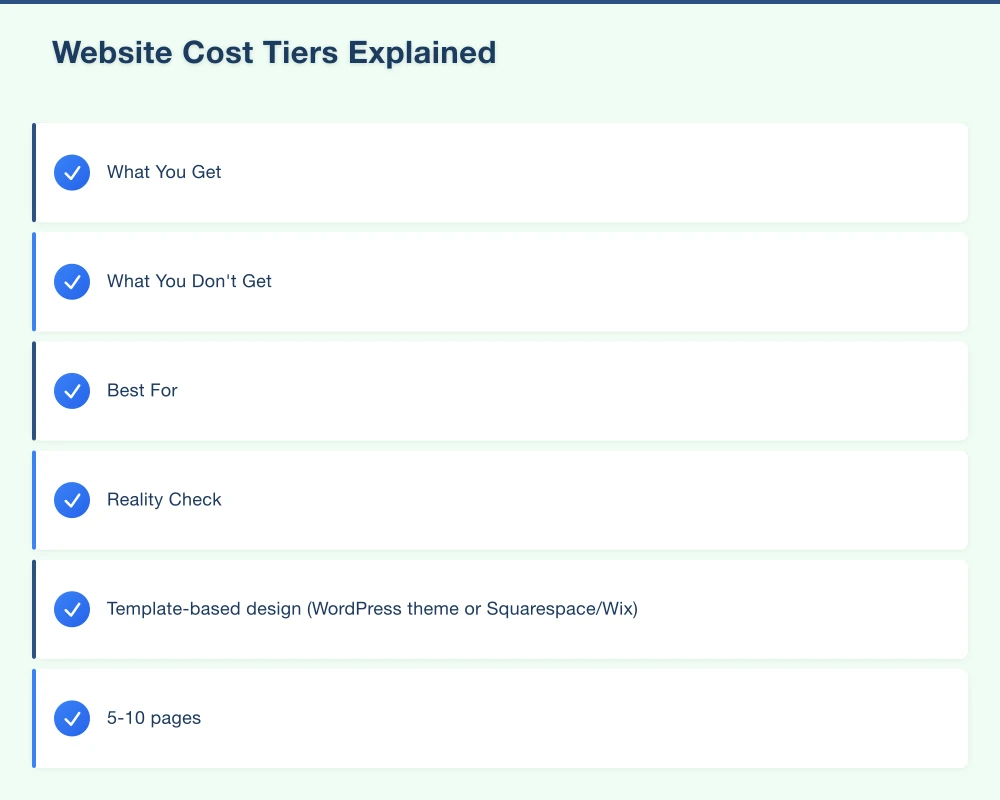
What You Get:
- Template-based design (WordPress theme or Squarespace/Wix)
- 5-10 pages
- Basic customisation (logo, colours, fonts)
- Mobile responsive layout
- Contact form
- Basic SEO setup
What You Don’t Get:
- Unique design
- Custom functionality
- Extensive content writing
- Ongoing support
- Advanced integrations
Best For:
- Very small businesses just getting started
- Temporary solutions while building budget
- Simple online presence with minimal requirements
Reality Check: At this price point, you’re paying for setup and basic customisation. The template does the heavy lifting. That’s not necessarily bad - modern templates are quite good. But your site will look similar to thousands of others using the same theme.
A sole trader in Blacktown starting out might find this perfectly adequate. A professional services firm in Parramatta probably needs more.
Tier 2: $2,000 - $7,000 (Professional)
What You Get:
- Semi-custom design (modified template or basic custom)
- 10-20 pages
- Professional copywriting (basic)
- SEO foundations
- Contact forms and basic integrations
- Training on content management
- Some ongoing support
What You Don’t Get:
- Completely unique design
- Complex functionality
- E-commerce capabilities
- Extensive content strategy
- Priority support
Best For:
- Established small businesses
- Professional services (accountants, lawyers, consultants)
- Local service providers (tradies, cleaners, etc.)
- Restaurants and retail without online ordering
Reality Check: This is where most Western Sydney small businesses should start. You get a professional-looking website that represents your business well. It won’t win design awards, but it’ll work hard for your business.
Many successful local businesses operate happily with websites in this range. The key is choosing a provider who understands your business needs, not just web design.
Tier 3: $7,000 - $20,000 (Custom)
What You Get:
- Custom design tailored to your brand
- User experience (UX) planning
- 20-50+ pages
- Professional copywriting
- Comprehensive SEO setup
- Custom functionality (booking systems, member areas)
- Integration with business systems
- Training and documentation
- Ongoing support package
What You Don’t Get:
- Complex web applications
- Enterprise-grade infrastructure
- Dedicated development team
Best For:
- Growing businesses
- Companies with specific functionality needs
- Multi-location businesses
- Professional services needing differentiation
- E-commerce with moderate catalogue size
Reality Check: At this level, you get a website designed specifically for your business. Not a template with your logo - an actual custom design that reflects your brand and serves your customers’ needs.
For businesses where the website is a significant source of leads or sales, this investment typically pays off. A plumber generating 10 extra jobs per month from their website easily covers this cost.
Tier 4: $20,000 - $50,000 (Advanced)
What You Get:
- Bespoke design with extensive research
- User research and testing
- Complex functionality
- Large-scale content development
- Advanced SEO and content strategy
- Custom integrations with multiple systems
- Performance optimisation
- Security hardening
- Ongoing retainer options
Best For:
- Medium-sized businesses
- E-commerce with large catalogues
- Companies with complex customer journeys
- Businesses requiring specific workflows
- Organisations with compliance requirements
Reality Check: This is where websites become genuine business tools rather than digital brochures. The investment funds proper research, planning, and custom development. Expect a longer project timeline (3-6 months) and more involvement from your team.
Tier 5: $50,000+ (Enterprise)
What You Get:
- Full-scale digital strategy
- Extensive user research
- Custom web applications
- Enterprise integrations
- Multi-site architecture
- Accessibility compliance
- Security auditing
- Ongoing development team
Best For:
- Large organisations
- Complex web applications
- Multi-brand companies
- Highly regulated industries
- Government and institutional projects
Reality Check: At this level, you’re not buying a website - you’re buying a digital solution. These projects involve multiple specialists over many months.
What Actually Costs Money
Understanding where your money goes helps you negotiate and prioritise:
Design (20-35% of budget)
- Research and strategy
- Visual design concepts
- User interface design
- Responsive design adaptations
- Design revisions
More complex brands and requirements mean more design work. A professional services firm with strict brand guidelines costs more to design for than a friendly local cafe.
Development (30-50% of budget)
- Building the actual website
- Theme/template customisation
- Custom functionality
- Testing across devices
- Performance optimisation
Custom features significantly increase development time. A simple contact form takes an hour. A custom booking system with calendar integration takes weeks.
Content (10-25% of budget)
- Copywriting
- Photography
- Video production
- Content strategy
- SEO optimisation
Content is often underbudgeted. “We’ll provide the content” sounds good until you’re three months into a project with no content written.
Project Management (10-15% of budget)
- Client communication
- Timeline management
- Quality assurance
- Documentation
- Training
Good project management is invisible when present, catastrophic when absent.
Hidden Costs to Budget For
Your website quote rarely includes everything. Plan for:
Ongoing Hosting ($200 - $1,500/year)
Your website needs a server to live on. Costs vary based on performance requirements and hosting quality. Don’t cheap out here - poor hosting kills performance.
Domain Name ($20 - $50/year)
Your .com.au or .com address. Straightforward cost, but budget for it.
SSL Certificate ($0 - $200/year)
The security certificate that enables HTTPS. Often included with hosting, sometimes separate.
Maintenance ($600 - $3,000/year)
Updates, security patches, backups, minor fixes. Essential for WordPress and other CMS platforms. Budget 10-15% of initial build cost annually.
Content Updates (Variable)
Unless you learn to update content yourself, you’ll pay for changes. Some providers include hours in support packages; others charge per update.
Email Hosting ($50 - $300/year per mailbox)
Professional email ([email protected]) is often separate from website hosting.
Stock Photography ($200 - $1,000)
Unless you have professional photos, you’ll need stock images. Quality costs money.
Warning Signs of Underpriced Quotes
Very cheap quotes often mean:
- Offshore outsourcing: Not inherently bad, but communication challenges and timezone differences can cause problems
- Template mills: Cookie-cutter sites with minimal customisation
- Missing scope: The quote doesn’t include essentials like hosting setup, training, or SSL
- Hidden upsells: Base price is low but “extras” add up quickly
- No ongoing support: Build and run - good luck if something breaks
- Portfolio padding: Claimed work they didn’t actually do
If a quote seems too good to be true, ask detailed questions about what’s included and who’s doing the work.
Warning Signs of Overpriced Quotes
High prices aren’t always justified:
- Inflated timelines: Tasks that take hours quoted for days
- Unnecessary features: Complex solutions to simple problems
- Buzzword heavy: “Digital transformation” and “innovative solutions” hiding basic work
- Big agency overhead: You’re paying for swanky offices and large teams you don’t need
- Fear-based selling: Exaggerating risks to justify costs
Get multiple quotes and ask providers to explain significant price differences.
How to Budget Sensibly
Here’s a practical approach for Western Sydney businesses:
Step 1: Define Your Actual Needs
List what your website must do:
- How many pages?
- What functionality? (Forms, booking, e-commerce, member area?)
- What integrations? (CRM, accounting, email marketing?)
- Who updates content?
- What are your traffic expectations?
Be honest about needs versus wants. A booking system you’ll “eventually use” isn’t a current need.
Step 2: Research Realistic Pricing
Get 3-5 quotes from different providers:
- One freelancer
- One small agency
- One established agency
Compare not just price but scope. Understand why prices differ.
Step 3: Calculate ROI Potential
A $10,000 website generating $2,000/month in new business pays for itself in five months. A $2,000 website generating nothing costs more in the long run.
Consider:
- How many leads does your current website generate?
- How many more leads could a better website generate?
- What’s each lead worth to your business?
Step 4: Set a Realistic Budget
Based on research and ROI calculation, set a budget that:
- You can afford without financial stress
- Is realistic for your requirements
- Includes ongoing costs for at least 2 years
Step 5: Communicate Budget Clearly
Tell providers your budget (or range). A good provider will show you what’s possible within that budget, not just try to maximise their fee.
Specific Recommendations by Business Type
Tradies (Plumbers, Electricians, Builders)
Budget: $2,500 - $6,000 Focus: Mobile-friendly, clear service areas, easy contact options, Google Business integration
Professional Services (Accountants, Lawyers, Consultants)
Budget: $5,000 - $15,000 Focus: Trust-building design, team profiles, service explanations, client portal considerations
Retail (Non-E-commerce)
Budget: $2,000 - $5,000 Focus: Products/services showcase, location information, opening hours, social integration
E-commerce
Budget: $8,000 - $30,000+ Focus: Product management, secure payments, shipping integration, inventory management
Restaurants/Cafes
Budget: $2,500 - $8,000 Focus: Menu display, reservation/ordering integration, location and hours, photography
Healthcare Providers
Budget: $6,000 - $20,000 Focus: Trust signals, appointment booking, service information, compliance requirements
Our Approach at Cosmos Web Tech
We believe in transparent pricing and appropriate solutions. Not every business needs a $20,000 website. Not every business should settle for $800.
We assess your actual needs, explain your options honestly, and recommend what makes sense for your situation and budget.
If a template site serves your needs, we’ll say so. If you need custom development, we’ll explain why.
Getting Started
Ready to budget for your website project? Here’s what to do:
- Complete our free needs assessment: We’ll help clarify what you actually require
- Receive a detailed proposal: Itemised pricing with clear explanations
- No obligation consultation: Ask questions, understand options
- Make an informed decision: Whether you work with us or not
Contact us for a free consultation. We’ll give you honest pricing guidance specific to your situation - no sales pressure, just useful information.
Your website is an investment in your business. Let’s make sure it’s a smart one.
Your website’s performance depends on what’s behind it. Cloud Geeks provides the managed hosting, cloud, and IT support that keeps Australian SMBs online and secure.
Ash Ganda covers how Australian SMBs are using AI, automation, and digital strategy to grow without scaling costs proportionally.
If your business is also planning a customer-facing iOS or Android app — Awesome Apps builds cross-platform mobile apps for Australian SMBs.
Part of the Ganda Tech Services family, Cosmos Web Tech delivers specialist web design and digital marketing for Australian small and medium businesses.