Introduction
Your website isn’t a “set and forget” asset. Like any business tool, it requires regular maintenance to perform well, stay secure, and continue generating leads. Yet many small businesses launch their website and don’t touch it again until something breaks.
The consequences of neglected maintenance include security vulnerabilities, declining search rankings, frustrated visitors, and eventually costly emergency repairs. A few hours of preventive maintenance each month prevents these problems and keeps your website working effectively for your business.
This guide provides a practical checklist that any small business owner can follow, whether you manage your own website or want to understand what your web developer should be doing.
Why Website Maintenance Matters
Security Protection
Unmaintained websites are prime targets for hackers. Outdated software, plugins, and themes contain known vulnerabilities that attackers exploit automatically. Thousands of small business websites are compromised daily, not through sophisticated attacks, but simply because owners didn’t update their software.
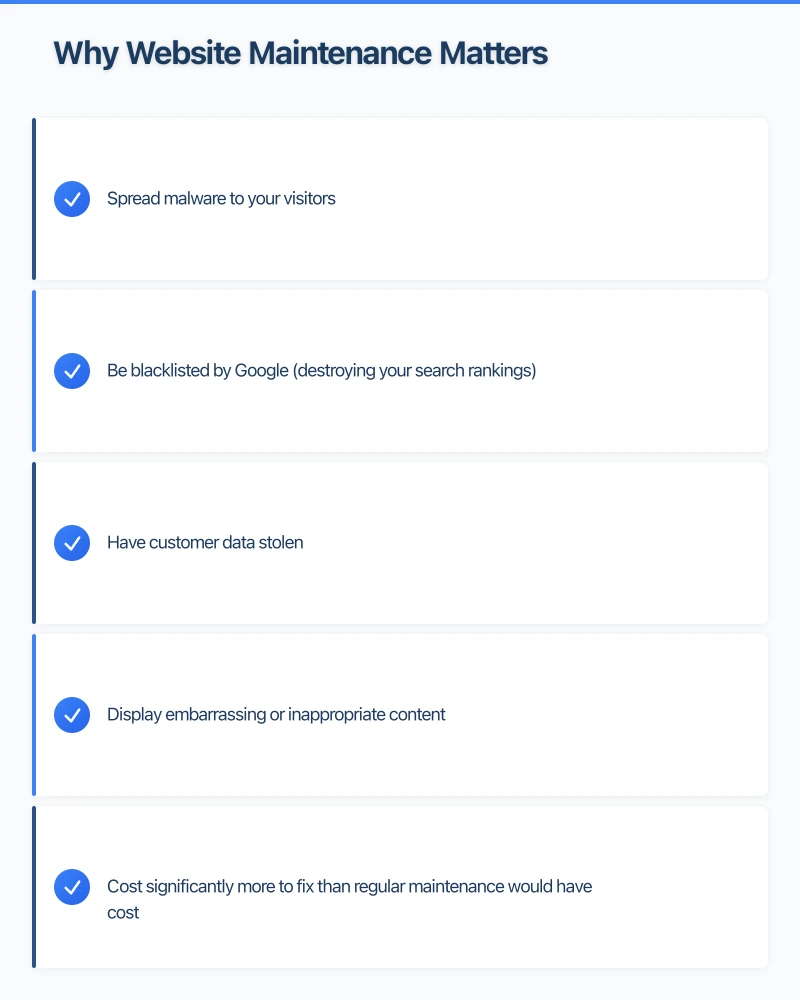
A hacked website can:
- Spread malware to your visitors
- Be blacklisted by Google (destroying your search rankings)
- Have customer data stolen
- Display embarrassing or inappropriate content
- Cost significantly more to fix than regular maintenance would have cost
Search Engine Performance
Google favours websites that are fast, secure, and regularly updated. Neglected sites gradually lose search visibility as competitors maintain and improve theirs.
Technical issues that accumulate without maintenance–broken links, slow loading, security warnings–directly damage your search rankings.
User Experience
Small issues compound over time. A broken contact form means lost leads. Outdated information frustrates visitors. Slow pages cause abandonment. Regular maintenance catches these problems before they cost you business.
Cost Efficiency
Emergency fixes are expensive. A website emergency on a Friday afternoon costs significantly more than scheduled maintenance during business hours. Regular maintenance prevents most emergencies entirely.
Weekly Quick Checks (15 Minutes)
These fast checks catch urgent issues before they escalate:
Test Your Contact Forms
Submit a test enquiry through every contact form on your site. Verify that:
- The form submits successfully
- You receive the notification email
- Any auto-response emails are sent correctly
Contact form failures are common and invisible until tested. A broken form can mean weeks of lost leads before anyone notices.
Check Website Loading
Visit your homepage and key pages on your phone. Does everything load correctly? Is it noticeably slow? Check on both WiFi and mobile data to identify performance issues.
Review Recent Analytics
Glance at your website analytics (Google Analytics or similar):
- Any sudden traffic drops that might indicate problems?
- Are your main pages still receiving traffic?
- Any unusual patterns worth investigating?
Monitor Google Business Profile
Check for new Google reviews and any questions from customers. Respond promptly to maintain engagement and reputation.
Monthly Maintenance Tasks (1-2 Hours)
Software Updates
WordPress sites:
- Update WordPress core
- Update all plugins
- Update themes
- Always backup before updating
Other platforms:
- Check for platform updates
- Review any security patches
- Update integrations and extensions
Best practices:
- Don’t delay security updates
- Update non-critical items during quiet periods
- Test functionality after updates
- Have a rollback plan for problems
Backup Verification
Confirm that your backup system is working:
- Verify backups are being created on schedule
- Check that backups are stored securely (preferably off-site)
- Test restoring a backup periodically to confirm they work
Many businesses discover their backups don’t work only when they desperately need them.
Security Scan
Run a security scan to check for:
- Malware or suspicious files
- Outdated software with vulnerabilities
- Suspicious user accounts
- File permission issues
Tools like Sucuri SiteCheck, Wordfence (for WordPress), or your hosting provider’s security tools can perform these scans.
Broken Link Check
Scan your site for broken links using tools like:
- Broken Link Checker (WordPress plugin)
- Screaming Frog (desktop software)
- Online tools like Dead Link Checker
Fix or remove broken links, which frustrate users and hurt SEO.
Review and Update Content
Walk through key pages looking for:
- Outdated information (old prices, discontinued services)
- Seasonal content that needs updating
- Staff changes not reflected on the site
- Old promotions still displayed
Update or remove anything that makes your business look inattentive.
Check Mobile Experience
Test your site on actual mobile devices:
- Do all pages display correctly?
- Are buttons and links easy to tap?
- Is text readable without zooming?
- Do forms work properly?
Mobile issues often appear after updates or content changes.
Monitor Site Speed
Test your page loading speed using:
- Google PageSpeed Insights
- GTmetrix
- Pingdom
Compare to previous months. If speed has decreased, investigate:
- Large images added recently
- New plugins causing slowdowns
- Hosting issues
- External scripts slowing pages
Review Search Console
Check Google Search Console for:
- Crawl errors
- Security issues flagged by Google
- Mobile usability problems
- Search performance changes
Address any errors or warnings promptly.
Quarterly Deep Maintenance (Half Day)
Comprehensive Content Audit
Review all site content more thoroughly:
- Are service descriptions accurate and complete?
- Is pricing current?
- Do testimonials need refreshing?
- Is the “About” page still accurate?
- Are blog posts still relevant?
Create a list of content updates needed and schedule them.
SEO Health Check
Review your search optimisation:
- Are title tags and meta descriptions optimised?
- Are images using alt text?
- Is content targeting relevant keywords?
- Are there any thin or duplicate content pages?
Forms and Conversion Paths
Test every form and conversion path on your site:
- Contact forms
- Quote request forms
- Email signup forms
- Online booking systems
- E-commerce checkout
Verify that all confirmations, notifications, and follow-up sequences work correctly.
Third-Party Integration Review
Check all connected services:
- Google Analytics tracking correctly
- Social media feeds displaying
- Booking systems functioning
- Payment processors working
- Email marketing integrations active
Integrations can break silently when third parties update their systems.
Image and Media Audit
Review images and media files:
- Compress large images slowing your site
- Replace outdated photos
- Remove unused media files consuming storage
- Check that all images display correctly
User Account Review
Review administrator and user accounts:
- Remove old accounts (ex-employees, old developers)
- Update passwords for active accounts
- Check user permissions are appropriate
- Enable two-factor authentication where available
SSL Certificate Status
Verify your SSL certificate:
- Is it valid and not expiring soon?
- Does it cover all site URLs (including www and non-www)?
- Are all pages loading via HTTPS?
Set reminders to renew before expiration to avoid security warnings.
Annual Maintenance Tasks
Full Website Backup Archive
Create a complete backup for long-term storage:
- Full file backup
- Database backup
- Document any custom configurations
Store this archive separately from regular backups as a point-in-time recovery option.
Domain and Hosting Review
Check your domain registration:
- When does it expire?
- Is auto-renewal enabled?
- Are contact details current?
- Is domain privacy protection active?
Review hosting:
- Is your current plan meeting your needs?
- Are you using resources efficiently?
- Should you consider upgrading or switching providers?
Performance Baseline
Establish annual performance metrics:
- Average page load time
- Mobile speed scores
- Number of visitors
- Conversion rates
- Search ranking positions
Compare year-over-year to measure improvement or identify declines.
Legal Compliance Review
Review legal pages and compliance:
- Privacy policy current with regulations
- Terms and conditions accurate
- Cookie consent functioning correctly
- Accessibility compliance checked
Regulations change; ensure your site keeps up.
Design and UX Assessment
Step back and assess your site objectively:
- Does the design still look professional and current?
- Is the user experience intuitive?
- Does the site represent your business well?
- Are there features competitors offer that you’re missing?
This annual review helps you decide when a redesign is warranted.
Platform-Specific Considerations
WordPress Sites
WordPress powers a significant percentage of websites but requires vigilant maintenance:
Specific WordPress tasks:
- Keep WordPress core updated
- Update plugins monthly (check compatibility first)
- Update themes
- Delete unused plugins and themes
- Optimise database regularly
- Monitor for WordPress-specific vulnerabilities
Common WordPress issues:
- Plugin conflicts after updates
- Theme compatibility problems
- Database bloat slowing performance
- Brute force login attempts
Shopify and E-commerce Platforms
Specific tasks:
- Review product information accuracy
- Check payment gateway functionality
- Test checkout process regularly
- Update shipping rates and policies
- Review inventory sync if applicable
Custom and Static Sites
Even simpler sites need maintenance:
- Keep any frameworks or libraries updated
- Monitor hosting environment
- Check external links regularly
- Update content as needed
Building a Maintenance Routine
Create Your Calendar
Schedule recurring maintenance in your calendar:
- Weekly: 15-minute quick check (same day each week)
- Monthly: 1-2 hour maintenance session (same date each month)
- Quarterly: Half-day deep maintenance
- Annual: Full review and planning
Document Your Process
Create a written checklist customised to your specific site:
- What software needs updating
- What forms need testing
- What integrations to check
- Your backup procedures
- Emergency contact information
This documentation helps if someone else needs to cover maintenance.
Establish Responsibility
Clarify who handles maintenance:
- DIY: Follow this guide consistently
- Web developer: Ensure you have a maintenance agreement and understand what’s included
- Managed hosting: Know what’s covered and what you need to handle
Set Up Monitoring
Automated monitoring catches issues between manual checks:
- Uptime monitoring (alerts when site goes down)
- Security scanning (alerts on detected threats)
- SSL monitoring (alerts before certificate expiry)
- Performance monitoring (alerts on slowdowns)
Many tools offer free basic monitoring.
When to Get Professional Help
Some maintenance tasks require professional assistance:
Always professional:
- Security incident response
- Major version upgrades (WordPress major versions, platform migrations)
- Server configuration changes
- Fixing complex technical issues
Consider professional:
- Ongoing security monitoring
- Performance optimisation
- Regular backup management
- Sites that are business-critical
The cost of professional maintenance is typically far less than the cost of problems caused by neglect.
Emergency Preparedness
Despite good maintenance, emergencies happen. Be prepared:
Have documented:
- Hosting login credentials
- Domain registrar access
- Backup locations and restoration procedures
- Emergency contacts (developer, hosting support)
Know the signs of problems:
- Google Security warnings
- Unusual site behaviour
- Customer reports of issues
- Unexpected traffic spikes or drops
- Suspicious emails about your website
Have a response plan:
- Who to contact first
- How to take the site offline if needed
- Communication plan for customers
- Steps to restore from backup
Conclusion
Website maintenance isn’t glamorous, but it’s essential. A few hours invested monthly prevents security breaches, maintains search visibility, and ensures your website continues working for your business rather than against it.
Start by implementing the weekly quick checks–they take minimal time and catch urgent issues early. Build up to the monthly and quarterly tasks as you establish your routine.
Your website is often the first impression potential customers have of your business. Regular maintenance ensures that impression remains positive.
Need help with website maintenance? Cosmos Web Technologies offers maintenance packages for Western Sydney businesses, keeping your site secure, fast, and effective. Contact us to learn more.
Your website’s performance depends on what’s behind it. Cloud Geeks provides the managed hosting, cloud, and IT support that keeps Australian SMBs online and secure.
Ash Ganda covers how Australian SMBs are using AI, automation, and digital strategy to grow without scaling costs proportionally.
If your business is also planning a customer-facing iOS or Android app — Awesome Apps builds cross-platform mobile apps for Australian SMBs.
Part of the Ganda Tech Services family, Cosmos Web Tech delivers specialist web design and digital marketing for Australian small and medium businesses.