Website Maintenance Checklist for Small Business
Your website is not a set-and-forget investment. Like a car, it needs regular maintenance to run smoothly, stay secure, and perform at its best. Neglecting your website leads to security vulnerabilities, broken features, slow performance, and outdated content that turns away customers.
Many small business owners launch their website and then forget about it until something breaks. By then, the fix is often more expensive and disruptive than regular maintenance would have been.
This checklist covers everything you need to do to keep your website in top condition, broken down into weekly, monthly, quarterly, and annual tasks.
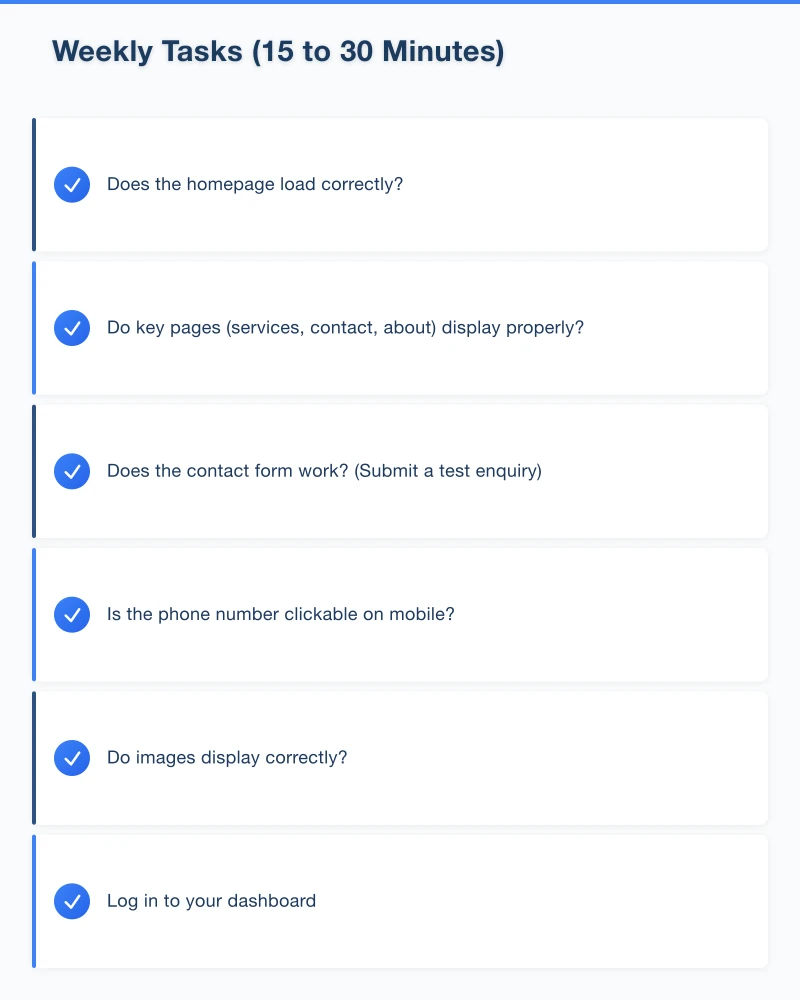
Why Website Maintenance Matters
Security
Outdated software is the number one cause of website hacks. Regular updates patch known vulnerabilities before they can be exploited.
Performance
Over time, websites accumulate bloat – unused plugins, unoptimised images, database clutter. Regular maintenance keeps things running fast.
SEO
Google favours websites that are well-maintained, fast, and free of errors. Broken links, slow pages, and outdated content can all hurt your rankings.
User Experience
A website with broken forms, outdated information, or missing images frustrates visitors and sends them to competitors.
Reputation
Your website represents your business. An obviously neglected website raises questions about the business behind it.
Weekly Tasks (15 to 30 Minutes)
Check That Your Site Is Working
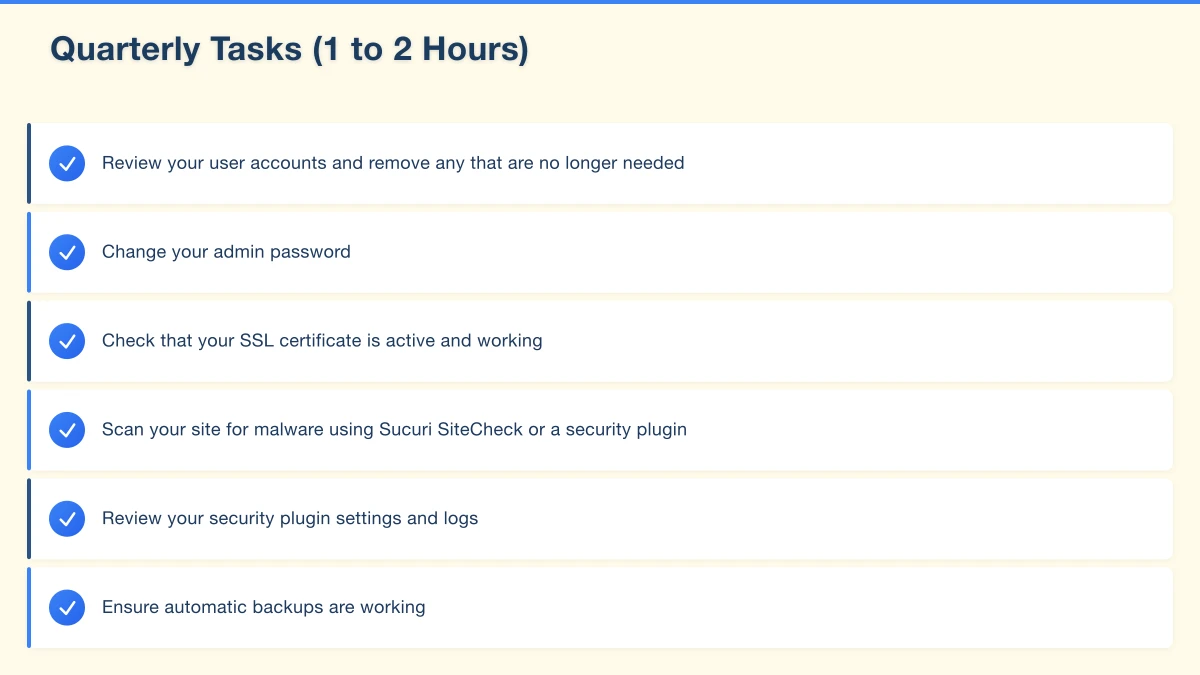
Visit your website every week and check:
- Does the homepage load correctly?
- Do key pages (services, contact, about) display properly?
- Does the contact form work? (Submit a test enquiry)
- Is the phone number clickable on mobile?
- Do images display correctly?
Review Contact Form Submissions
Make sure you are receiving and responding to all form submissions. Sometimes emails go to spam folders or form plugins stop working without obvious warning.
Check for Software Updates (WordPress)
If you use WordPress:
- Log in to your dashboard
- Check for WordPress core updates
- Check for plugin updates
- Check for theme updates
- Apply updates (ideally after backing up first)
Monitor Comments and Spam
If your site has a blog with comments enabled:
- Review and approve legitimate comments
- Delete spam comments
- Consider using a spam filter like Akismet
Monthly Tasks (30 to 60 Minutes)
Review Website Analytics
Check your Google Analytics for:
- Overall traffic trends (up, down, or steady compared to last month)
- Top-performing pages
- Traffic sources (organic, social, direct, referral)
- Any unusual spikes or drops
- Mobile vs desktop usage
Test All Forms and Contact Points
Go through every form on your website and submit a test entry. Check:
- Contact forms
- Quote request forms
- Newsletter signup forms
- Any other interactive elements
Check Page Speed
Run your homepage and key pages through Google PageSpeed Insights. If scores have dropped, investigate and fix the cause.
Review and Optimise Images
Check for any images that were uploaded without proper optimisation. Large images are one of the most common causes of slow websites.
Back Up Your Website
If you do not have automated backups:
- Perform a full backup of your website files and database
- Store the backup in a separate location (cloud storage or external drive)
- Verify the backup was successful
If you have automated backups, verify they are running correctly and the backup files are accessible.
Update Content
Review your website content for accuracy:
- Are your business hours correct?
- Are your prices current?
- Are your services accurately described?
- Is your team page up to date?
- Are there any seasonal messages that need updating?
Check for Broken Links
Use a free tool like Broken Link Checker (available as a WordPress plugin or an online tool) to scan your site for broken links. Fix or remove any that are found.
Quarterly Tasks (1 to 2 Hours)
Security Audit
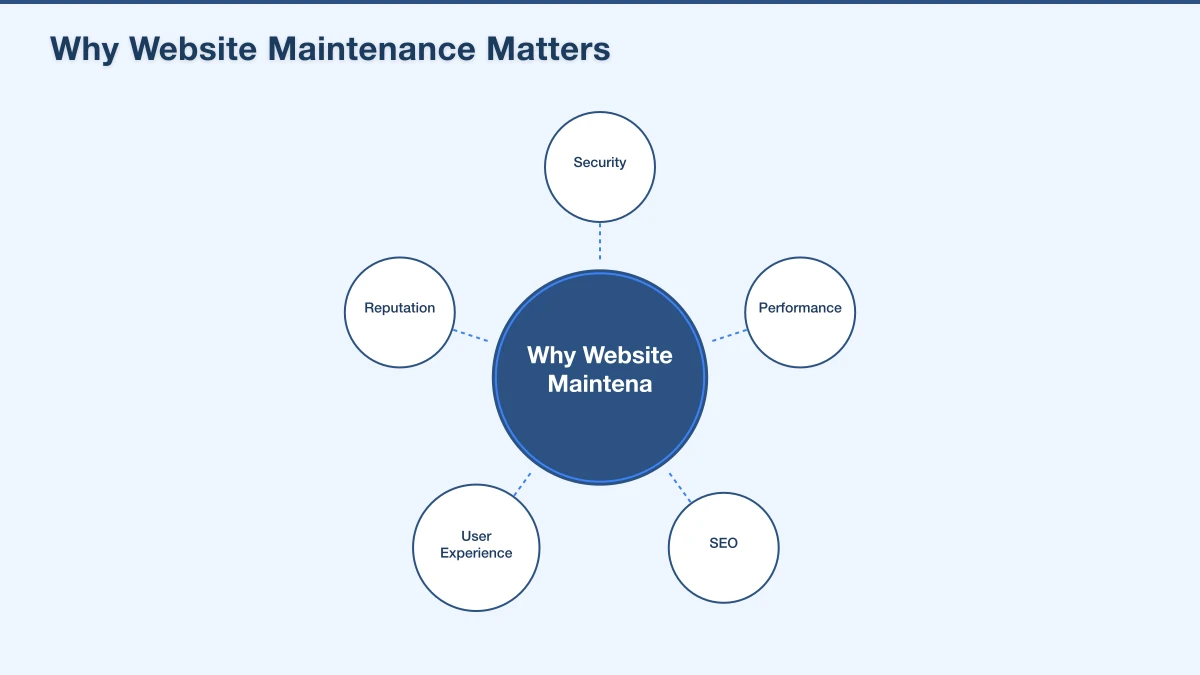
- Review your user accounts and remove any that are no longer needed
- Change your admin password
- Check that your SSL certificate is active and working
- Scan your site for malware using Sucuri SiteCheck or a security plugin
- Review your security plugin settings and logs
- Ensure automatic backups are working
Performance Review
- Run a comprehensive speed test on multiple pages
- Check your hosting performance (response times, uptime)
- Review and clean up unused plugins (deactivate and delete them)
- Delete unused themes
- Optimise your database (WordPress users can use plugins like WP-Optimize)
- Clear expired cache files
SEO Review
- Check Google Search Console for any new errors or warnings
- Review your search performance (impressions, clicks, rankings)
- Look for any pages with crawl errors and fix them
- Check that your sitemap is up to date and submitted
- Review your meta titles and descriptions for key pages
Content Audit
- Review all pages for outdated information
- Check that all images are displaying correctly
- Review and update your FAQ page
- Identify content gaps (topics you should cover but have not)
- Plan new blog posts or content updates
Review Google My Business
- Verify all information is current
- Add new photos
- Review and respond to recent reviews
- Check that your business hours are accurate (especially for upcoming holidays)
Annual Tasks (Half Day)
Full Website Review
Once a year, step back and evaluate your website as a whole:
- Is the design still modern and professional?
- Does it reflect your current brand accurately?
- Is the navigation intuitive?
- Does it work well on current mobile devices?
- Are your calls to action clear and effective?
- How does it compare to your competitors’ websites?
Hosting and Domain Review
- Confirm your domain registration is current and auto-renewal is enabled
- Review your hosting plan – is it still meeting your needs?
- Check if your hosting provider has introduced better plans or features
- Verify your SSL certificate renewal is handled automatically
Technology Assessment
- Is your CMS (WordPress, etc.) still the best choice for your needs?
- Are all your plugins still actively maintained and supported?
- Are there newer, better alternatives to any of your current tools?
- Does your site use the latest recommended PHP version?
Legal Compliance Review
- Review your privacy policy for accuracy and compliance
- Check your terms and conditions
- Verify your cookie consent notice is working
- Ensure your site meets current accessibility standards
Analytics Goals Review
- Are your Google Analytics goals still relevant?
- Are they tracking correctly?
- Do you need to add new goals or modify existing ones?
Backup Strategy Review
- Are backups running on schedule?
- Can you successfully restore from a backup? (Test this)
- Is your backup storage sufficient?
- Do you need to adjust your backup frequency?
Creating a Maintenance Schedule
The key to consistent maintenance is building it into your routine. Here are some options:
Do It Yourself
Set recurring calendar reminders for each task. Block out time specifically for website maintenance – do not let it get pushed aside by other priorities.
Delegate to a Team Member
If you have staff, assign website maintenance to a specific person. Create a checklist they can follow each week and month.
Hire a Professional
Many web developers and agencies offer maintenance plans. A typical plan includes:
- Regular software updates
- Automated backups
- Security monitoring
- Monthly reporting
- Priority support for issues
For businesses that do not have the time or technical knowledge for maintenance, a professional plan is a worthwhile investment. Plans typically cost between $50 and $200 per month depending on the level of service.
What Happens When You Skip Maintenance
To illustrate why this matters, here is what can go wrong:
- Skipping updates for six months: Your site has known security vulnerabilities. A bot exploits one, and your site starts redirecting visitors to a malware site. Google flags your site as dangerous, and your search rankings disappear.
- Never checking forms: Your contact form broke three months ago due to a plugin conflict. You have been losing enquiries without knowing it.
- Ignoring speed: Your site has slowed to a six-second load time. Visitors are bouncing before they see your content, and Google has dropped your rankings.
- No backups: Your hosting company has a server failure. Your website is gone, and you have to rebuild from scratch.
All of these scenarios are preventable with regular maintenance.
Start Your Maintenance Routine Today
If you have not been maintaining your website, do not panic. Start with these immediate actions:
- Back up your website today
- Update all software (WordPress core, plugins, themes)
- Test your contact form
- Run a speed test
- Check your SSL certificate
- Set up a recurring weekly maintenance reminder
Your website is one of your most important business assets. Treat it that way, and it will continue working for you reliably.
If you need help with website maintenance, our team offers maintenance plans for businesses across Western Sydney. We handle the technical work so you can focus on running your business.
Your website’s performance depends on what’s behind it. Cloud Geeks provides the managed hosting, cloud, and IT support that keeps Australian SMBs online and secure.
Ash Ganda covers how Australian SMBs are using AI, automation, and digital strategy to grow without scaling costs proportionally.
If your business is also planning a customer-facing iOS or Android app — Awesome Apps builds cross-platform mobile apps for Australian SMBs.
Part of the Ganda Tech Services family, Cosmos Web Tech delivers specialist web design and digital marketing for Australian small and medium businesses.