
Introduction
For service businesses, your portfolio page is often the deciding factor for potential clients. When someone is comparing a Blacktown landscaper against three competitors, or choosing between Hills District painters, the business with compelling visual evidence of their work wins.
Yet many service business websites either lack a portfolio entirely or have one that fails to showcase their best work effectively. Pages loaded with tiny, poor-quality images, or galleries with no context about the projects, do little to convert browsers into buyers.
This guide shows service businesses–tradies, creatives, consultants, and everyone in between–how to create portfolio pages that demonstrate expertise and convince visitors to get in touch.
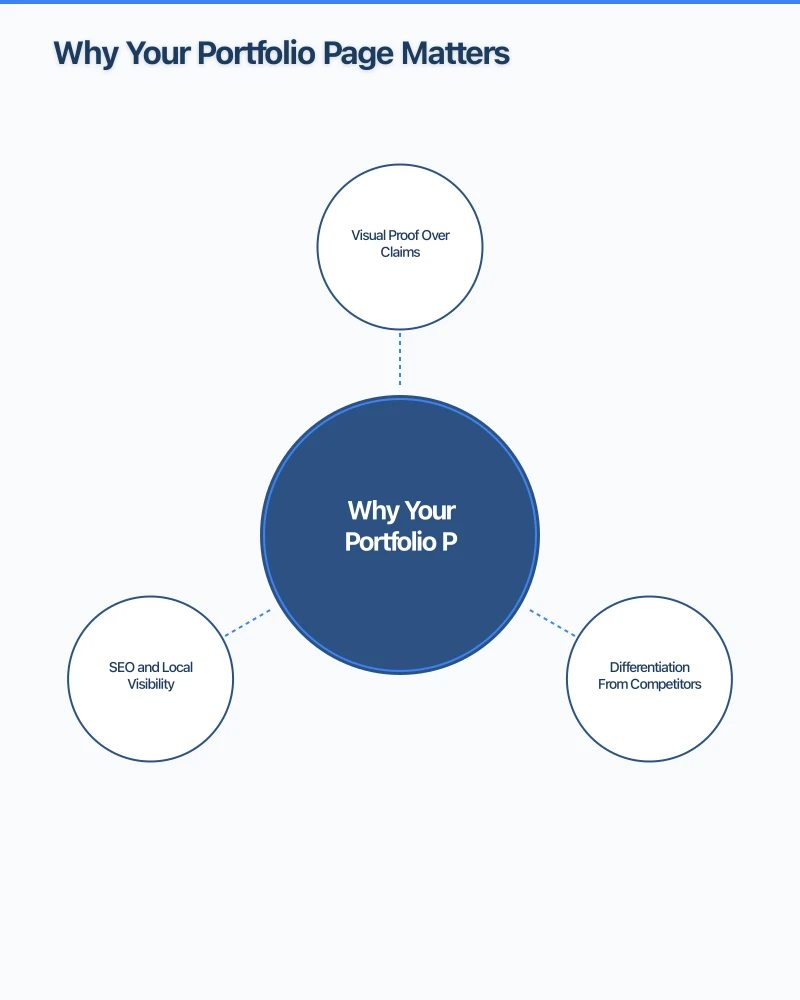
Why Your Portfolio Page Matters
Visual Proof Over Claims
Anyone can claim they do “quality work.” A portfolio proves it. When potential clients can see actual examples of your completed projects, they can evaluate your quality themselves rather than trusting marketing claims.
For trades and service businesses especially, visual evidence addresses the fundamental question every customer has: “Will they do a good job?”
Differentiation From Competitors
Most small service businesses have weak or non-existent portfolios. A strong portfolio page immediately sets you apart from competitors who only offer generic service descriptions.
When a Parramatta homeowner is choosing between three bathroom renovation businesses, the one with a gallery of beautiful completed bathrooms has an enormous advantage.
SEO and Local Visibility
Portfolio pages create opportunities for local SEO. Each project can target specific locations (“Kitchen renovation in Castle Hill”) and service types (“Heritage home restoration”). This helps you appear in searches for specific services in your area.
What to Include in Your Portfolio
Project Images
The foundation of any portfolio is quality images. For service businesses, this typically means:
Before and after photos: Show the transformation your service creates. A decluttered garage, a renovated kitchen, a landscaped backyard–the contrast tells a powerful story.
Progress shots: For larger projects, showing the process builds credibility and demonstrates the complexity of your work.
Detail shots: Close-ups of quality workmanship help justify your pricing and expertise. The perfectly mitered corner, the flawless paint finish, the seamless tile work.
Completed project views: Multiple angles of finished work show the full scope of what you delivered.
Project Context
Images alone miss an opportunity. Add context that helps potential clients imagine similar results for themselves:
Location: “Hills District family home” or “Parramatta commercial office” helps local searchers connect with your work.
Project scope: Brief description of what was involved–“Complete backyard transformation including decking, landscaping, and automated irrigation.”
Challenges overcome: If you solved a tricky problem, mention it–“Worked around heritage restrictions to modernise while maintaining period character.”
Timeline: How long the project took, especially for larger jobs.
Client testimonial: A quote from the satisfied customer adds social proof directly alongside the evidence.
Categories and Filtering
If you offer multiple services or work across different project types, organise your portfolio for easy browsing:
By service type: Kitchens, bathrooms, outdoor areas By project size: Residential, commercial, large-scale By style: Modern, traditional, heritage By location: Group projects by suburb for local SEO
Allow visitors to filter so they can quickly find examples relevant to their needs.
Photographing Your Work
When to Use Professional Photography
For high-value services where visual quality directly impacts sales–architects, interior designers, builders–professional photography often pays for itself through improved conversions.
Consider professional shots for:
- Flagship projects you’re particularly proud of
- Images for your homepage or advertising
- Projects that represent significant investment
DIY Photography Tips
For regular project documentation, smartphone photography can work well if you follow basic principles:
Lighting matters most: Shoot in natural daylight when possible. For interiors, turn on all lights and open curtains. Avoid mixed lighting (daylight and artificial together).
Clean the space: Before photographing, remove clutter, personal items, and anything distracting. For before photos, capture the mess, but after photos should show the space at its best.
Shoot wide: Step back and capture the whole space. You can always crop later, but you can’t add what you didn’t capture.
Keep it level: Hold your phone straight–tilted images look unprofessional. Use gridlines on your camera app to help.
Take multiple shots: Capture several angles and distances. You’ll have options when choosing which images to use.
Before and after consistency: Photograph from the same angle and similar lighting conditions to make comparison impactful.
Building a Photography Habit
The hardest part of portfolio building is remembering to photograph projects consistently. Build it into your process:
- Before starting: Take multiple before shots
- During work: Capture key stages
- At completion: Thorough final documentation
- Ask permission: Get client consent for website use
Consider a simple checklist or reminder that triggers photo documentation at project start and completion.
Portfolio Page Design Best Practices
Image Quality and Sizing
Poor image quality undermines even excellent work. Ensure your portfolio images are:
High resolution: Minimum 1200 pixels wide for gallery images Properly compressed: Fast loading without visible quality loss Consistently formatted: Same aspect ratio for a clean grid appearance Mobile optimised: Test how images display on phones
Grid vs. Featured Layout
Grid galleries work well for businesses with many projects of similar scope. They allow visitors to browse and click into projects that interest them.
Featured case studies work better for fewer, larger projects. This format allows deeper storytelling about significant work.
Many effective portfolios combine both–featured projects highlighted at the top with a grid gallery below.
Before and After Presentation
Interactive before/after sliders (where users drag a divider between images) are engaging and effective for transformation-focused services. However, ensure they work smoothly on mobile devices.
Alternatively, side-by-side images clearly labelled work well and avoid technical complications.
Page Speed Considerations
Portfolio pages are naturally image-heavy, which can slow loading times. Slow pages cost conversions–visitors leave before seeing your work.
Speed optimisation for portfolios:
- Lazy loading (images load as users scroll)
- Appropriate compression
- Responsive images (different sizes for different devices)
- Consider a pagination approach for large portfolios
Mobile Experience
Over 60% of local business searches happen on mobile. Test your portfolio page on phones:
- Can users see images clearly?
- Is text readable?
- Do filters and navigation work on touch screens?
- Does the page load quickly on mobile data?
Writing Effective Portfolio Descriptions
Focus on Outcomes
Describe what you achieved for the client, not just what you did.
Process-focused: “We installed new kitchen cabinets and benchtops.” Outcome-focused: “Transformed a cramped, outdated kitchen into a spacious entertainer’s dream with modern finishes and improved workflow.”
Include Specific Details
Specifics build credibility. Instead of “high-quality materials,” mention the actual materials: “Caesarstone benchtops, soft-close Blum cabinetry, and brushed brass fixtures.”
Add the Human Element
Where appropriate, share the story behind the project:
- What the client wanted to achieve
- Challenges you solved
- How the completed project improved their life or business
Keywords for SEO
Naturally incorporate relevant keywords:
- Service type: “bathroom renovation,” “landscape design”
- Location: “Castle Hill,” “Western Sydney”
- Style: “modern,” “hamptons style,” “industrial”
Gathering and Using Client Testimonials
Requesting Testimonials
Ask for testimonials at project completion when satisfaction is highest. Make it easy:
“We’d love to feature your project on our website. Would you mind sharing a sentence or two about your experience working with us?”
Provide prompts if helpful:
- What made you choose us?
- How has the completed project improved things?
- Would you recommend us to others?
Placing Testimonials
Position testimonials alongside relevant portfolio items. A testimonial about a kitchen renovation belongs on that project’s page, not in a separate testimonials section visitors might never find.
Video Testimonials
Video testimonials are particularly powerful. A 30-second clip of a happy homeowner in their new outdoor entertaining area is more convincing than paragraphs of text.
These don’t need to be professionally produced–smartphone footage feels authentic and relatable.
Case Studies: Going Deeper
When to Create Case Studies
Full case studies work well for:
- Your best, most impressive projects
- Complex projects that demonstrate expertise
- Projects that solve common client challenges
- Work you want more of
Case Study Structure
The challenge: What problem did the client face? What were their goals?
The approach: How did you plan and execute the project? What decisions were made and why?
The result: What was achieved? Include measurable outcomes if possible (increased home value, reduced maintenance time, improved functionality).
The client’s perspective: Testimonial or quote from the satisfied customer.
Visual documentation: Before/during/after images throughout the narrative.
Case Study Length
Keep case studies scannable. Most visitors won’t read long-form content, so:
- Lead with compelling images
- Use clear headings
- Keep paragraphs short
- Highlight key information
- Make testimonials stand out
Maintaining Your Portfolio
Regular Updates
A portfolio showing only projects from three years ago suggests you might not be busy–or worse, that you’ve been doing work you’re not proud of.
Update frequency:
- Add new projects monthly or quarterly
- Feature recent work prominently
- Archive or remove significantly dated work
- Refresh your best content with better images when possible
Quality Over Quantity
A portfolio of 10 excellent projects is more effective than 50 mediocre ones. Curate ruthlessly:
- Remove weak or outdated images
- Feature only work you’re genuinely proud of
- Quality of photography matters as much as quality of work
Permission Management
Keep records of which clients have given permission to feature their projects. Some may later request removal. Respect these requests promptly–maintaining trust matters more than any single portfolio piece.
Common Portfolio Page Mistakes
Weak or Missing Images
The most common mistake is including projects without compelling visual documentation. If you don’t have good images of a project, it’s better to exclude it than include poor-quality photos.
No Context
A gallery of random images without descriptions, locations, or client testimonials wastes an opportunity to connect with potential clients.
Outdated Content
Old projects make your business look stagnant. If you haven’t updated your portfolio in years, prioritise adding recent work.
Poor Mobile Experience
Image galleries that don’t work well on phones lose the majority of your local search traffic.
Hidden Location
Don’t hide your service areas. Local clients want to see you’ve worked nearby. Include suburb names in project descriptions and ensure your portfolio helps local SEO.
Action Plan: Building Your Portfolio
Starting From Scratch
If you don’t have a portfolio yet:
Week 1: Identify your 10 best recent projects. Contact those clients requesting permission and any photos they might have.
Week 2: Create a plan to photograph your next 5 projects thoroughly.
Week 3: Build a basic portfolio page with your best available content.
Ongoing: Add every new project, progressively improving image quality and documentation.
Improving an Existing Portfolio
Audit current content: Remove anything that doesn’t represent your best work.
Improve documentation: Add descriptions, locations, and testimonials to existing projects.
Fill gaps: Identify services or styles underrepresented in your portfolio.
Request testimonials: Contact past clients for quotes you can add.
Upgrade photography: Reshoot your best projects with better images.
Conclusion
Your portfolio page is where potential clients decide whether to contact you or move on to a competitor. Investing in quality project photography, compelling descriptions, and thoughtful organisation pays dividends in every lead who chooses you because they could see the quality of your work.
Start documenting every project from now on. Even if your current portfolio is weak, consistent documentation means you’ll have an impressive showcase within months.
The work you do deserves to be seen. Make sure your website shows it.
Need a website that showcases your work effectively? Cosmos Web Technologies builds portfolio-focused websites for Western Sydney service businesses. Get in touch to discuss your project.
Your website’s performance depends on what’s behind it. Cloud Geeks provides the managed hosting, cloud, and IT support that keeps Australian SMBs online and secure.
Ash Ganda covers how Australian SMBs are using AI, automation, and digital strategy to grow without scaling costs proportionally.
If your business is also planning a customer-facing iOS or Android app — Awesome Apps builds cross-platform mobile apps for Australian SMBs.
Part of the Ganda Tech Services family, Cosmos Web Tech delivers specialist web design and digital marketing for Australian small and medium businesses.