Introduction
Website security isn’t just for big corporations. Small businesses are frequent targets for hackers precisely because they often have weaker defenses. A compromised website can damage customer trust, hurt your search rankings, and in serious cases, expose you to legal liability.
The good news is that basic website security doesn’t require technical expertise or large budgets. Understanding the essentials–particularly SSL certificates and common threats–helps you protect your business and customers online.
This guide covers what small business owners need to know about website security, with practical steps you can implement regardless of your technical background.
Why Website Security Matters for Small Business
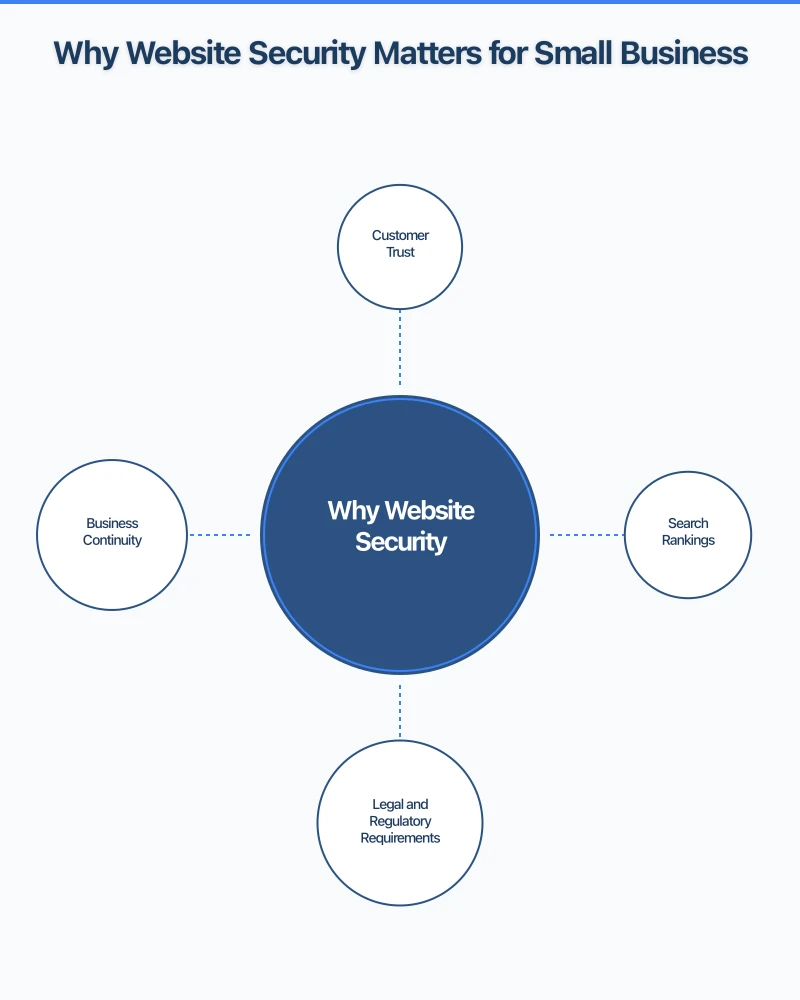
Customer Trust
When customers visit your website, they share sensitive information–contact details, sometimes payment information. If your site isn’t secure, you’re asking them to trust you with data that could be compromised.
Browsers now actively warn visitors about insecure websites. A “Not Secure” warning in the address bar immediately damages credibility and drives potential customers away.
Search Rankings
Google explicitly uses website security as a ranking factor. Secure websites (HTTPS) receive preference over insecure ones (HTTP). If your competitors have SSL and you don’t, you’re at a disadvantage in search results.
Legal and Regulatory Requirements
Australian Privacy Principles require businesses to take reasonable steps to protect personal information. An insecure website could constitute a failure to meet these obligations, potentially exposing you to regulatory action if customer data is compromised.
Business Continuity
A hacked website can be taken offline, defaced, or used to distribute malware to your visitors. Recovery takes time and money, and the reputational damage can be lasting.
Understanding SSL Certificates
SSL (Secure Sockets Layer) certificates are the foundation of website security. When people talk about “HTTPS” or the padlock icon in browsers, they’re talking about SSL.
What SSL Does
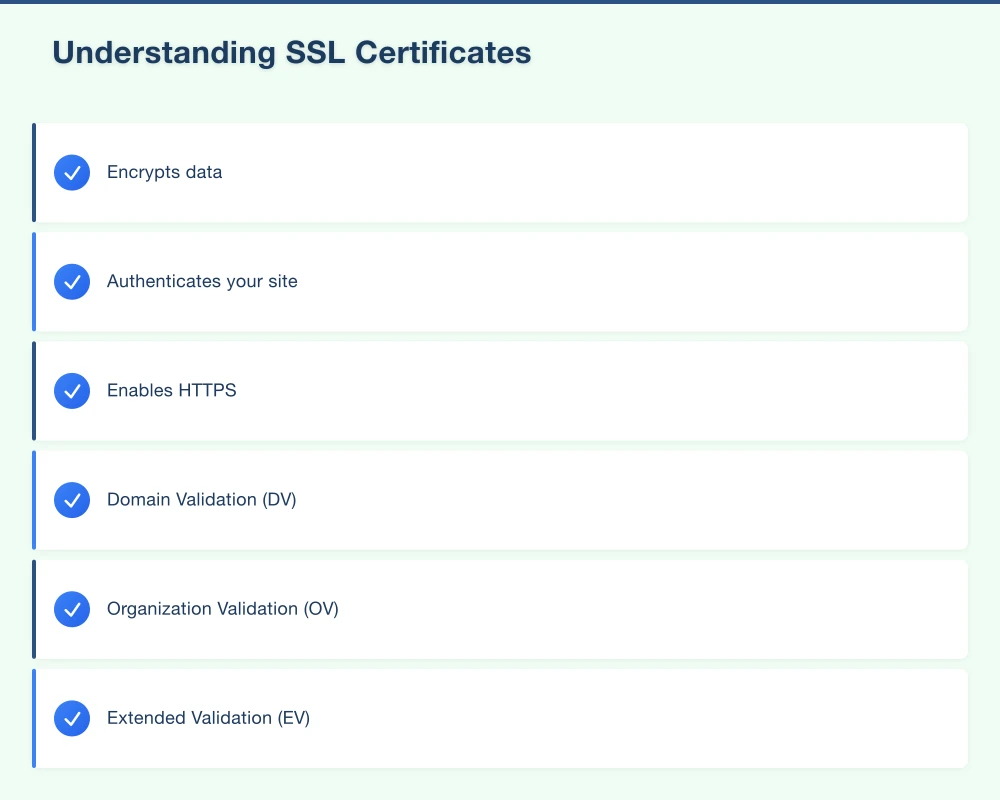
Encrypts data: Information sent between your website and visitors is encrypted, preventing interception.
Authenticates your site: Confirms to visitors that they’re on your legitimate website, not an imposter.
Enables HTTPS: Activates the secure HTTPS protocol instead of unsecured HTTP.
Types of SSL Certificates
Domain Validation (DV): Basic certificate confirming you control the domain. Fastest to obtain, suitable for most small businesses.
Organization Validation (OV): Includes verification of your organization’s identity. Provides slightly more trust signal.
Extended Validation (EV): Most rigorous verification. Previously showed company name in browser bar (most browsers no longer display this distinctively).
For most small businesses, a Domain Validation certificate provides adequate security.
Free vs Paid SSL
Free certificates (Let’s Encrypt):
- Adequate encryption
- Auto-renewable
- Included with many hosting providers
- Suitable for most small businesses
Paid certificates:
- Additional warranty coverage
- More customer support
- Extended validation options
- Sometimes perceived as more trustworthy (though encryption is equivalent)
If your hosting includes free SSL, use it. Paid certificates are worth considering for e-commerce or businesses handling sensitive information.
Getting SSL on Your Website
If you use quality hosting: Most modern hosting providers include free SSL. Check your control panel for SSL/TLS settings or one-click SSL activation.
If using platforms like Shopify, Squarespace, or Wix: SSL is included automatically. Nothing to configure.
If SSL isn’t included: Ask your hosting provider about options, or consider switching to a provider that includes it. SSL should be standard in 2025.
Verifying SSL is Working
After SSL activation:
- Visit your website–address should show HTTPS and padlock icon
- Check that all pages load securely (no mixed content warnings)
- Ensure old HTTP URLs redirect to HTTPS versions
- Test on multiple browsers and devices
Tools like SSL Labs (ssllabs.com/ssltest) provide detailed SSL configuration analysis.
Common Website Threats
Understanding threats helps you prioritize protection.
Malware and Viruses
Hackers inject malicious code into websites to:
- Distribute malware to visitors
- Steal data
- Redirect visitors to scam sites
- Use your server for spam or attacks
Prevention:
- Keep software updated
- Use security plugins/tools
- Regular malware scanning
- Secure passwords and access
Brute Force Attacks
Automated attempts to guess login credentials by trying thousands of password combinations.
Prevention:
- Strong, unique passwords
- Two-factor authentication
- Login attempt limiting
- Non-default admin URLs (for WordPress)
SQL Injection and XSS
Technical attacks exploiting vulnerabilities in website code to access databases or inject malicious scripts.
Prevention:
- Keep software and plugins updated
- Use reputable themes and plugins
- Web application firewall
- Regular security audits
Phishing and Domain Spoofing
Creating fake versions of your website to steal customer credentials.
Prevention:
- SSL certificate (shows authenticity)
- Educate customers about verifying URLs
- Monitor for imposter sites
- Consider DMARC for email authentication
DDoS Attacks
Overwhelming your server with traffic to take your site offline.
Prevention:
- DDoS protection from hosting or CDN provider
- Cloudflare (free tier includes basic protection)
- Scalable hosting that handles traffic spikes
Security by Platform
Security steps depend on your website platform.
WordPress Security
WordPress powers a huge percentage of websites, making it a common target.
Essential steps:
- Keep WordPress core, themes, and plugins updated
- Delete unused themes and plugins
- Use strong passwords and limit admin accounts
- Install a security plugin (Wordfence, Sucuri, or iThemes Security)
- Change default admin username
- Limit login attempts
- Regular backups stored offsite
- Use two-factor authentication
WordPress-specific threats:
- Outdated plugins (most common vulnerability)
- Nulled (pirated) themes and plugins
- Weak passwords
- File permissions issues
Shopify Security
Shopify handles security at the platform level.
Your responsibilities:
- Strong account passwords
- Two-factor authentication
- Careful with third-party apps
- Staff account management
- Regular review of permissions
Squarespace and Wix
These platforms manage most security, but you should:
- Use strong, unique passwords
- Enable two-factor authentication
- Be cautious with third-party integrations
- Regularly review account access
Custom Websites
If you have a custom-built website:
- Ensure developer follows security best practices
- Regular security audits
- Timely patching of vulnerabilities
- Web application firewall
- Server-level security measures
Practical Security Checklist
Immediate Actions
Passwords:
- Use unique, strong passwords (12+ characters, mixed types)
- Never reuse passwords across sites
- Use a password manager (1Password, Bitwarden, LastPass)
- Change default passwords immediately
Two-Factor Authentication:
- Enable on hosting account
- Enable on website admin (WordPress, etc.)
- Enable on related services (email, domain registrar)
SSL:
- Verify SSL is active and working
- Ensure all pages load over HTTPS
- Set up HTTP to HTTPS redirects
Regular Maintenance
Updates:
- Apply software updates promptly
- Check for updates weekly
- Remove unused plugins, themes, or add-ons
Backups:
- Automated daily backups
- Store backups offsite (not just on your server)
- Test backup restoration periodically
- Keep multiple backup versions
Monitoring:
- Set up uptime monitoring (free options available)
- Enable security scanning
- Review access logs for suspicious activity
- Monitor for Google Search Console security warnings
Periodic Audits
Quarterly:
- Review all user accounts and permissions
- Check for abandoned admin accounts
- Verify backups are working
- Test site restoration from backup
Annually:
- Comprehensive security audit
- Review hosting provider security features
- Update security policies and procedures
- Staff security awareness refresher
Responding to Security Incidents
If your website is compromised:
Immediate Steps
- Don’t panic: Methodical response is better than rushed actions
- Document: Screenshot and record what you observe
- Isolate: Take the site offline if necessary to prevent further damage
- Assess: Determine what was affected–data, files, functionality
- Contact: Notify hosting provider and any affected parties
Recovery
- Clean: Remove malware and malicious code (may require professional help)
- Restore: Restore from clean backup if available
- Update: Apply all security updates
- Secure: Change all passwords, review access, strengthen defenses
- Monitor: Watch closely for recurrence
When to Get Professional Help
Consider professional assistance if:
- You’re unsure what happened or how to fix it
- Sensitive customer data may be compromised
- The site keeps getting reinfected
- You need forensic analysis for legal purposes
- You’re not confident in your ability to properly clean the site
Security Tools and Services
Free Tools
SSL checking: SSL Labs (ssllabs.com/ssltest) Malware scanning: Sucuri SiteCheck, VirusTotal Security headers: SecurityHeaders.com Uptime monitoring: UptimeRobot, Freshping
Security Plugins (WordPress)
Wordfence: Firewall, malware scanning, login security Sucuri Security: Scanning, hardening, post-hack tools iThemes Security: Comprehensive security hardening
Managed Security Services
For businesses wanting hands-off security: Sucuri: Website firewall and malware removal Cloudflare: DDoS protection, SSL, performance SiteLock: Scanning, removal, and protection
Hosting with Good Security
Choose hosting providers that include:
- Free SSL certificates
- Automated backups
- Server-level security
- Malware scanning
- DDoS protection
- 24/7 security monitoring
Educating Your Team
Security is only as strong as your weakest link.
Staff Training Essentials
- Recognizing phishing attempts
- Password best practices
- Safe handling of customer data
- Reporting suspicious activity
- Social engineering awareness
Access Management
- Minimum necessary access (only what each person needs)
- Regular access reviews
- Remove access when staff leave
- Separate personal and business accounts
Getting Started
Website security doesn’t need to be overwhelming. Start with these priorities:
This week:
- Verify SSL is active on your website
- Enable two-factor authentication on all accounts
- Update passwords to strong, unique versions
- Apply any pending software updates
This month:
- Set up automated backups
- Install security plugin (if using WordPress)
- Review all user accounts and permissions
- Set up uptime monitoring
Ongoing:
- Apply updates promptly
- Monitor for security warnings
- Regular backups verification
- Periodic security reviews
At Cosmos Web Technologies, we help Western Sydney small businesses build and maintain secure websites. Whether you need a security audit, help recovering from an incident, or ongoing security management, we’re here to help protect your online presence.
Concerned about your website security? Contact us for a free security assessment.
Your website’s performance depends on what’s behind it. Cloud Geeks provides the managed hosting, cloud, and IT support that keeps Australian SMBs online and secure.
Ash Ganda covers how Australian SMBs are using AI, automation, and digital strategy to grow without scaling costs proportionally.
If your business is also planning a customer-facing iOS or Android app — Awesome Apps builds cross-platform mobile apps for Australian SMBs.
Part of the Ganda Tech Services family, Cosmos Web Tech delivers specialist web design and digital marketing for Australian small and medium businesses.