
Why Website Speed Matters More Than Ever
Your website loads in 5 seconds. Seems reasonable, right? Your competitor’s loads in 2 seconds. Guess which business gets the enquiry?
The reality is harsh: in September 2024, users expect websites to load almost instantly. Research consistently shows that:
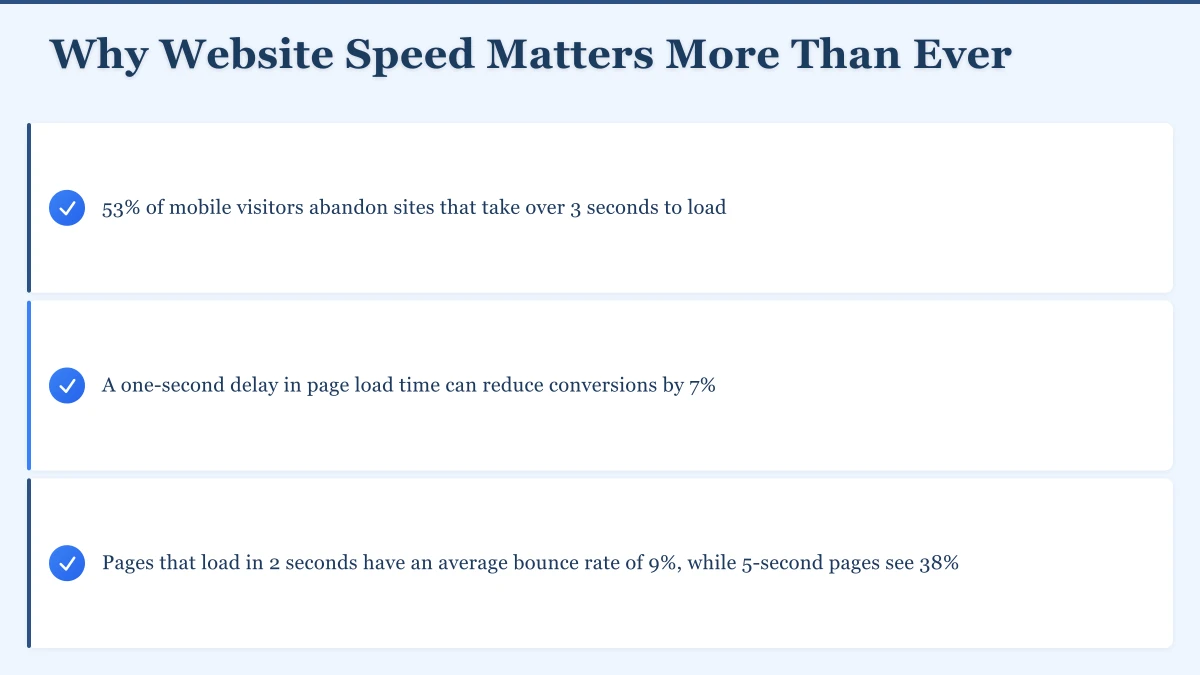
- 53% of mobile visitors abandon sites that take over 3 seconds to load
- A one-second delay in page load time can reduce conversions by 7%
- Pages that load in 2 seconds have an average bounce rate of 9%, while 5-second pages see 38%
For Western Sydney businesses competing for customers in Parramatta, Blacktown, Penrith and beyond, a slow website isn’t just annoying - it’s costing you money every single day.
The good news: most websites can load in under 2 seconds with the right optimizations. You don’t need expensive tools or a complete rebuild. You need to understand what’s slowing you down and how to fix it.
Understanding What Slows Websites Down
Before we jump into solutions, let’s understand the common culprits:
Large Images: The number one cause of slow websites. A single unoptimized photo can be 3-5MB when it should be 150KB.
Too Many Requests: Every element on your page - images, scripts, stylesheets, fonts - requires a separate request to the server. More requests mean slower loading.
Render-Blocking Resources: JavaScript and CSS files that stop your page from displaying until they’ve fully downloaded and processed.
Server Response Time: How quickly your hosting server responds to requests. Budget hosting on overcrowded servers can add 2-3 seconds before anything starts loading.
Third-Party Scripts: Analytics, chat widgets, advertising code, social media plugins - these all add weight and require external server connections.
Lack of Caching: Without caching, your server builds every page from scratch for every visitor. That’s wasteful.
Missing Compression: Sending uncompressed files is like shipping boxes full of air. Compression can reduce file sizes by 70-80%.
How to Measure Your Current Speed
You can’t improve what you don’t measure. Before making any changes, establish a baseline:
Essential Speed Testing Tools
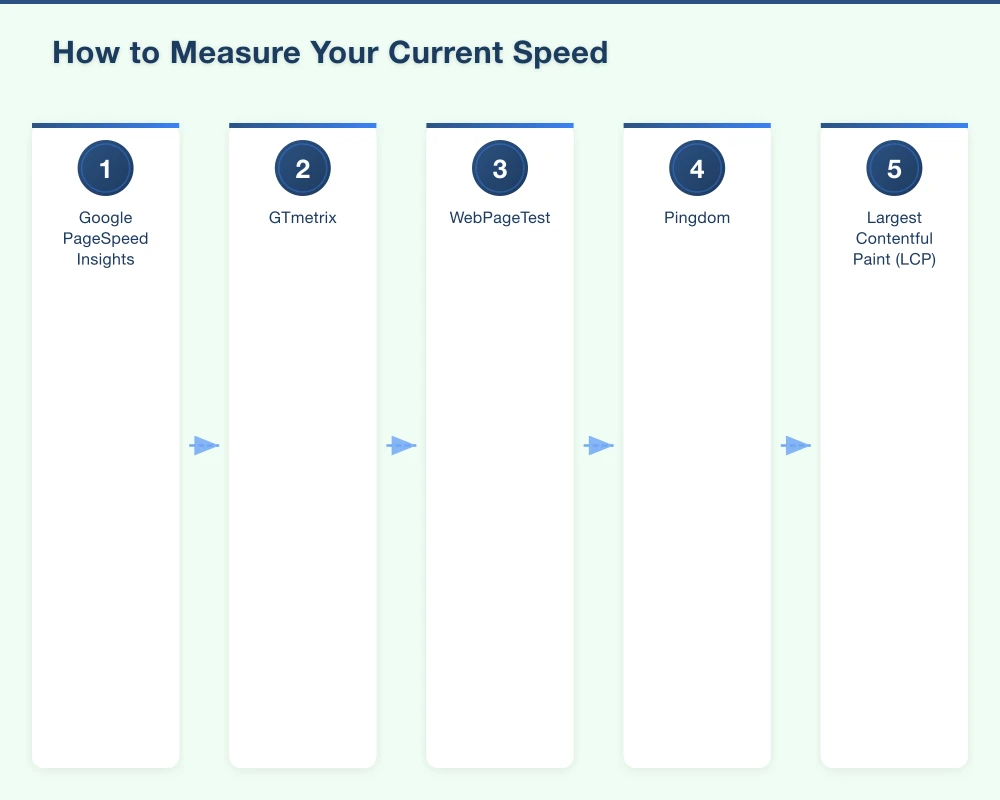
Google PageSpeed Insights (pagespeed.web.dev): Google’s official tool. Tests both mobile and desktop performance. Provides specific recommendations and shows Core Web Vitals scores.
GTmetrix (gtmetrix.com): Detailed performance reports with waterfall charts showing exactly what loads when. Free accounts let you test from Sydney servers - essential for Australian businesses.
WebPageTest (webpagetest.org): Advanced testing with detailed breakdowns. Choose Sydney or Melbourne test locations for accurate Australian results.
Pingdom (tools.pingdom.com): Simple, fast testing with performance grades and historical tracking.
Key Metrics to Track in 2024
Google’s Core Web Vitals are now ranking factors. Focus on these three:
Largest Contentful Paint (LCP): How long until the main content appears. Target: under 2.5 seconds. Ideal: under 1.8 seconds.
First Input Delay (FID): How long until the page responds to user interaction. Target: under 100 milliseconds.
Cumulative Layout Shift (CLS): How much content jumps around while loading. Target: under 0.1.
Also monitor:
Time to First Byte (TTFB): Server response time. Target: under 600 milliseconds. Under 300ms is excellent.
Total Page Size: How much data loads. Target: under 2MB for most business sites. Under 1MB is even better.
Number of Requests: How many files load. Target: under 50 requests. Under 30 is ideal.
How to Test Properly
Run tests three times and average the results. Single tests vary due to network conditions and server load.
Test from Australian locations when possible. A site that’s fast from a US server might be slow for your Parramatta customers.
Test on mobile and desktop. Mobile performance is often worse and Google now indexes mobile-first.
Quick Wins: The Fastest Path to 2 Seconds
These optimizations deliver the biggest impact for the least effort:
1. Optimize Your Images
Images typically represent 50-80% of total page weight. This is where you’ll see the biggest improvements.
Before Uploading:
- Resize images to the actual display size (no 4000px images that display at 800px)
- Choose the right format: JPEG for photos, PNG for graphics with transparency, WebP for better compression
- Compress without visible quality loss using tools like TinyPNG or ImageOptim
What This Looks Like in Practice:
Let’s say your homepage hero image is currently 2.5MB at 4000x3000px. It displays at 1920x1080px on the largest screens.
- Resize to 1920x1080px
- Compress with 85% quality JPEG
- Result: 180KB instead of 2.5MB
That’s 2.3 seconds saved on a typical Australian broadband connection. For mobile users on 4G, it’s even more dramatic.
Don’t load images until they’re about to appear on screen. Modern browsers support native lazy loading - just add loading="lazy" to image tags.
Images below the fold don’t need to load immediately. On a typical business homepage, lazy loading can reduce initial page weight by 40-60%.
Modern Image Formats:
WebP images are 25-35% smaller than JPEG at the same quality. AVIF is even better but has less browser support. Serve WebP with JPEG fallbacks for maximum compatibility.
2. Implement Effective Caching
Caching stores copies of your pages and resources so they don’t need to be regenerated or re-downloaded every time.
Browser Caching: Tell visitors’ browsers to store files locally. Next time they visit, images, CSS, and JavaScript load instantly from their device instead of downloading again.
Set appropriate cache durations:
- Images: 1 year
- CSS and JavaScript: 1 month to 1 year (with versioning)
- HTML: 1 hour to 1 day
- Fonts: 1 year
Server-Side Caching: For dynamic sites, cache generated pages on the server. Instead of running database queries and building pages for every visitor, serve pre-built versions.
Static site generators (Astro, Next.js, Gatsby) do this automatically. For traditional sites, server caching plugins or configurations handle it.
What Good Caching Achieves:
First-time visitor: 2.5 seconds load time Returning visitor with caching: 0.4 seconds
That’s a massive improvement in perceived performance. And for Australian businesses, many of your customers visit multiple pages per session.
3. Use a Content Delivery Network (CDN)
A CDN stores copies of your site on servers around the world. Visitors get files from the nearest location instead of your single hosting server.
Why This Matters for Australian Businesses:
Even with Australian hosting, a visitor in Perth accessing a Sydney server has network latency. CDN servers in Perth, Sydney, Melbourne, Brisbane, and Adelaide reduce that dramatically.
If you have any international visitors or customers, CDNs are essential. A US visitor to your Sydney-hosted site might wait 2+ seconds just for server connection. With a CDN, they connect to a US edge server in milliseconds.
Recommended CDNs for Australian Businesses:
Cloudflare (Free tier available): Easiest to set up, excellent free tier includes CDN, caching, and security. Just change your DNS settings and you’re done. Start here.
BunnyCDN ($1/month minimum): Very affordable, excellent Australian presence, more control than Cloudflare’s free tier.
Fastly (Pay per usage): More technical, better for larger sites with specific needs.
AWS CloudFront (Pay per usage): Powerful but complex. Good if you’re already using AWS infrastructure.
Real Impact:
A Western Sydney building company we worked with had Sydney hosting but national customers. Adding Cloudflare reduced load times for Perth visitors from 3.2 seconds to 1.4 seconds. Enquiries from WA increased noticeably.
4. Minimize HTTP Requests
Every file on your page requires a separate request. Reduce the total number:
Combine Files: Instead of loading 5 CSS files and 8 JavaScript files, combine them into one of each.
Inline Critical CSS: Put the CSS needed for above-the-fold content directly in your HTML. The page displays immediately without waiting for a CSS file to download.
Use CSS Sprites or Icon Fonts: Instead of 20 icon images (20 requests), use a sprite sheet (1 request) or an icon font (1 request).
Limit Third-Party Scripts: Every analytics tool, chat widget, advertising network, and social plugin adds requests. Audit ruthlessly. Do you really need it?
Real Example:
We audited a Parramatta restaurant’s website:
- 12 CSS files (combined to 2: critical inline + main file)
- 15 JavaScript files (combined to 3: essential, deferred, and analytics)
- 8 web fonts (reduced to 2 font families, 4 weights total)
- 3 analytics tools (reduced to 1)
Requests dropped from 87 to 34. Load time went from 4.1 seconds to 1.7 seconds.
5. Enable Compression
Text files compress extremely well. HTML, CSS, and JavaScript can shrink by 70-80% with compression.
Gzip: Supported everywhere, reduces text file sizes by 60-70%.
Brotli: Newer compression, 15-20% better than Gzip, supported by all modern browsers.
Most modern hosting enables this by default, but always verify. Check your hosting control panel or ask your provider.
How to Verify:
Use GTmetrix or Chrome DevTools Network tab. Look for “Content-Encoding: gzip” or “Content-Encoding: br” in response headers.
If you see uncompressed files over 10KB, compression isn’t working properly.
6. Optimize Your Hosting
Your hosting is the foundation. Budget hosting on overcrowded servers can add 2-3 seconds before any optimization even matters.
What to Look For:
Server Location: For Australian businesses serving Australian customers, host in Australia. Sydney or Melbourne data centers are ideal.
Server Resources: Shared hosting splits one server among hundreds of sites. If a neighboring site gets traffic, everyone slows down. Look for hosts with good resource allocation.
Technology Stack: Modern hosts use LiteSpeed, Nginx, or optimized Apache with HTTP/2 or HTTP/3. Older hosts still on basic Apache with HTTP/1.1 are slower.
Recommended Hosts for Western Sydney Businesses:
VentraIP ($6+/month): Australian company, local support, Sydney and Melbourne servers, good value.
Crazy Domains ($4+/month): Australian hosting, competitive pricing, decent performance for basic sites.
Cloudways ($14+/month): More expensive but significantly faster. Managed cloud hosting with Australian data centers.
Netlify/Vercel (Free tier available): For static sites or modern frameworks. Excellent performance, global CDN included.
The Hosting Difference:
We moved a Blacktown business from $5/month international shared hosting to $15/month Cloudways Australian hosting:
Old host: 2.8s TTFB, 5.1s total load New host: 0.4s TTFB, 1.6s total load
They made up the cost difference in increased conversions within the first week.
Advanced Optimization Techniques
Once you’ve implemented the quick wins, these techniques push performance even further:
Optimize JavaScript Delivery
JavaScript blocks rendering. The browser can’t display content until it downloads and executes JavaScript files.
Defer Non-Critical Scripts: Add the defer attribute to script tags. The page loads first, JavaScript executes after.
Async Loading: For scripts that don’t depend on each other or the DOM, use async. They load in parallel without blocking.
Code Splitting: Break JavaScript into smaller chunks that load only when needed. Your homepage doesn’t need your contact form validation code.
Remove Unused Code: JavaScript frameworks often include features you never use. Tree shaking removes unused code from production bundles.
Optimize Web Fonts
Custom fonts add personality but also weight and render-blocking requests.
Limit Font Families: Each font family adds requests and download size. Two families maximum for most business sites.
Limit Weights and Styles: Do you really need thin, light, regular, medium, semi-bold, bold, and extra-bold? Regular and bold cover 90% of use cases.
Use font-display: swap: Text appears immediately in a fallback font, then swaps to your custom font when it loads. Users see content instantly instead of blank pages.
Subset Fonts: If you only use Latin characters, don’t load Cyrillic, Greek, and Asian characters. Font subsetting can reduce file size by 70%.
Self-Host Fonts: Fonts hosted on your domain (with CDN) are often faster than Google Fonts. You control caching and avoid external DNS lookups.
Optimize CSS Delivery
CSS also blocks rendering. The page waits for stylesheets to download before displaying.
Critical CSS: Inline the CSS needed for above-the-fold content. Load the rest later. Users see content instantly.
Remove Unused CSS: CSS frameworks like Bootstrap include thousands of styles you’ll never use. Tools like PurgeCSS remove unused selectors.
Minify CSS: Remove whitespace, comments, and unnecessary code. Minification typically reduces CSS by 20-30%.
Database Optimization
For dynamic sites with databases, database performance affects server response time.
Index Your Queries: Proper database indexes make queries 10-100x faster.
Optimize Heavy Queries: Complex database queries slow page generation. Optimize or cache results.
Clean Up Regularly: Remove old data, spam, revisions, and expired temporary data.
Use Connection Pooling: Reuse database connections instead of creating new ones for each request.
Preloading and Prefetching
Tell browsers what to load next:
Preload: Load critical resources immediately, before the browser discovers them in your HTML.
<link rel="preload" href="/fonts/main.woff2" as="font" type="font/woff2" crossorigin>Prefetch: Load resources you think the user will need next.
<link rel="prefetch" href="/services.html">Preconnect: Establish connections to external domains before they’re needed.
<link rel="preconnect" href="https://www.google-analytics.com">Use these strategically. Preloading everything defeats the purpose.
Mobile Optimization
Mobile devices are slower and on more constrained networks. Extra optimization helps:
Responsive Images: Serve different image sizes for different screen sizes. No need to send a 2000px image to a 375px mobile screen.
<img srcset="small.jpg 400w, medium.jpg 800w, large.jpg 1200w"
     sizes="(max-width: 400px) 400px, (max-width: 800px) 800px, 1200px"
     src="medium.jpg" alt="Description">
Reduce Mobile-Specific Elements: Carousels, animations, and complex interactions are often unnecessary on mobile. Consider simplified mobile experiences.
Test on Real Devices: Simulators are helpful but real device testing reveals actual performance. Test on a few-year-old Android phone on 4G, not the latest iPhone on WiFi.
Specific Issues and How to Fix Them
Here are solutions to common performance problems:
Slow Third-Party Scripts
Analytics, advertising, social media widgets, chat tools - they all slow you down and you can’t control their performance.
Solutions:
Delay Until Interaction: Don’t load chat widgets until someone moves their mouse or scrolls. They probably don’t need it immediately.
Use Lightweight Alternatives: Google Analytics 4 is lighter than Universal Analytics. Plausible and Fathom are even lighter alternatives.
Self-Host When Possible: Self-hosted analytics give you more control and eliminate external dependencies.
Load Asynchronously: Ensure third-party scripts don’t block page rendering.
Question Necessity: Do you actually use that analytics data? Is the chat widget getting inquiries? Remove what doesn’t provide value.
Large JavaScript Frameworks
Modern frameworks (React, Vue, Angular) deliver great experiences but add significant JavaScript weight.
For New Projects:
Consider Simpler Solutions: Many business websites don’t need a JavaScript framework. Static site generators or traditional server-rendered sites can be faster.
Use Lighter Frameworks: Preact is React-compatible but 3KB instead of 45KB. Svelte compiles to minimal JavaScript. Astro builds mostly static sites with minimal client JavaScript.
For Existing Sites:
Code Splitting: Only load framework code for pages that need it.
Lazy Load Components: Interactive components load only when needed.
Server-Side Rendering (SSR): Pre-render pages on the server. Users see content immediately while JavaScript loads.
Consider Partial Hydration: Tools like Astro and Qwik only hydrate interactive components, leaving static content as HTML.
Video and Media
Video embeds, especially auto-playing background videos, kill performance.
Solutions:
Lazy Load Embeds: Don’t load YouTube/Vimeo embeds until users click to play. Use a thumbnail image with a play button.
Host Appropriately: Background videos should be heavily compressed. Use modern video formats (WebM, MP4 with H.265).
Poster Images: Always specify a poster image for videos. Users see something while video loads.
Consider Alternatives: Often, a well-optimized image conveys the same message as an auto-playing video with better performance.
Measuring Success
After implementing optimizations, measure the impact:
Before and After Comparison
Test the same way you tested initially:
- Same tools (PageSpeed Insights, GTmetrix)
- Same test locations
- Same times of day
- Multiple tests averaged
Compare:
- Overall load time
- Core Web Vitals scores
- Page size
- Number of requests
- Individual resource sizes
Real User Monitoring
Test tools simulate visitors. Real User Monitoring (RUM) tracks actual visitor experiences.
Google Search Console: Core Web Vitals report shows real user data for your site. Takes 28 days to accumulate data.
Google Analytics 4: Can track page load times from actual visitors.
Dedicated RUM Tools: SpeedCurve, Cloudflare Web Analytics, or custom implementations track real-world performance.
Real users have varied devices, connections, and locations. RUM data is more valuable than synthetic tests.
Target Metrics for 2024
Aim for:
- LCP: Under 2.5s (under 1.8s is excellent)
- FID: Under 100ms (under 50ms is excellent)
- CLS: Under 0.1 (under 0.05 is excellent)
- PageSpeed Score: 90+ desktop, 70+ mobile
- Total Load Time: Under 2 seconds on good connections, under 4 seconds on 3G
Mobile is harder to optimize. A mobile score of 70-80 with good Core Web Vitals is realistic for most business sites.
Maintaining Performance
Website speed isn’t a one-time fix. It requires ongoing attention:
Monthly Checks
Run Speed Tests: Catch regressions early. New features often add weight.
Review New Additions: Every new plugin, widget, or feature affects performance. Ask: “Is this worth the performance cost?”
Check Image Sizes: Are new images properly optimized before upload?
Monitor Third-Party Scripts: Have any services added extra code or features you didn’t request?
Quarterly Reviews
Full Performance Audit: Detailed testing and analysis.
Dependency Audit: Review all external services and scripts. Remove unused ones.
Technology Updates: Update frameworks, libraries, and server software for performance and security.
Content Review: Old, outdated content still loads. Archive or remove it.
Annual Tasks
Hosting Review: Is your hosting still appropriate? Traffic grown? Time to upgrade?
Technology Evaluation: Are there newer, faster approaches to what you’re doing?
Complete Rebuild Assessment: Sometimes a rebuild is more cost-effective than continuing to optimize an old foundation.
The Business Impact of Speed
For Western Sydney businesses, speed optimization isn’t technical perfectionism - it’s a business investment:
Search Rankings: Google confirmed page speed as a ranking factor. Faster sites rank higher.
Conversion Rates: Walmart found that every 1 second improvement increased conversions by 2%. Amazon estimated 100ms of latency cost them 1% in sales.
Mobile Users: In Australia, 60-70% of website traffic is mobile. Mobile connections are more variable, making optimization essential.
User Experience: Fast sites feel professional and trustworthy. Slow sites feel outdated and amateur.
Advertising Costs: Google Ads rewards fast landing pages with higher Quality Scores, meaning lower cost per click.
Return Visitors: People remember slow sites and avoid them. They don’t consciously think “that site was slow” - they just don’t come back.
Your Speed Optimization Action Plan
Here’s a practical, step-by-step plan to get your site loading in under 2 seconds:
Week 1: Measure and Assess
- Test your site with PageSpeed Insights, GTmetrix, and WebPageTest
- Record current metrics (load time, Core Web Vitals, page size, requests)
- Identify the biggest problems (usually images, hosting, or third-party scripts)
Week 2: Images and Media
- Audit all images on key pages
- Resize, compress, and convert to modern formats
- Implement lazy loading
- Replace heavy videos or optimize them
Week 3: Caching and CDN
- Implement browser caching with appropriate durations
- Set up server-side caching
- Sign up for Cloudflare (or another CDN) and configure it
Week 4: Scripts and Resources
- Audit third-party scripts (analytics, chat, social, ads)
- Remove unnecessary ones
- Defer or async load others
- Combine and minify CSS and JavaScript
Week 5: Hosting (if needed)
- If hosting is the bottleneck, research better options
- Choose Australian hosting for Australian audiences
- Plan migration carefully to avoid downtime
Week 6: Test and Refine
- Run tests again with the same tools
- Compare to Week 1 baseline
- Address remaining issues
- Document what worked
Ongoing: Maintain
- Monthly speed tests
- Image optimization for all new uploads
- Review before adding new features or scripts
When to Get Professional Help
Some optimizations require technical expertise:
Server Configuration: PHP settings, database tuning, HTTP/2 configuration, and server-level caching need experienced developers or sysadmins.
Code Optimization: Poorly written code needs developer attention. No amount of caching fixes fundamental architectural problems.
Complex Sites: E-commerce platforms, membership sites, and complex applications have unique optimization requirements.
Migration Projects: Moving to new hosting or rebuilding on a faster platform needs careful planning and execution.
Get Your Site Loading Fast
At Cosmos Web Tech, we specialize in website performance for Western Sydney businesses. We’ve optimized sites for tradespeople in Blacktown, professional services in Parramatta, retailers in Penrith, and everyone in between.
We offer:
- Performance Audits: Detailed analysis of what’s slowing you down and exactly how to fix it
- Optimization Implementation: We handle the technical work while you run your business
- Ongoing Monitoring: Keep your site fast as it grows and changes
- Hosting Migration: Move to faster infrastructure without downtime or data loss
A slow website costs you customers, rankings, and revenue every single day. The sooner you fix it, the sooner those costs stop.
Get in touch for a free speed assessment. We’ll test your site, identify the problems, and give you a clear plan to get under 2 seconds.
Your customers won’t wait for slow websites. Make sure they don’t have to.
Your website’s performance depends on what’s behind it. Cloud Geeks provides the managed hosting, cloud, and IT support that keeps Australian SMBs online and secure.
Ash Ganda covers how Australian SMBs are using AI, automation, and digital strategy to grow without scaling costs proportionally.
If your business is also planning a customer-facing iOS or Android app — Awesome Apps builds cross-platform mobile apps for Australian SMBs.
Part of the Ganda Tech Services family, Cosmos Web Tech delivers specialist web design and digital marketing for Australian small and medium businesses.