Why Testing Matters
You’ve invested time and money into your new website. The design looks great. The content is ready. You’re excited to launch.
Then a customer tells you the contact form doesn’t work. Or someone in Penrith reports the site looks broken on their phone. Or you discover the checkout fails for half your customers.
For Western Sydney businesses, a broken website isn’t just embarrassing - it costs you leads and sales. A systematic testing process catches these issues before your customers do.
This checklist covers everything you need to verify before going live.
The Complete Pre-Launch Checklist
Work through this checklist methodically. Don’t skip items because they seem obvious - those are often where problems hide.
Content Testing
Text Content
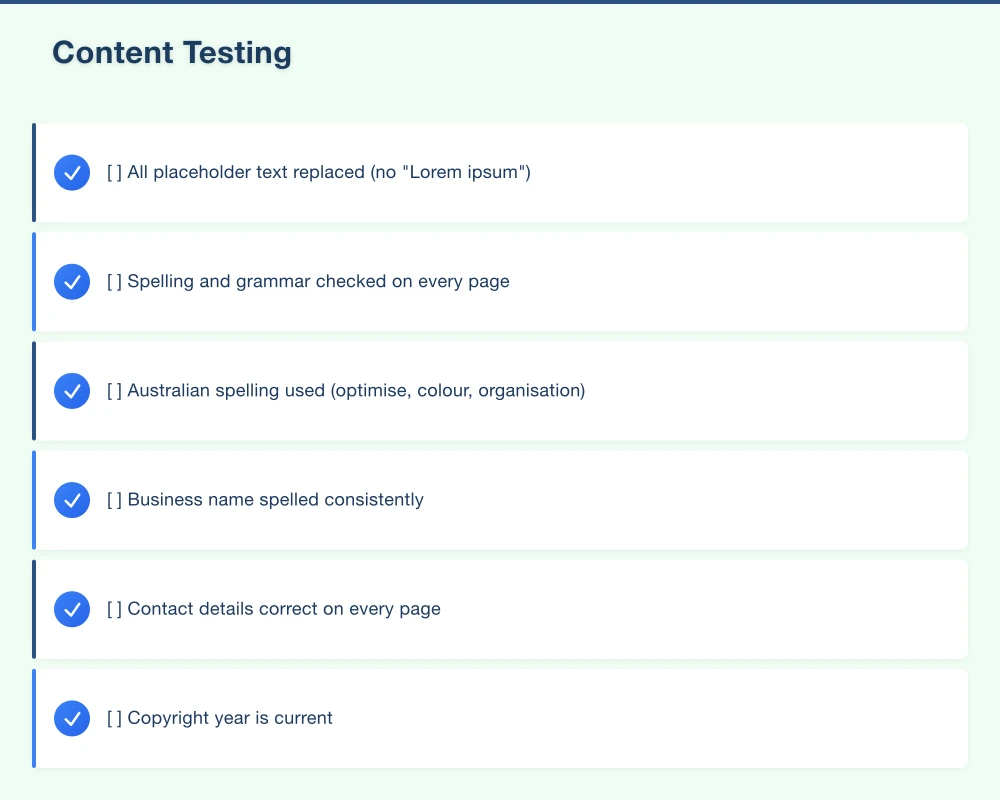
- All placeholder text replaced (no “Lorem ipsum”)
- Spelling and grammar checked on every page
- Australian spelling used (optimise, colour, organisation)
- Business name spelled consistently
- Contact details correct on every page
- Copyright year is current
- All claims and statistics verified
- Privacy policy and terms are present and current
- Content matches what was approved
Images and Media
- All images load correctly
- No broken image icons
- All images have alt text (for accessibility and SEO)
- Images are appropriate sizes (not huge files)
- Logo appears correctly throughout
- Favicon displays in browser tab
- Videos play correctly (if applicable)
- Image quality is acceptable on retina displays
Links
- All internal links work
- All external links work and open in new tabs (if appropriate)
- Social media links go to correct profiles
- Phone numbers are clickable on mobile
- Email addresses open mail client
- No broken links (use a tool like Screaming Frog or Dead Link Checker)
Functionality Testing
Forms
For each form on your site:
- Form submits successfully
- Validation works (required fields, email format, etc.)
- Error messages are helpful
- Confirmation message/page appears after submission
- Email notification reaches the right inbox
- Data is stored correctly (if applicable)
- CAPTCHA or spam protection works
- Form works on mobile
Search
If your site has search:
- Search box is visible and accessible
- Search returns relevant results
- “No results” message is helpful
- Search works on all devices
E-commerce (If Applicable)
- Products display correctly
- Prices are accurate
- Add to cart works
- Cart updates correctly
- Quantity changes work
- Removing items works
- Checkout process completes successfully
- Payment processing works (test with real transaction if possible)
- Order confirmation email sends
- Tax calculations are correct
- Shipping costs calculate correctly
- Discount codes work
- Inventory updates after purchase
User Accounts (If Applicable)
- Registration works
- Login works
- Password reset works
- Email verification works (if required)
- Account details can be updated
- Logout works
- Protected content is actually protected
Other Interactive Elements
- Accordions/dropdowns function
- Tabs switch correctly
- Modals/popups open and close
- Sliders/carousels navigate properly
- Maps display and are interactive
- Filters and sorting work
- Pagination works
- Print stylesheets work (if needed)
Browser Testing
Test your site in multiple browsers. What works in Chrome might break in Safari.
Desktop Browsers
- Google Chrome (latest)
- Mozilla Firefox (latest)
- Safari (latest)
- Microsoft Edge (latest)
For each browser, check:
- Layout appears correctly
- Fonts render properly
- Images display correctly
- Animations work
- Forms function
- No JavaScript errors in console
Mobile Browsers
- Safari on iOS
- Chrome on Android
- Samsung Internet (if significant audience)
For each mobile browser:
- Touch interactions work
- Menus open and close
- Forms are usable
- Content is readable
- No horizontal scrolling
Device Testing
Different screen sizes reveal different problems.
Desktop Sizes
- Large monitors (1920px+)
- Standard monitors (1280-1919px)
- Small laptops (1024-1279px)
Tablet Sizes
- iPad (landscape and portrait)
- Android tablets
Mobile Sizes
- iPhone (various sizes)
- Android phones (various sizes)
- Small phones (320px width still exists)
Physical Device Testing
Browser simulators help but don’t catch everything:
- Test on at least one real iPhone
- Test on at least one real Android phone
- Test on a real tablet if significant tablet traffic expected
Performance Testing
Speed affects user experience and SEO.
Speed Metrics
- Google PageSpeed Insights score (aim for 90+ desktop, 70+ mobile)
- Largest Contentful Paint under 2.5 seconds
- First Input Delay under 100ms
- Cumulative Layout Shift under 0.1
Performance Checks
- Images are optimised
- CSS and JavaScript are minified
- Caching is configured
- No unnecessarily large files
- Third-party scripts aren’t slowing things down
SEO Testing
Ensure search engines can find and understand your site.
Technical SEO
- Robots.txt is correct (not blocking important content)
- XML sitemap exists and is valid
- Sitemap is submitted to Google Search Console
- No duplicate content issues
- Canonical URLs are set correctly
- Hreflang tags (if multilingual)
On-Page SEO
For each important page:
- Unique, descriptive title tag (under 60 characters)
- Meta description present (under 160 characters)
- H1 heading present and relevant
- Header hierarchy makes sense (H1 > H2 > H3)
- Images have descriptive alt text
- URLs are clean and descriptive
- Internal linking is logical
Structured Data
- Schema markup is present (if applicable)
- Markup validates in Google’s Rich Results Test
- Business information is consistent with Google Business Profile
Security Testing
Protect your site and your users.
SSL/HTTPS
- SSL certificate is valid
- All pages load over HTTPS
- HTTP redirects to HTTPS
- No mixed content warnings (HTTP resources on HTTPS pages)
- SSL certificate doesn’t expire soon
Security Headers
- X-Content-Type-Options set
- X-Frame-Options set
- Content-Security-Policy configured (advanced)
- Test at securityheaders.com
Login Security (If Applicable)
- Passwords are stored securely (not plain text)
- Failed login attempts are limited
- Password requirements are reasonable
- Two-factor authentication available (for admin at minimum)
Forms and Input
- Input is validated server-side (not just client-side)
- SQL injection protected
- XSS (cross-site scripting) protected
- File uploads are validated (if applicable)
Accessibility Testing
Make your site usable for everyone.
Basic Accessibility
- All images have alt text
- Form fields have labels
- Links have descriptive text (not just “click here”)
- Colour contrast is sufficient
- Text is resizable without breaking layout
- Focus states are visible
- Skip to content link for keyboard users
Keyboard Navigation
- All interactive elements reachable by keyboard
- Focus order makes sense
- Dropdowns/modals keyboard accessible
- No keyboard traps
Screen Reader Compatibility
- Headings are used properly
- Lists are marked up as lists
- Tables have headers (if using tables)
- ARIA labels used appropriately
Automated Testing
- Pass WAVE accessibility tool (wave.webaim.org)
- Pass axe DevTools browser extension
- Address all critical issues
Legal and Compliance
Ensure you meet legal requirements.
Australian Requirements
- Privacy policy addresses Australian Privacy Principles
- Terms and conditions appropriate for your business
- Australian Consumer Law compliance for e-commerce
- ABN displayed (if required by your industry)
General Requirements
- Cookie consent notification (if using cookies)
- Clear pricing with GST included or excluded
- Refund policy clear (for e-commerce)
- Contact information easily accessible
Integration Testing
If your site connects to other systems:
- Contact form emails reach correct recipients
- Reply-to address is correct
- Email formatting looks good
- Automated emails (confirmations, etc.) work
- Check spam folders
Third-Party Services
- Google Analytics tracking
- Google Search Console connected
- CRM integration working
- Email marketing integration
- Payment processing (if applicable)
- Booking systems
- Live chat
- Social media widgets
Mobile-Specific Testing
Mobile deserves extra attention - most of your traffic probably comes from phones.
Touch and Gestures
- Buttons are large enough to tap (at least 44x44 pixels)
- Links have enough spacing to avoid mis-taps
- Swipe gestures work (if used)
- Pinch to zoom works (unless intentionally disabled)
Mobile Navigation
- Menu opens and closes smoothly
- Submenu navigation works
- Back button behaviour is expected
- Search is accessible
Mobile-Specific Features
- Click-to-call links work
- Maps open in maps app (or work in browser)
- Forms are usable on small screens
- Virtual keyboard doesn’t obscure inputs
Mobile Performance
- Page loads acceptably on 4G
- Test on slower 3G connection
- Critical content visible quickly
Pre-Launch Administrative Tasks
Before flipping the switch:
Backups
- Full backup of site files
- Full backup of database
- Backup stored in separate location
- Backup restoration tested
Redirect Plan
- 301 redirects for changed URLs
- Old site URLs mapped to new URLs
- Test redirects work correctly
DNS and Hosting
- DNS settings prepared (know what to change)
- TTL lowered in advance (for faster propagation)
- Hosting configured for production traffic
- CDN configured (if using)
Launch Timing
- Launch scheduled for low-traffic period
- Team available to monitor after launch
- Rollback plan if critical issues arise
Post-Launch Verification
After going live, verify everything still works:
Immediate Checks (Within 1 Hour)
- Site loads for everyone (not just you)
- SSL certificate working in production
- All key pages load
- Contact form works (send test)
- Analytics tracking firing
First Day Checks
- Monitor for errors (check server logs)
- Watch Search Console for crawl issues
- Test on different networks (not just your office)
- Check from mobile on cellular connection
- Verify all integrations working
First Week Checks
- Review Analytics for unusual patterns
- Check Search Console for indexing
- Monitor site speed
- Address any user-reported issues
- Verify backups are running
Testing Tools
Here are tools to help with testing:
Link Checking
- Dead Link Checker (deadlinkchecker.com)
- Screaming Frog SEO Spider
Browser Testing
- BrowserStack (paid, comprehensive)
- LambdaTest (paid, good value)
- Your own devices
Performance
- Google PageSpeed Insights
- GTmetrix
- WebPageTest
Accessibility
- WAVE (wave.webaim.org)
- axe DevTools browser extension
- Lighthouse in Chrome DevTools
Security
- SSL Labs (ssllabs.com/ssltest)
- Security Headers (securityheaders.com)
- Mozilla Observatory
SEO
- Google Search Console
- Screaming Frog
- Ahrefs/Semrush site audit
When to Get Help
Some testing requires expertise:
- Security testing: Professional penetration testing for high-risk sites
- Accessibility auditing: Expert review for compliance requirements
- Performance optimisation: Technical skills for deep optimisation
- Load testing: For high-traffic launches
Your Testing Schedule
Here’s a practical timeline:
One Week Before Launch:
- Complete content testing
- Finish functionality testing
- Begin browser and device testing
Three Days Before:
- Complete browser and device testing
- Run performance and SEO tests
- Address critical issues
Day Before:
- Final content review
- Verify all integrations
- Prepare DNS changes
- Confirm backups work
Launch Day:
- Make DNS changes
- Monitor closely
- Immediate verification checks
Day After:
- Full post-launch verification
- Address any issues
- Begin ongoing monitoring
Need Help Testing Your Site?
At Cosmos Web Tech, we include comprehensive testing with every website we build. For existing sites or sites built elsewhere, we offer:
- Pre-launch testing: Full checklist verification before you go live
- Website audits: Identify issues with existing sites
- Ongoing QA: Regular testing to catch problems early
Launching a website is stressful. Proper testing reduces that stress by ensuring you’re launching something that actually works.
Get in touch if you’d like us to review your site before launch. We’ll catch the issues before your customers do.
Launch with confidence. Your customers deserve a website that works perfectly.
Modern retail runs on connected POS, inventory, and online channels. Cloud Geeks provides cloud and IT support that keeps Australian retail and hospitality businesses online during peak hours.
Ash Ganda covers digital strategy for retail and hospitality SMBs — what to automate, what to outsource, and where AI actually moves revenue.
Loyalty apps, mobile ordering, and customer-facing apps drive repeat business. Awesome Apps builds them for Australian retail and hospitality brands.
Part of the Ganda Tech Services family, Cosmos Web Tech delivers specialist web design and digital marketing for Australian small and medium businesses.