Introduction
When a potential customer lands on your website, they’re making rapid judgments about whether to trust you with their business. Research shows these decisions happen in seconds—often before they’ve read a word of your content.
Trust signals are the elements on your website that communicate legitimacy, expertise, and reliability. For small businesses competing against larger companies with bigger marketing budgets, effective trust signals level the playing field.
This guide covers the trust signals that actually influence purchasing decisions and shows Western Sydney small businesses how to implement them without looking desperate or inauthentic.
Why Trust Matters More for Small Businesses
The Unknown Factor
When customers consider a well-known national brand, trust is largely pre-established. But when a Blacktown homeowner is choosing between local plumbers they’ve never heard of, they’re assessing trustworthiness from scratch.
Your website must do the heavy lifting of establishing credibility that larger competitors inherit from brand recognition.
Higher Stakes for Local Services
For service businesses especially, customers are often inviting someone into their home or entrusting them with significant spending. A dodgy painter or incompetent accountant doesn’t just waste money—they create real problems.
This elevated risk makes customers more cautious and more reliant on trust signals to guide their decisions.
Online-First Research
The majority of customers now research online before calling. Your website is often the first and most influential touchpoint. If trust isn’t established there, they move on to your competitor without ever speaking to you.
The Trust Signals That Matter Most
Google Reviews (Displayed Prominently)
Google reviews are the single most influential trust signal for local businesses. Customers trust Google reviews because they’re verified and visible to everyone—businesses can’t cherry-pick them.
Implementation:
- Display your current Google rating prominently (header, footer, or dedicated section)
- Embed recent Google reviews on your homepage
- Link directly to your Google Business Profile for visitors wanting to see all reviews
What works:
- Show specific review count (“127 Google Reviews”) not just stars
- Feature reviews with detailed comments, not just 5-star ratings
- Update embedded reviews regularly to show recent activity
Avoid:
- Displaying only testimonials from your website (less trusted)
- Hiding or minimising review visibility
- Fake or incentivised reviews (Google can detect and penalise these)
Professional Visual Design
Within seconds, visitors judge your credibility based on how your website looks. A dated, cluttered, or amateur-looking site suggests an unprofessional business.
What communicates trust:
- Clean, modern design that loads quickly
- Consistent branding (colours, fonts, imagery)
- Professional photography (not obviously stock)
- Mobile-responsive layout
- Working links and no obvious errors
What damages trust:
- Outdated design aesthetics
- Low-quality or irrelevant images
- Spelling and grammar errors
- Broken links or missing images
- Slow loading times
Your website design is like your business premises—customers judge quality by appearance before they’ve experienced your service.
Clear Contact Information
Hiding your contact details suggests you don’t want to be contacted—or worse, that you’re not a legitimate business. Prominent contact information communicates openness and accessibility.
Essential elements:
- Phone number visible on every page (header and footer)
- Physical address (even for mobile services, a business address matters)
- Email address
- Contact form
- Business hours
Trust boosters:
- Click-to-call phone numbers on mobile
- Embedded Google Map showing location
- Multiple contact methods offered
- Response time expectations (“We respond within 24 hours”)
Real Team Photos
Stock photos of smiling business people don’t build trust—they undermine it. Customers recognise generic imagery and subconsciously distrust businesses that hide behind it.
What works:
- Genuine photos of you and your team
- Photos of your team working or at job sites
- Casual, authentic style rather than over-produced corporate shots
- Individual team member profiles with photos
Practical advice:
- Professional photography is ideal but not essential
- Even smartphone photos of real people outperform perfect stock images
- Show your face on your homepage—people trust people, not logos
- Include a friendly, personal About page
Credentials and Certifications
Professional qualifications, industry certifications, and licensing information address customer concerns about competence and legitimacy.
For tradies:
- Licence numbers (electrical, plumbing, building)
- Trade association memberships
- Manufacturer certifications and training
- Insurance details (public liability, workers comp)
For other businesses:
- Professional qualifications and registrations
- Industry body memberships
- Training certifications
- Awards and recognition
Display effectively:
- Logo badges for certifications in footer or sidebar
- Dedicated “Credentials” or “Why Choose Us” page with details
- Mention relevant qualifications on service pages
- Display licence numbers prominently (required for some trades)
Customer Testimonials
While Google reviews are most trusted, curated testimonials on your website provide deeper stories and context.
Effective testimonials include:
- Customer’s full name and location (e.g., “Sarah M., Castle Hill”)
- Specific details about the project or service
- Before/after results or specific outcomes
- Photos where possible
Weak testimonials look like:
- First name only or anonymous (“J.K.”)
- Generic praise without specifics (“Great service!”)
- No variety (all suspiciously similar)
- Dated or stale (only old testimonials)
Best practice:
- Place testimonials near calls to action
- Include testimonials on relevant service pages
- Mix text with video testimonials where possible
- Refresh with new testimonials regularly
Case Studies and Portfolio
For service businesses, showing completed work is proof of capability. A portfolio or case study section demonstrates real results for real customers.
Effective case studies include:
- Before and after images
- Project scope and challenges
- Solutions provided
- Customer feedback
- Specific location (for local SEO benefits)
Even simple approaches work:
- Gallery of completed projects
- Brief descriptions with each image
- Customer testimonials attached to projects
Social Proof Elements
Evidence that other people use and trust your business reduces perceived risk:
Effective social proof:
- Customer logos (for B2B businesses)
- “Trusted by X customers” or similar counts
- Social media follower counts (if significant)
- User-generated content or customer photos
- Press mentions or awards
Avoid:
- Inflated or obviously fake numbers
- Logos of companies you haven’t worked with
- Social proof that reveals small scale when that would damage trust
Secure Website (HTTPS)
A secure website—indicated by “https://” and the padlock icon—is now baseline. Modern browsers warn visitors when sites aren’t secure, immediately destroying trust.
Requirements:
- SSL certificate installed (most hosting includes this free)
- All pages served via HTTPS
- No mixed content warnings
If your website shows “Not Secure” warnings, fix this immediately—it’s a conversion killer.
Clear Pricing and Policies
Transparency about pricing and policies builds trust. Businesses that hide pricing or bury terms in fine print appear untrustworthy.
Build trust with:
- Clear pricing information (even ranges if exact quotes vary)
- Upfront information about payment terms
- Clear cancellation and refund policies
- No hidden fees or surprises
Avoid:
- “Contact us for pricing” when simple pricing is possible
- Complex terms buried in small print
- Vague language about costs and commitments
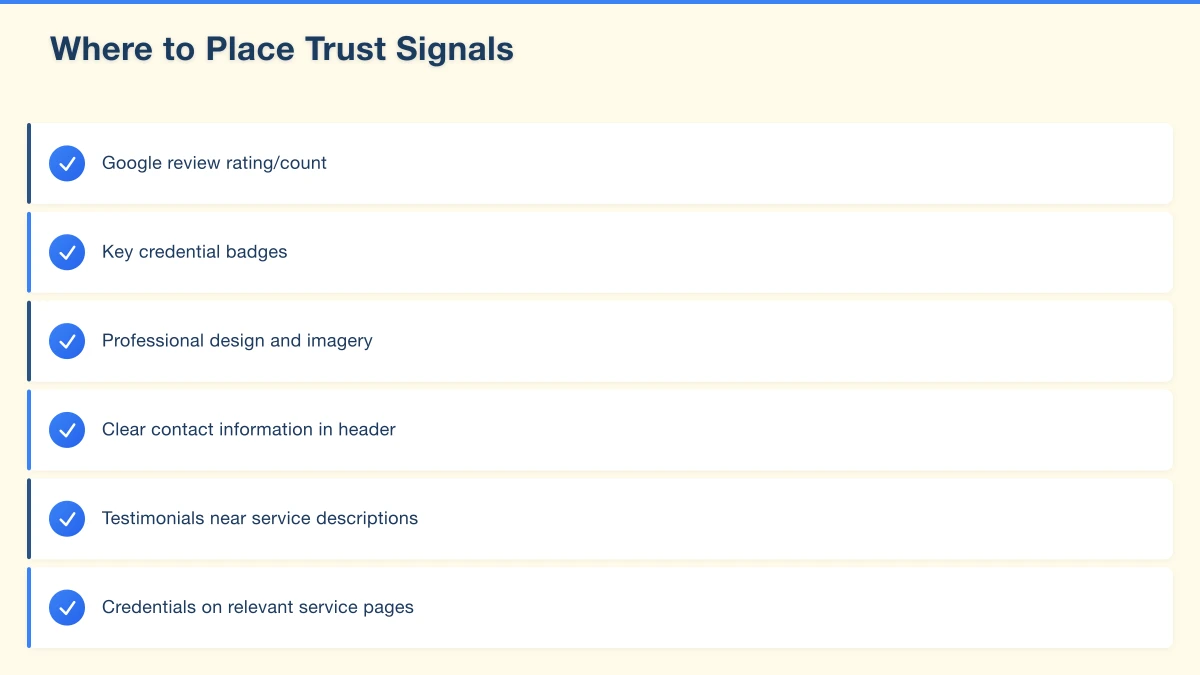
Where to Place Trust Signals
Above the Fold
The most important trust signals should appear before visitors scroll:
- Google review rating/count
- Key credential badges
- Professional design and imagery
- Clear contact information in header
Throughout Content
Reinforce trust as visitors explore:
- Testimonials near service descriptions
- Credentials on relevant service pages
- Team photos on About page
- Case studies linked from service pages
Near Calls to Action
When asking visitors to take action, surround your CTA with trust signals:
- “Book Now” near testimonials
- Contact forms near credential badges
- Quote request near review ratings
Footer
Your footer should include:
- Contact details
- Business address
- Licence numbers/credentials
- Links to privacy policy and terms
- Social media links
- Professional association logos
Trust Signals for Specific Business Types
Trades and Home Services
Essential:
- Licence numbers prominently displayed
- Insurance information
- Before/after project photos
- Clear service area
- Emergency contact options
Trust boosters:
- Manufacturer certifications
- Trade association membership
- Years in business
- Warranty information
Professional Services (Accounting, Legal, Consulting)
Essential:
- Professional qualifications and registrations
- Industry body memberships
- Clear expertise areas
- Individual professional profiles
Trust boosters:
- Case studies and client success stories
- Published articles or thought leadership
- Speaking engagements or media mentions
- Client logos (with permission)
Retail and E-commerce
Essential:
- Secure payment badges
- Clear shipping and return policies
- Customer reviews on products
- Contact information for support
Trust boosters:
- User-generated photos and reviews
- Inventory and availability information
- Order tracking capabilities
- Live chat support options
Health and Wellness
Essential:
- Practitioner qualifications prominently displayed
- Registration numbers (AHPRA for health professionals)
- Clear treatment information
- Privacy and confidentiality policies
Trust boosters:
- Patient testimonials (within regulatory guidelines)
- Clean, professional facility photos
- Treatment process explanations
- FAQ addressing common concerns
Common Trust Signal Mistakes
Overdoing Trust Badges
A homepage cluttered with 15 trust badges looks desperate, not trustworthy. Quality over quantity—choose 3-5 relevant, meaningful credentials.
Using Stock Photos for Team
Visitors spot stock photos immediately. A generic “diverse team” stock image damages trust more than no team photo at all. Use real photos or none.
Fake or Misleading Testimonials
Fabricated testimonials are often obvious and always risky. If discovered, they destroy trust permanently. Use only genuine customer feedback.
Hiding Behind Contact Forms
Contact forms are useful, but hiding your phone number suggests you don’t want calls. Many customers prefer to call—make it easy for them.
Neglecting Mobile Experience
Trust signals that work on desktop but break on mobile waste opportunity. Over 60% of local searches happen on phones—ensure trust signals display properly on all devices.
Stale Content
A “Latest News” section from 2023 or testimonials only from several years ago suggests an inactive business. Keep trust signals current or remove date references.
Building Trust Beyond Your Website
Google Business Profile
Your Google Business Profile is often seen before your website:
- Keep information accurate and current
- Respond to all reviews professionally
- Post regular updates
- Add photos of work and team
Social Media Presence
Consistent social media activity builds familiarity and trust:
- Regular posting shows active business
- Community engagement demonstrates personality
- Customer interactions visible publicly
Consistent Information
Ensure your name, address, and phone number match across:
- Your website
- Google Business Profile
- Social media accounts
- Online directories
Inconsistencies confuse customers and damage search rankings.
Measuring Trust Signal Effectiveness
Key Metrics
Conversion rate: Track what percentage of visitors take desired actions (calls, form submissions, purchases).
Bounce rate: High bounce rates may indicate trust issues—visitors leaving quickly suggest something’s wrong.
Time on site: Visitors who trust your site engage longer with content.
Contact form submissions: Monitor changes when adding or modifying trust signals.
A/B Testing
Test different trust signal implementations:
- Review badge placement
- Testimonial styles and content
- Team photo vs no photo
- Different credential emphasis
Small changes in trust signals can significantly impact conversion rates.
Conclusion
Trust signals aren’t decorative additions—they’re essential conversion tools for small businesses. Every element on your website either builds or damages trust with potential customers.
Focus first on the highest-impact trust signals: Google reviews prominently displayed, professional design, real team photos, and clear contact information. These fundamentals matter more than elaborate certifications or fancy badges.
Remember that trust is earned through consistency between what your website promises and what customers experience. The best trust signal is delivering excellent service that generates genuine reviews and referrals.
Build trust intentionally, display it prominently, and let your reputation speak for itself.
Want a website that builds trust and converts visitors into customers? Cosmos Web Technologies designs professional websites for Western Sydney small businesses. Contact us for a free consultation.
Pair your website with a companion mobile app. Awesome Apps creates cross-platform apps that share your branding and connect to the same backend.
Part of the Ganda Tech Services family, Cosmos Web Tech delivers specialist web design and digital marketing for Australian small and medium businesses.