Why 2 Seconds Matters
Two seconds isn’t an arbitrary target. It’s where the research points:
- 47% of users expect pages to load in 2 seconds or less
- Every additional second of load time increases bounce rate by roughly 7%
- Google uses page speed as a ranking factor
For Western Sydney businesses, a slow website means fewer enquiries, worse search rankings, and a poor first impression. When someone searches for “plumber Parramatta” and your site takes 5 seconds to load, they’ve already clicked your competitor.
The good news: most WordPress sites can load in under 2 seconds with proper optimization. Let’s make it happen.
Measuring Your Current Speed
Before fixing anything, measure where you stand:
Tools to Use
Google PageSpeed Insights (pagespeed.web.dev): Google’s official tool. Tests both mobile and desktop. Provides specific recommendations.
GTmetrix (gtmetrix.com): Detailed breakdowns of what’s slowing you down. Free account lets you test from Sydney servers.
WebPageTest (webpagetest.org): Advanced testing with waterfall charts showing exactly what loads when.
Key Metrics to Track
Largest Contentful Paint (LCP): How long until the main content appears. Target: under 2.5 seconds.
First Input Delay (FID): How long until the page responds to interaction. Target: under 100 milliseconds.
Cumulative Layout Shift (CLS): How much does content move around while loading? Target: under 0.1.
Time to First Byte (TTFB): How long until the server starts responding. Target: under 600 milliseconds.
Run tests three times and average the results. Single tests can vary.
Quick Wins: The 80/20 of WordPress Speed
These changes typically have the biggest impact:
1. Get Better Hosting
Your hosting provider is the foundation of your site speed. Budget hosting often means:
- Overcrowded servers
- Slow disk access
- Limited CPU and memory
- Poor server locations
For Australian businesses, consider:
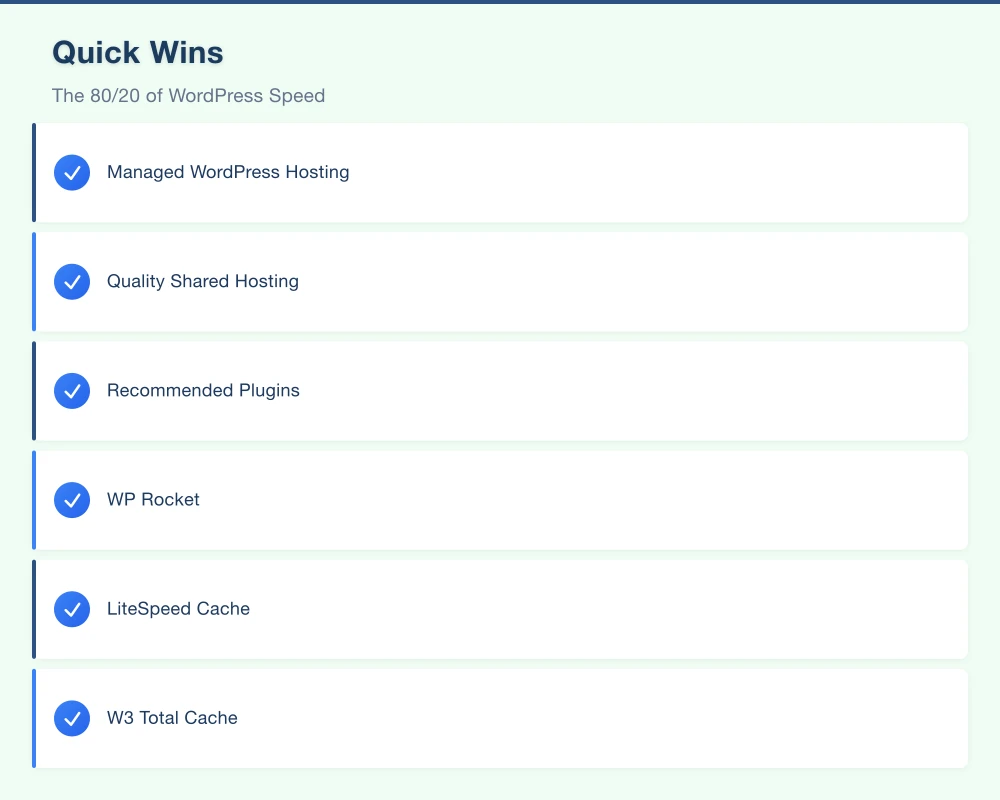
Managed WordPress Hosting:
- Kinsta ($35+/month): Sydney servers, excellent performance
- WP Engine ($25+/month): Good infrastructure, solid support
- Cloudways ($14+/month): Flexible, good value, multiple Australian data centres
Quality Shared Hosting:
- SiteGround ($3.99+/month): Better than average shared hosting
- VentraIP (Australian): Local company, local servers
The difference between $5/month hosting and $30/month hosting is often 2-3 seconds of load time. For a business website, that’s worth the upgrade.
2. Use a Caching Plugin
WordPress generates pages dynamically on each visit. Caching saves generated pages and serves them instantly.
Recommended Plugins:
WP Rocket ($59/year): Best overall. Easy to use, comprehensive features. Just install and activate for instant improvement.
LiteSpeed Cache (Free): Excellent if your host uses LiteSpeed server. Complex but powerful.
W3 Total Cache (Free): Powerful but complicated. Easy to misconfigure.
For most businesses, WP Rocket is worth the cost. Install it, enable recommended settings, and you’re done.
3. Optimise Your Images
Images are typically 50-80% of page weight. Unoptimised images are the single biggest cause of slow WordPress sites.
Before Uploading:
- Resize images to the largest size they’ll display (no need for 4000px images that display at 800px)
- Use appropriate formats (JPEG for photos, PNG for graphics with transparency, WebP where supported)
- Compress without visible quality loss
Plugins to Help:
ShortPixel (Free-$10/month): Automatically compresses on upload. Good balance of quality and compression.
Imagify (Free-$10/month): From WP Rocket’s developers. Works well with their caching plugin.
Smush (Free): Basic compression. Fine for small sites.
Real Impact: A single unoptimised hero image might be 2MB. Properly optimised, it’s 150KB. That’s 1+ second saved on slower connections.
4. Implement a CDN
A Content Delivery Network stores copies of your site on servers worldwide. Visitors get files from the nearest server instead of your Australian host.
Why It Matters for Australia: Even with Australian hosting, visitors from Perth, Darwin, or rural areas benefit. And if you have any international visitors, CDNs are essential.
Options:
Cloudflare (Free tier available): Easy setup, excellent free tier. Adds security benefits too. Start here.
BunnyCDN ($0.01/GB): Very affordable, Australian presence.
RocketCDN ($49/year): From WP Rocket, dead-simple integration if you use their plugin.
5. Minimise Plugins
Every plugin adds code that loads on every page. Audit ruthlessly:
- List all active plugins
- For each, ask: “Do we actually need this?”
- Deactivate and delete unused plugins
- Look for lighter alternatives to heavy plugins
Common Bloated Plugins:
- Page builders (Elementor, Divi, WPBakery) add significant overhead
- All-in-one SEO plugins do more than needed
- Social sharing plugins often load heavy scripts
- Slider plugins are frequently bloated
You don’t need to avoid these entirely, but be aware of the tradeoffs.
Advanced Optimisation Techniques
Once you’ve done the basics, these techniques push performance further:
Database Optimisation
WordPress databases accumulate clutter: post revisions, spam comments, expired transients, orphaned metadata.
WP-Optimize (Free): Clean database tables, remove revisions, optimise tables. Run monthly.
Manual Cleanup:
- Limit post revisions: Add to wp-config.php:
define('WP_POST_REVISIONS', 5); - Empty trash regularly
- Remove spam comments
Lazy Loading
Lazy loading defers images and videos until they’re about to enter the viewport. Users only download what they see.
WordPress 5.5+ has native lazy loading for images. But plugins like WP Rocket extend this to iframes and videos, with more control.
Preloading and Prefetching
Tell browsers to load critical resources early:
Preloading: Load essential files immediately (fonts, critical CSS) Prefetching: Prepare files for likely next pages (for navigation)
WP Rocket handles this automatically. For manual control, plugins like Pre* Party Resource Hints help.
Optimise Fonts
Custom fonts look great but can slow sites:
- Limit font families: Each adds a request and download
- Limit weights: Regular and bold cover most needs
- Host locally: Fonts hosted on your server are often faster than Google Fonts
- Use font-display: swap: Text appears immediately in a fallback font, then swaps when custom font loads
Plugins like OMGF (Optimize My Google Fonts) help with local hosting and optimisation.
Critical CSS
Critical CSS is the minimum CSS needed to render visible content. Load this first, load the rest later.
WP Rocket generates critical CSS automatically. For DIY, tools like Critical by Addy Osmani exist but require technical knowledge.
Reduce JavaScript
JavaScript blocks rendering until it downloads and executes. Minimise its impact:
- Defer non-essential scripts: Load after the page is usable
- Remove unused scripts: Analytics, chat widgets, social buttons - does every page need them?
- Combine files: Fewer requests are often faster than many small ones
WP Rocket’s file optimisation handles most of this. Enable defer JavaScript and combine options carefully (test thoroughly - combining can break things).
Performance by Page Type
Different pages need different approaches:
Homepage
Your homepage is usually the first impression. Priorities:
- Above-the-fold content loads instantly
- Hero image is optimised and preloaded
- Non-critical elements lazy load
- Keep it focused (homepages often try to do too much)
Blog Posts
Content-heavy pages need:
- Optimised featured images
- Lazy loading for in-content images
- Efficient comment loading (or disable if unused)
- Minimal sidebar elements
Product/Service Pages
Conversion-focused pages should prioritise:
- Fast-loading product images
- Quick form responsiveness
- Essential information visible first
- Secondary info deferred
Contact Page
Often overlooked but crucial:
- Map embeds can be heavy (lazy load or use static image)
- Forms should be lightweight
- Test form submission speed
Specific Fixes for Common Issues
Here’s how to address problems you’ll likely encounter:
Slow Third-Party Scripts
Analytics, chat widgets, ad networks, social plugins - all load external scripts that you don’t control.
Solutions:
- Delay loading until user interacts (WP Rocket has this for specific scripts)
- Remove non-essential tracking
- Self-host where possible (Google Analytics can be self-hosted via plugins)
- Use lightweight alternatives (Simple Analytics vs Google Analytics)
Heavy Page Builders
Elementor, Divi, and similar builders add significant bloat.
If You Must Use One:
- Elementor: Enable their optimised asset loading
- Divi: Enable performance options in settings
- Consider building key landing pages outside the builder
Better Approach:
- Use the block editor (Gutenberg) with a well-coded theme
- Templates rather than builders for consistent pages
- Reserve builders for one-off landing pages
WooCommerce Slowness
E-commerce adds complexity. WooCommerce-specific tips:
- Disable cart fragments on pages without cart (CartFlows or code snippet)
- Use a dedicated WooCommerce host (Cloudways with their WooCommerce stack)
- Limit products per page
- Optimise product images aggressively
- Consider headless commerce for high-traffic stores
Slow Admin Panel
A slow WordPress dashboard doesn’t affect visitors but wastes your time:
- Disable Heartbeat API or limit frequency (WP Rocket or Heartbeat Control plugin)
- Limit post revisions
- Remove admin-heavy plugins on production (query monitors, etc.)
Measuring Improvement
After making changes, measure again:
- Clear all caches
- Run PageSpeed Insights, GTmetrix, and WebPageTest
- Compare to baseline measurements
- Test on multiple devices and connections
- Check Core Web Vitals in Search Console (takes a few weeks to update)
Target metrics:
- LCP: Under 2.5s (ideally under 1.5s)
- FID: Under 100ms
- CLS: Under 0.1
- Overall PageSpeed score: 90+ on desktop, 70+ on mobile
Mobile is harder to optimise. A 70 mobile score with good Core Web Vitals is acceptable for most business sites.
Maintenance for Ongoing Speed
Speed optimisation isn’t one-and-done:
Monthly Tasks
- Test site speed (catch regressions)
- Clean database (revisions, spam, transients)
- Review new plugins for bloat
- Check image sizes for recent uploads
Quarterly Tasks
- Full plugin audit (remove unused, update outdated)
- Theme update (security and performance patches)
- Review third-party integrations
- Test on different devices and connections
Annually
- Hosting review (is your plan still appropriate?)
- Full performance audit
- Consider if major rebuilds are warranted
When to Call for Help
Some performance issues need professional help:
- Server configuration: PHP settings, database tuning, server-level caching
- Code issues: Poorly written themes or plugins need developer attention
- Architecture problems: Sites with fundamental structural issues may need rebuilding
- High-traffic scaling: Beyond basic optimisation, scaling requires expertise
At Cosmos Web Tech, we audit WordPress sites and implement optimisation that gets real results. For Western Sydney businesses, we’ve turned 6-second sites into sub-2-second sites.
Your Action Plan
Here’s what to do this week:
Day 1: Measure current performance (PageSpeed Insights + GTmetrix)
Day 2: Evaluate hosting - is it the bottleneck? If yes, plan migration.
Day 3: Install and configure caching (WP Rocket or LiteSpeed Cache)
Day 4: Optimise images (install ShortPixel, compress existing images)
Day 5: Set up Cloudflare (free tier is fine to start)
Day 6: Audit plugins - remove anything unnecessary
Day 7: Measure again. Celebrate improvement.
Then continue with advanced techniques as time allows.
Need Professional Help?
At Cosmos Web Tech, we specialise in WordPress performance for Western Sydney businesses. We offer:
- Performance Audits: Detailed analysis of what’s slowing you down
- Optimisation Implementation: We do the technical work
- Hosting Migration: Move to faster hosting without downtime
- Ongoing Maintenance: Keep your site fast over time
A slow website costs you customers every day. The sooner you fix it, the sooner you stop losing business.
Get in touch for a free speed assessment. We’ll tell you exactly where you stand and what it would take to hit that 2-second target.
Your customers won’t wait. Make sure they don’t have to.
Your website’s performance depends on what’s behind it. Cloud Geeks provides the managed hosting, cloud, and IT support that keeps Australian SMBs online and secure.
Ash Ganda covers how Australian SMBs are using AI, automation, and digital strategy to grow without scaling costs proportionally.
If your business is also planning a customer-facing iOS or Android app — Awesome Apps builds cross-platform mobile apps for Australian SMBs.
Part of the Ganda Tech Services family, Cosmos Web Tech delivers specialist web design and digital marketing for Australian small and medium businesses.