
Introduction
Email marketing remains one of the most effective ways for small businesses to connect with customers–delivering an average return of $36-42 for every dollar spent. For Western Sydney businesses in Parramatta, Hills District, or Blacktown, email marketing offers a direct line to customers without relying on unpredictable social media algorithms.
Mailchimp has become the go-to platform for small businesses getting started with email marketing. With a free plan covering up to 500 contacts and 1,000 monthly sends, it’s perfect for local businesses just starting out.
This guide walks you through everything you need to know about using Mailchimp for your small business in 2024.
Why Mailchimp for Small Business?
Free to Start
Mailchimp’s free tier gives small businesses everything they need:
- Up to 500 contacts
- 1,000 monthly email sends
- Pre-built email templates
- Basic automation
- Marketing CRM features
- Signup forms and landing pages
For most local businesses starting out, this covers your needs without spending a dollar.
Easy to Use
Mailchimp’s interface is designed for non-technical users:
- Drag-and-drop email builder
- Pre-designed templates
- Simple contact management
- Clear analytics dashboard
- Mobile app for managing campaigns on the go
You don’t need design skills or coding knowledge.
Grows with Your Business
As your needs expand, Mailchimp scales:
- Advanced automation workflows
- Multivariate testing
- Customer journey mapping
- Enhanced analytics
- Integration with other business tools
Start simple, add features as you grow.
Setting Up Your Mailchimp Account
Step 1: Create Your Account
- Go to mailchimp.com
- Click “Sign Up Free”
- Enter your email address
- Verify your email
- Complete your business profile
Mailchimp will ask about your business type and goals–this helps customize your experience.
Step 2: Complete Your Business Details
Fill out your business information:
- Business name and address
- Website URL
- Contact information
- Social media links
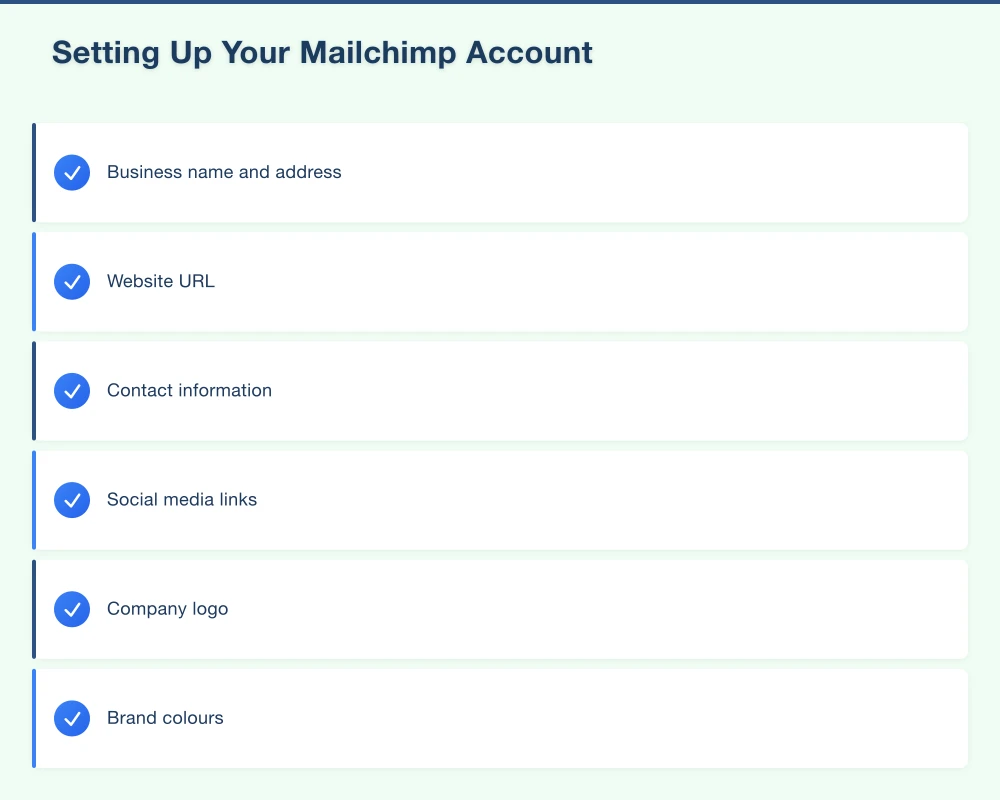
This information appears in your email campaigns and ensures compliance with anti-spam laws.
Step 3: Verify Your Domain
Domain verification improves email deliverability:
- Go to Settings > Verified Domains
- Add your website domain
- Add the DNS records to your domain (your web developer can help)
- Verify the connection
Verified domains mean emails are less likely to land in spam folders.
Step 4: Set Up Your Brand
Upload your branding:
- Company logo
- Brand colours
- Default fonts
- Social media icons
Mailchimp applies these automatically to email templates.
Building Your Email List
The quality of your list determines campaign success. Here’s how to build it properly.
Create Signup Forms
Mailchimp offers several form options:
Embedded Forms Add directly to your website:
- Go to Audience > Signup Forms > Embedded Forms
- Choose form design
- Customize fields and style
- Copy the code
- Add to your website (footer, sidebar, or dedicated page)
Pop-up Forms Capture attention without being intrusive:
- Go to Audience > Signup Forms > Form Builder
- Choose “Pop-up form”
- Set display rules (exit intent, time delay, scroll percentage)
- Design and publish
Landing Pages Standalone signup pages:
- Create > Landing Page
- Choose template
- Customize with your offer
- Publish and share the link
Offer Value for Signups
People need a reason to subscribe. Effective incentives for Western Sydney businesses:
Retail/Hospitality
- 10% off first purchase
- Free coffee/item on birthday
- Early access to sales
- Exclusive subscriber specials
Services (Trades, Salons, Professional Services)
- Free consultation
- Seasonal maintenance checklist
- Priority booking
- Member-only pricing
Local Expertise
- Free guide or e-book
- Tips and how-to resources
- Industry insights newsletter
- Community event invitations
Collect Contacts Offline
Don’t limit list building to digital:
In-Store/On-Site
- QR code linking to signup page
- Tablet at checkout for direct signup
- Paper signup sheet (transfer to Mailchimp later)
- Receipt inserts with signup URL
Business Cards and Print
- Include signup link on business cards
- Add QR codes to flyers
- Mention email benefits in conversations
Example for Hills District café: “Scan this QR code to join our Coffee Lovers Club–get weekly specials and a free coffee on your birthday!”
Import Existing Contacts
If you have existing customer emails:
- Go to Audience > All Contacts > Add Contacts
- Import from file (CSV or TXT)
- Map fields correctly
- Ensure you have permission to email these contacts
Important: Only import contacts who have given permission to receive marketing emails.
Understanding Australian Anti-Spam Laws
Mailchimp helps with compliance, but you need to understand the rules.
The Spam Act 2003 Requires
Consent
- People must agree to receive emails
- Can be express (signed up) or inferred (existing business relationship)
- Keep records of how people subscribed
Identification
- Business name and contact details must be clear
- Readers must know who’s sending
Unsubscribe
- Every email must have an unsubscribe link
- Honour unsubscribes within 5 business days
- Make unsubscribing easy
Penalties: Up to $2.1 million per day for serious violations.
Mailchimp automatically includes unsubscribe links and manages opt-outs–but getting proper consent is your responsibility.
Creating Your First Email Campaign
Step 1: Choose Campaign Type
Regular Email Campaign:
- Create > Email > Regular
- Name your campaign (internal only)
- Select audience
- Click “Begin”
Step 2: Set Up Campaign Details
From Name: Your business name (appears in inbox) From Email: Use your verified domain email Subject Line: Clear and compelling (under 50 characters) Preview Text: First line readers see–expand on subject line
Step 3: Design Your Email
Mailchimp’s drag-and-drop editor makes design simple:
Start with a Template
- Choose from Mailchimp templates
- Browse by category or use
- Select one matching your goal
Customize Content
- Add/remove content blocks
- Insert images, text, buttons
- Update colours and fonts
- Include your logo
Essential Elements
- Clear headline
- Brief, scannable copy
- Compelling call-to-action button
- Contact information
- Social media links
- Unsubscribe link (automatic)
Step 4: Preview and Test
Before sending:
- Preview on desktop and mobile
- Send test email to yourself
- Check all links work
- Review on phone
- Look for typos
Step 5: Schedule or Send
Send Now: Immediate sending to all recipients Schedule: Set specific date and time Timewarp: Send at optimal time for each time zone (paid plans)
Best Send Times for Western Sydney Businesses:
- B2C: Tuesday-Thursday, 10am-11am or 7pm-8pm
- B2B: Tuesday-Thursday, 8am-9am or 1pm-2pm
- Hospitality: Friday 4pm-5pm (weekend planning)
- Services: Wednesday morning (mid-week scheduling)
Test different times to find what works for your audience.
What to Send: Content Ideas
Monthly Newsletter
Regular touchpoint with your audience:
- Business news and updates
- Featured products or services
- Useful tips or how-to content
- Customer stories
- Upcoming events or specials
Keep it concise–3-5 short sections maximum.
Promotional Emails
Time-sensitive offers:
- Seasonal sales
- Limited-time discounts
- New product launches
- Flash sales
- Event invitations
Make the offer clear and include urgency (genuine deadlines).
Automated Welcome Series
Set up once, works automatically:
Email 1 (Immediate): Welcome and thank you
- Deliver promised incentive
- Introduce your business
- Set expectations for future emails
Email 2 (3 days later): Share your story
- Why you started the business
- What makes you different
- Invite engagement
Email 3 (7 days later): Provide value
- Useful tips or resources
- Popular products/services
- Gentle call to action
Seasonal and Event-Based
Leverage calendar events:
- Holiday promotions
- Seasonal service reminders
- Local events
- Business milestones
- Customer appreciation
Measuring Campaign Success
Mailchimp provides detailed analytics. Focus on these key metrics:
Open Rate
Percentage who opened your email:
- Average: 15-25%
- Good: 25-35%
- Excellent: 35%+
Low open rates?
- Improve subject lines
- Test send times
- Clean your list (remove inactive subscribers)
- Ensure mobile preview text is compelling
Click Rate
Percentage who clicked links:
- Average: 2-3%
- Good: 3-5%
- Excellent: 5%+
Low click rates?
- Strengthen call-to-action
- Improve content relevance
- Make buttons more prominent
- Ensure mobile-friendly design
Unsubscribe Rate
Percentage who unsubscribed:
- Normal: 0.2-0.5%
- Concerning: 1%+
High unsubscribes?
- Reduce send frequency
- Improve content value
- Segment your audience better
- Review email relevance
Conversion Tracking
What happened after the click?
- Set up e-commerce tracking (if selling online)
- Track website goals with Google Analytics
- Monitor bookings/calls after sends
- Calculate ROI
Example ROI calculation:
- 500 subscribers
- 25% open rate = 125 opens
- 5% click rate = 6 clicks
- 3 customers purchase = $450 revenue
- Campaign time: 2 hours = Good ROI
Best Practices for Local Businesses
Keep It Personal
Write like a human, not a corporation:
- Use conversational language
- Share behind-the-scenes content
- Let your personality show
- Address readers by first name
Provide Real Value
Every email should benefit subscribers:
- Useful information
- Exclusive offers
- Entertainment
- Timely reminders
Bad: “Check out our new products!” Good: “5 ways to prepare your garden for spring (plus 20% off this weekend)”
Stay Consistent
Pick a schedule and stick to it:
- Weekly for high-value content
- Fortnightly for regular updates
- Monthly minimum to stay remembered
Inconsistent sending makes people forget who you are.
Segment Your Audience
Send relevant emails to specific groups:
- New subscribers vs loyal customers
- Different locations
- Different interests/purchases
- Engagement level
Mailchimp’s free plan includes basic segmentation.
Mobile Optimization
Over 60% of emails open on phones:
- Use responsive templates
- Keep subject lines under 40 characters
- Make buttons easy to tap
- Use readable font sizes
- Test on mobile before sending
Common Mistakes to Avoid
Buying Email Lists
Never buy contact lists:
- People didn’t consent
- Damages sender reputation
- Likely violates spam laws
- Wastes time and money
Build your list legitimately.
Emailing Too Often
More isn’t better:
- Watch unsubscribe rates
- Match frequency to value provided
- Quality over quantity
- Give readers breathing room
Most local businesses should email 1-4 times monthly.
Ignoring Analytics
Data tells you what works:
- Review every campaign
- Track trends over time
- Test subject lines
- Learn from successes and failures
Mailchimp’s reports make this easy.
All Sales, No Value
Pure promotional emails get ignored:
- Follow the 80/20 rule (80% value, 20% promotion)
- Mix educational and promotional content
- Build trust before asking for sales
- Give readers reasons to stay subscribed
Getting Started This Week
Day 1: Setup
- Create Mailchimp account
- Complete business profile
- Add branding
Day 2: Forms
- Create website signup form
- Design pop-up (if using)
- Set up welcome email
Day 3: List Building
- Add form to website
- Create in-store signup method
- Prepare signup incentive
Day 4-5: First Campaign
- Write your first email
- Design using template
- Test thoroughly
Day 6: Send
- Schedule or send campaign
- Monitor results
- Learn and adjust
Need Help with Email Marketing?
Email marketing works when done consistently and strategically. At Cosmos Web Technologies, we help Western Sydney businesses set up and manage Mailchimp campaigns that drive real results.
Whether you need help with setup, template design, automation, or ongoing campaign management, we’re here to help your local business grow through email marketing.
Contact us today to discuss how email marketing can work for your business.
Related Articles
- Email Marketing for Western Sydney Local Businesses: Getting Started
- Google Business Profile Optimisation: The Western Sydney Local Business Guide
- Facebook Ads vs Google Ads for Local Businesses in Western Sydney
Your website’s performance depends on what’s behind it. Cloud Geeks provides the managed hosting, cloud, and IT support that keeps Australian SMBs online and secure.
Ash Ganda covers how Australian SMBs are using AI, automation, and digital strategy to grow without scaling costs proportionally.
If your business is also planning a customer-facing iOS or Android app — Awesome Apps builds cross-platform mobile apps for Australian SMBs.
Part of the Ganda Tech Services family, Cosmos Web Tech delivers specialist web design and digital marketing for Australian small and medium businesses.