Professional Website Photography: DIY Tips for Bella Vista Businesses
In today’s digital-first marketplace, your website serves as the front door to your business. For Bella Vista entrepreneurs and small business owners, professional-looking photography can be the difference between a visitor staying to explore your services or clicking away to a competitor. While hiring a professional photographer is ideal, budget constraints often make this challenging for emerging businesses.
The good news? With the right techniques and tools, you can create compelling website photography that rivals professional work – all while keeping costs minimal. At Cosmos Web Tech, our web design services help businesses integrate stunning photography with strategic design, and we’ve seen firsthand how quality imagery impacts conversion rates and brand perception.
Whether you’re running a café in Bella Vista’s bustling commercial district, operating a fitness studio, or managing a professional services firm, this comprehensive guide will equip you with practical, actionable photography techniques that deliver results.
Understanding the Impact of Quality Website Photography
Before diving into techniques, it’s crucial to understand why professional photography matters for your Bella Vista business. Studies consistently show that websites with high-quality images experience 94% more views than those with poor visuals. Moreover, customers form first impressions within 50 milliseconds of viewing your website – and photography plays a pivotal role in this split-second judgment.
For local businesses in Bella Vista, where competition is fierce across sectors from hospitality to professional services, your visual presentation must immediately communicate credibility, quality, and professionalism. Poor photography doesn’t just look unprofessional; it actively undermines trust and can significantly impact your conversion rates. That’s why our responsive design approach ensures your images look stunning on every device.
Consider the difference between a restaurant website featuring dimly lit, blurry food photos versus one showcasing vibrant, well-composed dishes. The latter immediately suggests quality and attention to detail – qualities customers want to experience firsthand.
Essential Equipment for DIY Business Photography
Contrary to popular belief, you don’t need expensive equipment to create professional-looking website photography. The key lies in understanding how to maximize basic tools and work within natural constraints.
Camera Options That Deliver Results
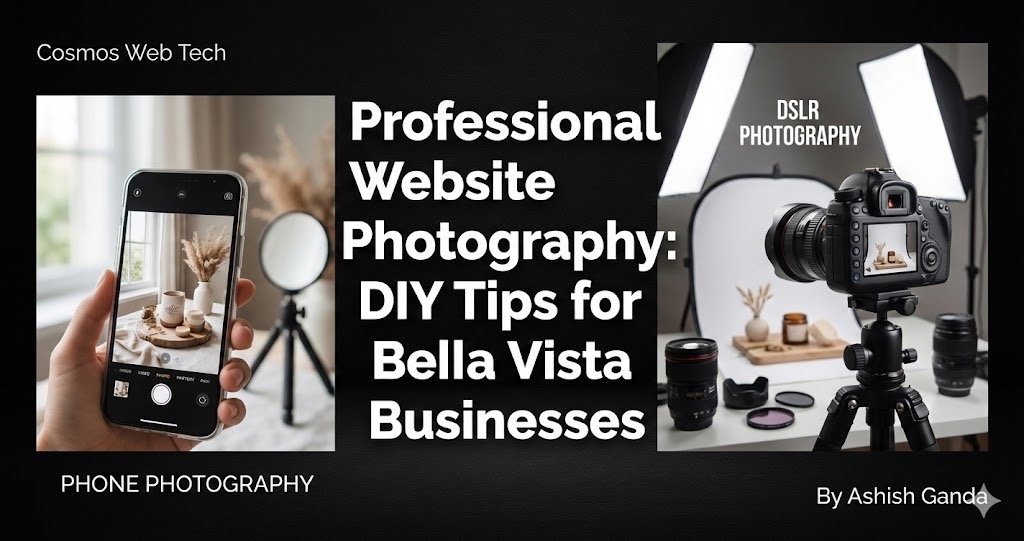
Your smartphone is likely your most powerful photography tool. Modern smartphones, particularly iPhone 12 and newer models, Samsung Galaxy S21+, or Google Pixel devices, offer exceptional image quality that’s perfectly suited for web use. The key advantage? Built-in computational photography that automatically optimizes exposure, color balance, and sharpness.
For businesses ready to invest slightly more, consider entry-level DSLR cameras like the Canon EOS Rebel series or Nikon D3500. These provide greater control over depth of field and perform better in challenging lighting conditions.
Lighting Equipment on a Budget
Natural light remains your best friend for DIY photography, but Western Sydney’s variable weather requires backup solutions. A basic lighting setup can cost under $200 and includes:
- Two softbox lights (around $80 total) for even illumination
- A reflector disc ($15-25) to bounce light and reduce harsh shadows
- A small LED panel light ($30-50) for detail work and product shots
For businesses operating in Bella Vista’s many indoor locations, investing in portable lighting pays dividends across all your visual content creation.
Stabilization and Composition Tools
A sturdy tripod is non-negotiable for consistent, sharp images. Budget-friendly options like the AmazonBasics 60-inch tripod provide adequate stability for most business photography needs. Additionally, consider a smartphone gimbal for video content creation – increasingly important for modern web design.
Mastering Lighting Techniques for Professional Results
Lighting separates amateur photography from professional-quality images. Understanding basic lighting principles allows Bella Vista businesses to create compelling visuals regardless of their physical space limitations.
Harnessing Natural Light Effectively
Bella Vista’s climate offers abundant natural light opportunities throughout most of the year. The golden hours – the first hour after sunrise and the last hour before sunset – provide the most flattering, warm light for business photography. However, mid-day lighting can work excellently when properly diffused.
For storefronts and interior shots, position subjects near large windows but avoid direct sunlight, which creates harsh shadows and overexposed areas. Instead, use sheer curtains or position subjects slightly away from windows to achieve soft, even lighting.
Creating Professional Lighting Setups Indoors
When natural light isn’t available or sufficient, artificial lighting requires strategic placement. The classic three-point lighting setup works well for portrait photography of team members or detailed product shots:
1. Key Light: Your primary light source, positioned 45 degrees to one side of your subject 2. Fill Light: A softer light source that reduces shadows created by the key light 3. Background Light: Optional lighting that separates your subject from the background
For product photography, consider a simple two-light setup with one main light and one fill light, using reflectors to control shadows and create even illumination.
Avoiding Common Lighting Mistakes
Many Bella Vista businesses make critical lighting errors that immediately identify their photos as amateur. Avoid:
- Using direct flash, which creates harsh shadows and unnatural skin tones
- Mixing different types of light sources (fluorescent, LED, natural) without color correction
- Underlighting subjects, resulting in grainy, unprofessional images
- Creating unflattering shadows by positioning lights incorrectly
Composition Strategies That Convert Visitors
Technical quality means nothing without compelling composition. Professional composition techniques guide viewers’ attention and create emotional connections with your brand.
The Rule of Thirds and Beyond
While the rule of thirds provides a solid foundation – placing important elements along imaginary lines that divide your frame into thirds – modern web design often benefits from centered, symmetrical compositions that work well across various screen sizes.
For Bella Vista retail businesses, consider how your images will appear on mobile devices, tablets, and desktop screens. Compositions that place key elements centrally often translate better across these different viewing contexts.
Leading Lines and Visual Flow
Use architectural elements, product arrangements, or natural lines to guide viewers’ eyes toward important information. For restaurants, this might mean arranging table settings to create depth. For fitness studios, equipment placement can create dynamic leading lines that suggest movement and energy.
Color Psychology and Brand Consistency
Your website photography should reinforce your brand colors and psychological messaging. Warm tones (reds, oranges, yellows) create feelings of energy and appetite – excellent for restaurants and retail. Cool tones (blues, greens) suggest professionalism and reliability – ideal for financial services or healthcare providers.
Ensure consistent color grading across all images to maintain brand cohesion and professional appearance.
Post-Processing: Enhancing Your Images for Web Use
Raw photography is just the beginning. Post-processing transforms good images into compelling web assets that load quickly and look professional across all devices.
Essential Editing Software Options
For budget-conscious Bella Vista businesses, several excellent editing options exist:
- Adobe Lightroom: Industry standard with powerful batch editing capabilities ($9.99/month)
- Canva Pro: User-friendly with templates designed for business use ($12.99/month)
- GIMP: Free, powerful alternative with extensive capabilities
- Snapseed: Google’s free mobile editing app with professional features
Key Editing Techniques for Web Images
Focus on these fundamental adjustments that deliver maximum impact:
1. Exposure and Brightness: Ensure images are properly exposed without losing detail in highlights or shadows 2. Contrast: Add punch and visual interest while maintaining natural appearance 3. Color Correction: Adjust white balance and saturation for accurate, appealing colors 4. Sharpening: Enhance detail clarity without creating artifacts 5. Crop and Straighten: Improve composition and ensure professional appearance
Optimizing Images for Web Performance
Web-optimized images must balance visual quality with loading speed. For most business websites, JPEG format at 80-85% quality provides excellent results. Resize images to their display dimensions – typically no wider than 1920 pixels for full-width hero images, and 800-1200 pixels for content images.
Consider WebP format for modern browsers, which provides superior compression while maintaining quality. Most content management systems now support automated WebP conversion.

Specific Photography Scenarios for Bella Vista Businesses
Restaurant and Café Photography
Food photography requires specific techniques to create appetite appeal. Use natural light when possible, and avoid overhead fluorescent lighting that creates unflattering color casts. Style dishes simply – often less is more in food photography. Include environmental shots that showcase your atmosphere and dining experience.
Retail and Product Photography
Product photography benefits from consistent lighting and backgrounds. Create a simple setup using a white backdrop (even a white wall works) and consistent lighting. Show products from multiple angles and in use when relevant. For fashion retailers, lifestyle shots showing products worn or styled often outperform basic product shots.
Service-Based Business Photography
Professional services require images that build trust and showcase expertise. Include high-quality headshots of key team members, images of your workspace that suggest competence and organization, and photos that demonstrate your service in action when appropriate.
Healthcare and Wellness Photography
Healthcare imagery must balance professionalism with warmth. Clean, bright images that showcase modern equipment and comfortable environments help build patient confidence. Always ensure patient privacy and obtain proper permissions for any images including people.
Conclusion: Transforming Your Bella Vista Business Through Professional Photography
Professional website photography isn’t just about pretty pictures – it’s about building trust, communicating value, and converting visitors into customers. For Bella Vista businesses competing in today’s digital marketplace, quality imagery is no longer optional; it’s essential for success.
By implementing these DIY photography techniques, you can create compelling visual content that rivals professional work while staying within budget constraints. Remember that consistency matters more than perfection – maintain a cohesive visual style across all your website images, and continuously refine your techniques based on what resonates with your audience.
Start with basic equipment and master fundamental techniques before investing in advanced gear. Focus on lighting quality, composition principles, and post-processing skills that enhance rather than mask your original photography.
Most importantly, remember that authentic imagery that genuinely represents your business and values will always outperform generic stock photos. Your Bella Vista customers want to connect with real businesses run by real people – let your photography tell that authentic story.
At Cosmos Web Tech, we believe every Western Sydney business deserves a professional online presence. While we specialize in web design and digital solutions, we know that compelling photography forms the foundation of effective websites that convert visitors into loyal customers. Reach out to us to discuss how we can help you create a visually stunning website that drives business growth.
Ready to transform your business photography? Start with one technique from this guide, master it, then gradually expand your skills. Your website – and your bottom line – will thank you for the investment in quality visual content.
Your website’s performance depends on what’s behind it. Cloud Geeks provides the managed hosting, cloud, and IT support that keeps Australian SMBs online and secure.
Ash Ganda covers how Australian SMBs are using AI, automation, and digital strategy to grow without scaling costs proportionally.
If your business is also planning a customer-facing iOS or Android app — Awesome Apps builds cross-platform mobile apps for Australian SMBs.
Part of the Ganda Tech Services family, Cosmos Web Tech delivers specialist web design and digital marketing for Australian small and medium businesses.