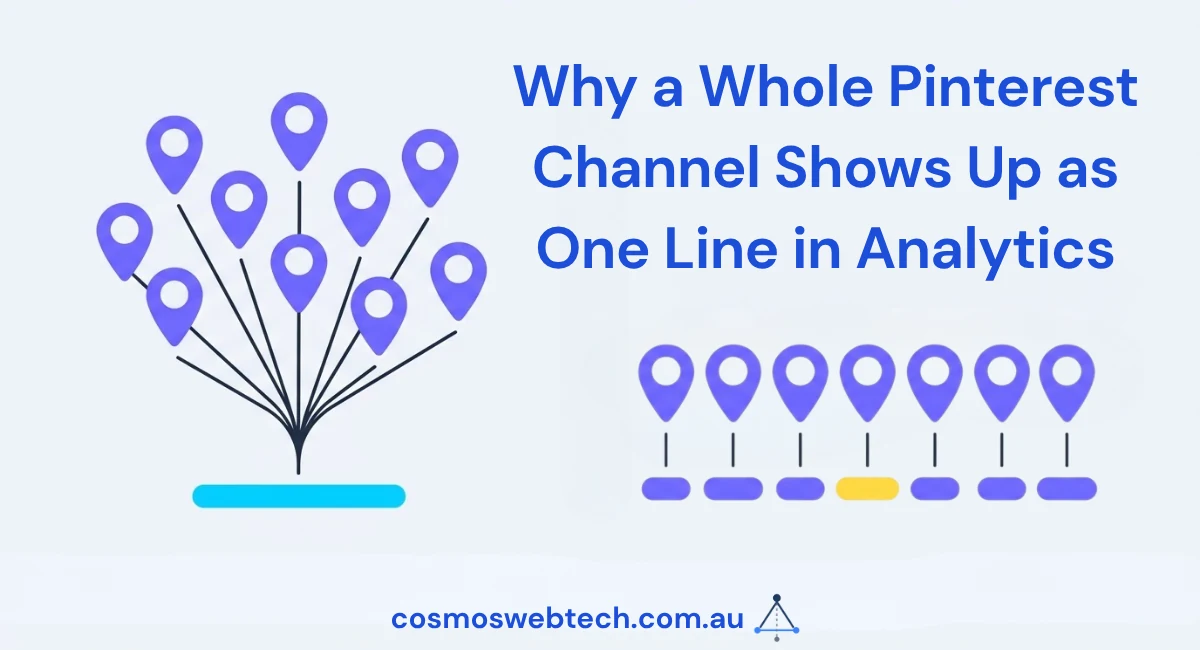
We went looking for something specific in our analytics last month: which pin sent us a click. Pinterest, as a source, reported a single undifferentiated line — one channel, one referrer, whatever the total happened to be. As a way of attributing fifteen separate images pointing at fifteen separate articles, it told us nothing useful at all.
Why a pin has nowhere to put its own name
A pin is, structurally, just a link with an image attached. When someone clicks through, the browser sends a referrer, and by default that referrer is Pinterest itself, full stop. It does not carry the board name, the pin’s own ID, or which of our articles the pin was actually promoting. Every pin we had ever posted, on any board, promoting any article, arrived in our analytics as the same single line: referral traffic from Pinterest.
That is fine if you post one pin and want to know whether Pinterest, as a channel, sends any traffic at all. It stops being fine the moment you post fifteen pins for fifteen different articles and want to know which ones are worth making more of. The board and the specific pin that earned each click were unrecoverable after the fact, because the information was never captured on the way in. There is no analytics report that reconstructs data nobody tagged at the source.
Tagging fifteen pins
The fix is UTM parameters, appended to the destination URL on each pin rather than anything done inside Pinterest itself. We retagged fifteen pins with utm_source=pinterest, utm_medium=social and utm_campaign=pin as fixed values across all fifteen, and utm_content set to the article’s own slug so that value differs pin by pin.
That last field is doing the actual attribution work. Source, medium and campaign tell you the channel and the campaign type, and they are the same on every pin because every pin is the same channel and the same kind of campaign. Content is what turns “traffic from Pinterest” into “traffic from the pin for this specific article,” and it only works if it is unique per link.
The bug that only showed up on links that already had a query string
Building the fifteen tagged links, we derived utm_content from the destination URL automatically rather than typing each one by hand, which is the right instinct and produced a real bug we would not have found by eyeballing a handful of examples.
The derivation took the slug from the whole URL. For a plain URL, that worked, because the whole URL and the path were the same thing. For any link that already carried a query string of its own — for example, a link with ?v=2 on the end from an earlier caching change — the same logic picked up the query string as part of what it was extracting, and ?v=2 ended up inside the utm_content value on those links. Every pin pointing at a URL with an existing parameter would have reported a slightly wrong content value, and depending on how the analytics platform parsed it, some of those might not have matched the article at all.
The fix was to take the slug from the URL path only, ignoring the query string entirely before building the UTM value. It is a one-line change, and it is the kind of one-line change that a script only surfaces if you test it against a URL that already has a parameter on it, not just against the clean ones.
Keeping the fixed fields fixed
It is tempting, once you are inside the fifteen links doing the retagging, to vary something other than utm_content as well — a different campaign name for a seasonal push, a different medium if a pin happens to sit inside a paid promotion rather than an organic post. We deliberately did not do that here. Source, medium and campaign describe the mechanism the traffic travelled through, and that mechanism was identical across all fifteen pins: organic pins, posted the same way, on the same platform. Varying those three fields per link would have made the reporting harder to group later, not easier, because a report that sums by campaign only works cleanly if the same campaign name means the same thing everywhere it appears.
The discipline is to hold everything constant except the one field that is supposed to vary. utm_content changes because the whole point of tagging is to distinguish fifteen different pieces of content. Everything else stays fixed because the whole point of the other three fields is to describe fifteen instances of the same thing.
Verifying before it ships
We do not treat a tagged link as done until it has actually been requested. All fifteen links were checked and returned HTTP 200 with the UTM parameters attached and intact, which confirms two separate things at once: that the destination page still resolves once four extra query parameters are appended to it, and that nothing in the redirect chain strips them before the page loads, which some URL shorteners and some server configurations will quietly do.
A link that resolves without its tags is functionally the same as an untagged link. It looks correct in the Pinterest post and produces the same unattributed lump of traffic we started with.
The general version of this
Any traffic source that reports as “a click from somewhere on this platform” rather than “a click on this specific link” needs tagging at the point you post it, because the platform itself is not going to differentiate your content for you after the fact. Pinterest was our case this time. The same gap exists on Facebook, on Instagram bio links, and anywhere else a channel gets summarised as one referral source regardless of how many distinct pieces of content are driving traffic through it.
The practical version: decide your source, medium and campaign once, per channel, and get them right. Decide your content value per link, and derive it from something that will not silently break the first time a URL is more complicated than your test case. Then check that the tagged link actually loads before you consider the job finished.
We cover the wider setup — source values, medium values, and where campaign tracking tends to fall over — in our Pinterest marketing guide for product-based businesses, and the analytics side of reading what a tagged source actually tells you once the data starts arriving is in our guide to Google Analytics 4 and our beginner’s guide to understanding your traffic. If your own reporting collapses several channels into vague single lines the way ours did before this fix, that is the kind of gap our SEO work finds and closes.
Ashish Ganda is the founder of Cosmos Web Tech, which builds and maintains websites for small businesses across Western Sydney and the Hills District.