513 WordPress Vulnerabilities in Two Weeks: What the Wordfence Intelligence Reports Actually Mean for Your Site
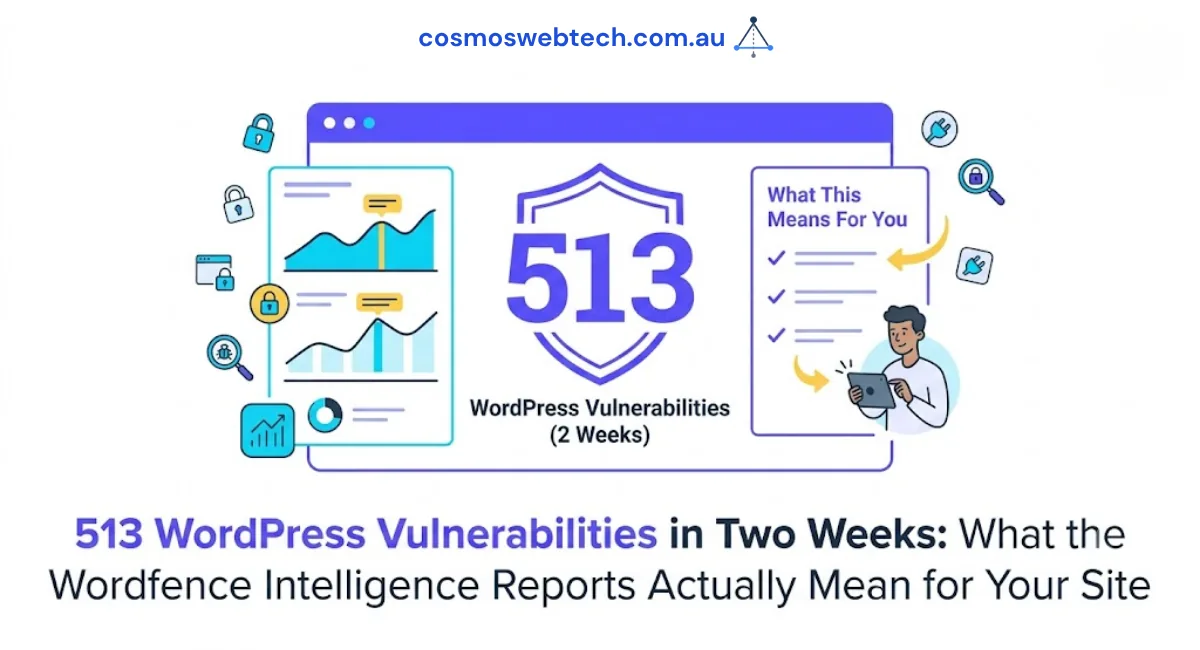
Two weeks of Wordfence Intelligence weekly reports:
- Week of July 6-12, 2026: 267 WordPress vulnerabilities disclosed
- Week of June 29 - July 5, 2026: 246 WordPress vulnerabilities disclosed
- Two-week total: 513 disclosed vulnerabilities across the WordPress plugin and theme ecosystem
Most small business owners see the report subject line, decide “that is for enterprise IT to worry about” and delete the email. That is understandable, and it is also the exact wrong response. The overwhelming majority of the vulnerabilities in a Wordfence weekly report are in plugins that ordinary small business sites use - contact form plugins, backup tools, membership plugins, cache plugins, page builders.
If you run a WordPress site for your Australian small business, the practical question is not “do I need to worry about vulnerability reports”. The practical question is: which of the 513 disclosures apply to plugins currently installed on my site?
That is answerable in about ten minutes.
What is actually in these reports
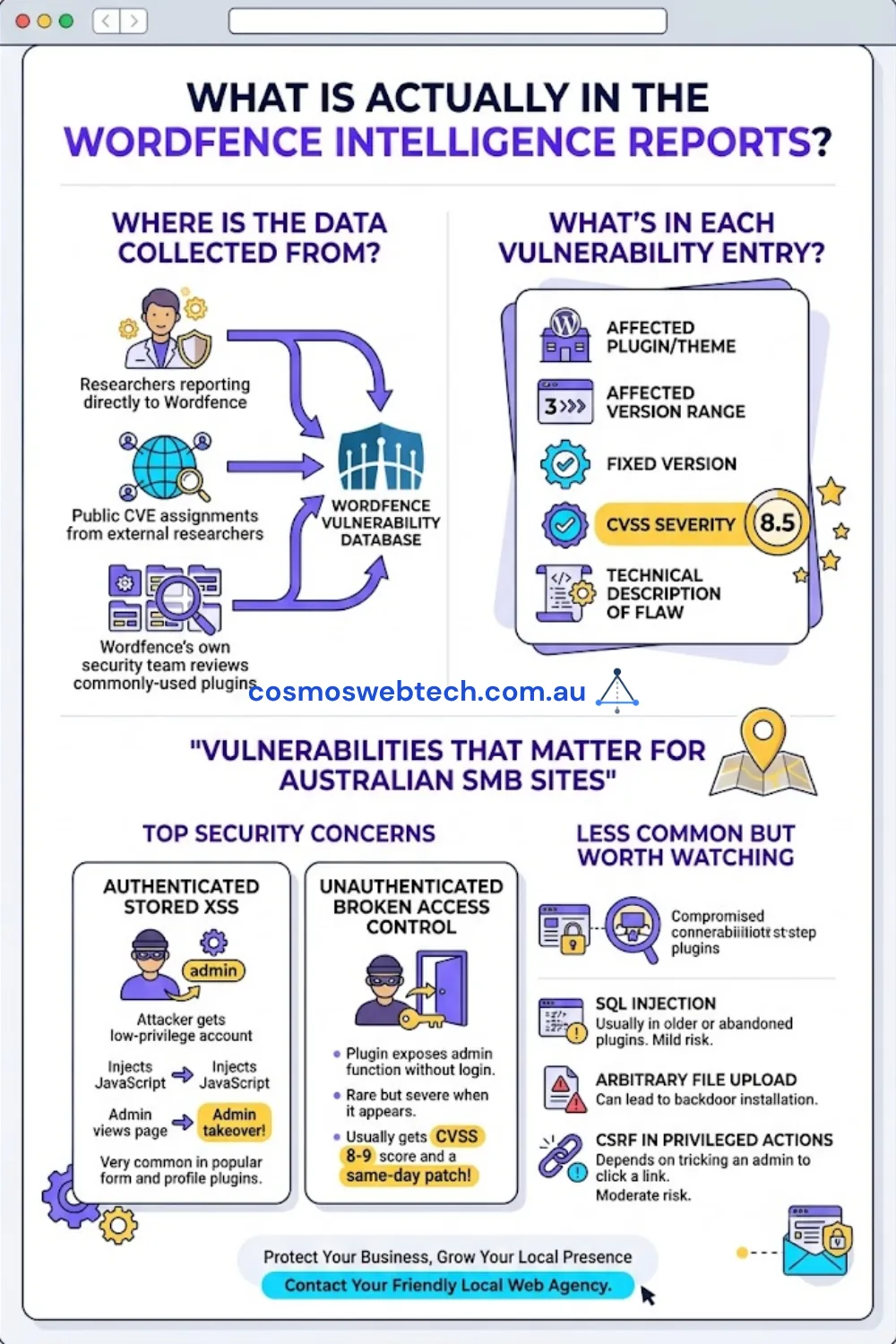
The Wordfence Intelligence Vulnerability Database aggregates vulnerability disclosures from three sources:
- Researchers reporting directly to Wordfence
- Public CVE assignments from external researchers
- Wordfence’s own security team, which reviews commonly-used plugins
Each entry includes: the affected plugin/theme, the affected version range, the fixed version, the CVSS severity, and a short technical description of the flaw.
The two categories that most often matter for a typical Australian SMB site:
- Authenticated stored XSS - an attacker who has (or gains) a low-privilege account can inject JavaScript that runs when an admin views a page. Chain this with a login-guess attack and you have admin takeover. Very common in form and profile plugins.
- Unauthenticated broken access control - a plugin exposes an admin function to unauthenticated requests. No login required. Rare but severe when it appears; usually gets a CVSS in the 8-9 range and a same-day patch.
Less common but worth watching: SQL injection (usually in older or abandoned plugins), arbitrary file upload (severe - can lead to backdoor installation), and CSRF in privileged actions (moderate - depends on whether an admin can be tricked into clicking a crafted link).
The ten-minute audit
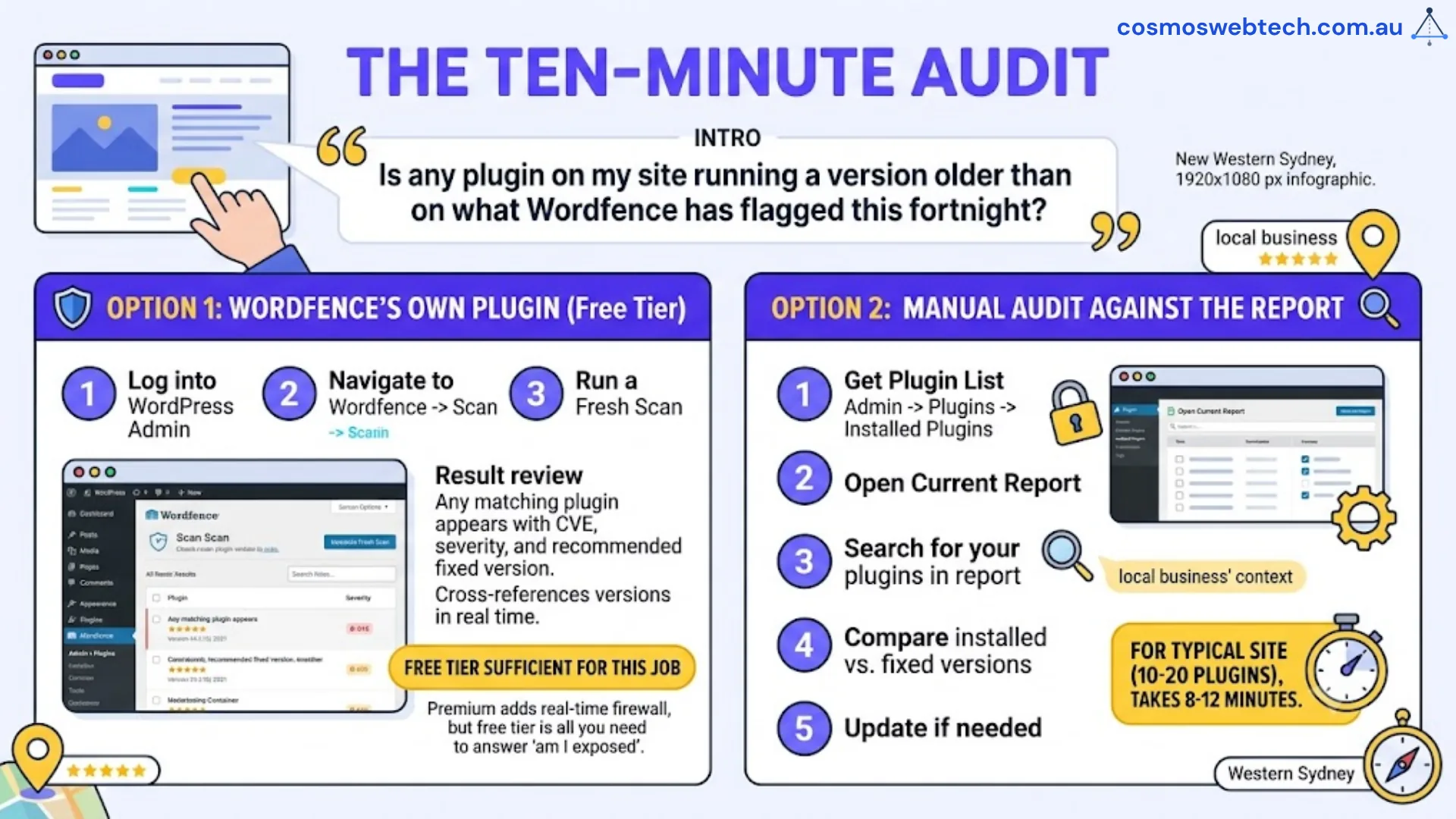
You do not need to read the whole Wordfence report. You need to answer one question: is any plugin on my site running a version older than what Wordfence has flagged this fortnight?
Two ways to answer it.
Option 1: Wordfence’s own plugin (free tier is enough)
If you already run the Wordfence WordPress plugin, log into your admin, go to Wordfence to Scan, and run a fresh scan. The Wordfence plugin cross-references your installed plugin versions against the Vulnerability Database in real time. Any plugin that matches a known vulnerability appears in the scan results with the CVE, severity, and recommended fixed version.
The free tier is sufficient for this specific job. The paid tier (Wordfence Premium) adds real-time firewall rules for zero-day protection - useful, but not required to answer the “am I exposed” question.
Option 2: Manual audit against the report
If you do not want to install another plugin, the manual version:
- Open the current week’s Wordfence Intelligence report in your browser
- Search the report for the name of each of your installed plugins (Plugins to Installed Plugins in WordPress admin gives the list)
- If a plugin appears in the report, note the fixed version
- Compare against the version installed on your site
- Update any plugin where your installed version is older than the fixed version
For a typical site with 10-20 plugins, this takes about 8-12 minutes.
What was worth updating in the last two weeks specifically
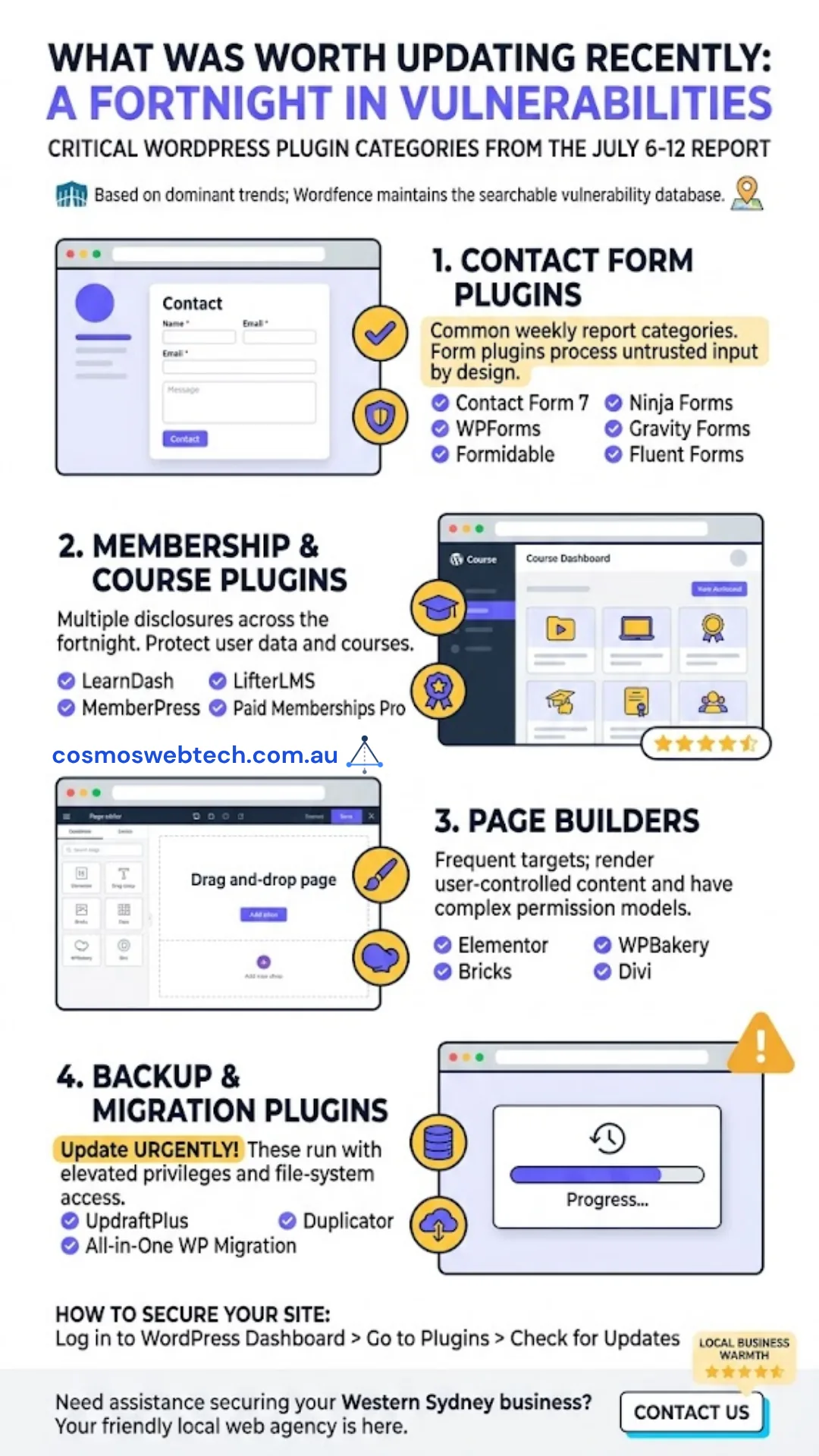
Without republishing the whole vulnerability database (Wordfence maintains it as a searchable resource), the categories that dominated the July 6-12 report and are worth checking on your site:
- Contact form plugins - one of the most common categories in both weekly reports. If you run Contact Form 7, WPForms, Formidable, Ninja Forms, Gravity Forms, or Fluent Forms, confirm you are on the latest version. Form plugins get hit hard because they process untrusted input by design.
- Membership and course plugins - both weeks had multiple entries. LearnDash, MemberPress, LifterLMS, and Paid Memberships Pro all had at least one vulnerable version range disclosed across the fortnight.
- Page builders - Elementor, Bricks, WPBakery, and Divi each had at least one disclosure. Page builders are frequent targets because they typically render user-controlled content and often have complex permission models.
- Backup and migration plugins - two disclosures across the fortnight. UpdraftPlus, All-in-One WP Migration, and Duplicator were among the affected. Update these urgently - backup plugins often run with elevated privileges and file-system access.
The pattern that matters more than any single fix
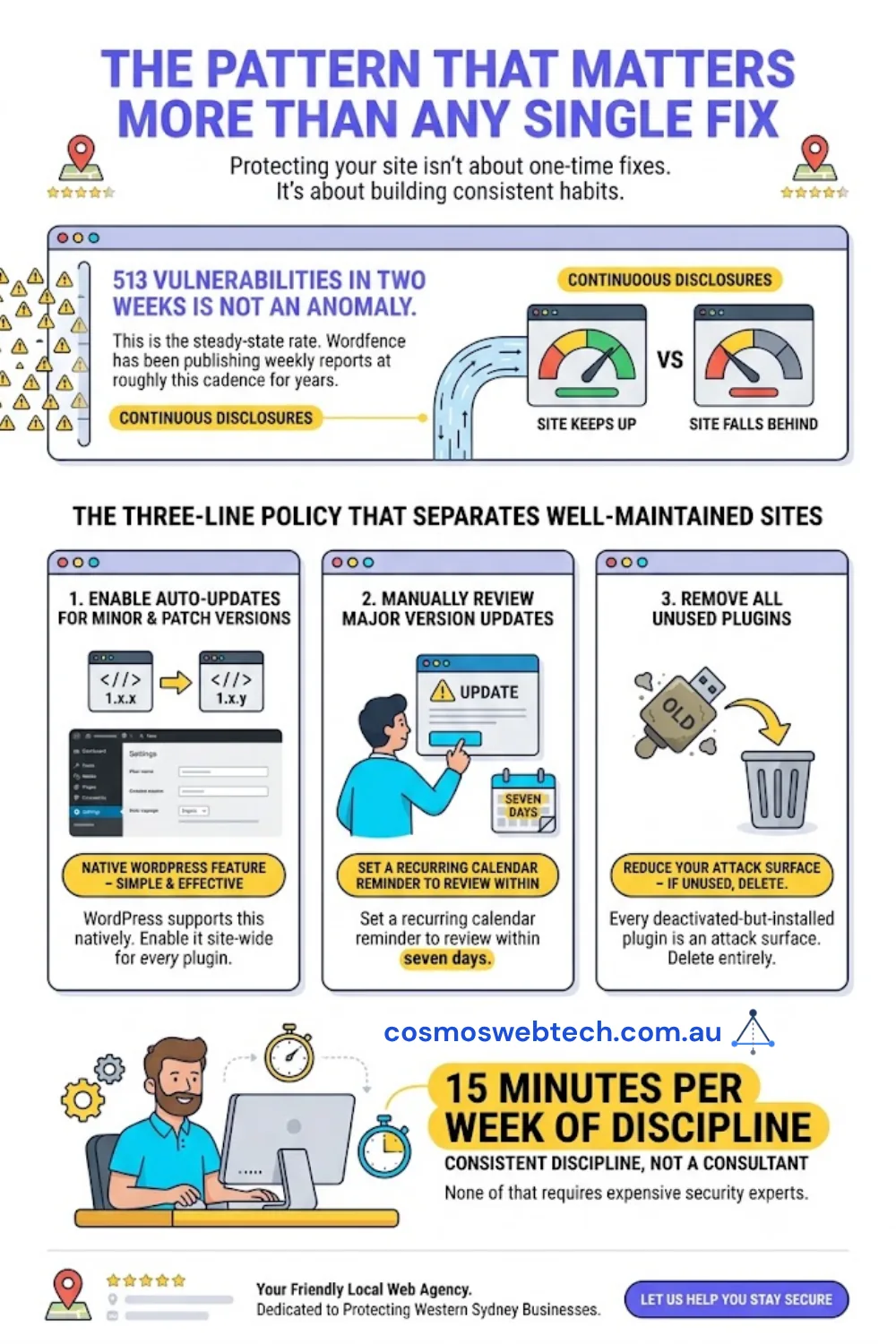
Two weeks, 513 vulnerabilities is not an anomaly. That is the steady-state rate. Wordfence has been publishing weekly reports at roughly this cadence for years. The vulnerabilities never stop being disclosed - the only variable is whether your site keeps up.
The three-line policy that separates a well-maintained WordPress site from a compromised one:
- Auto-update minor and patch versions of every plugin. WordPress supports this natively. Enable it site-wide.
- Review major version updates manually within seven days. Set a recurring calendar reminder.
- Remove plugins you are not actively using. Every deactivated-but-installed plugin is still an attack surface. If it is not being used, delete it entirely.
None of that requires a security consultant. It requires 15 minutes per week of discipline.
When to get help
If your site has been running for years without a security policy, if you have already been compromised, or if you want a full security audit against the OWASP WordPress top 10 - talk to our team. We run WordPress security hardening as a standalone service for Australian small businesses at a fixed price, and can integrate with existing hosting whether you are on WP Engine, Kinsta, Cloudways, or a shared-hosting stack.
Part of our WordPress security series. See also: WordPress Security Checklist - 15 Essential Steps and Hacked WordPress Site Cleanup: Sucuri vs Wordfence vs MalCare.
For deeper technical coverage of WordPress security tooling comparisons, our sister site Cloud Geeks Insights reviews Sucuri, Wordfence, and MalCare in detail.
Part of the Ganda Tech Services family, Cosmos Web Tech builds and maintains high-performance WordPress and Jamstack websites for Australian small businesses.